





Prompting for Productivity – 12 Prompt Patterns Teams Can Reuse Immediately
Introduction
Most teams now have access to powerful AI tools, yet calendars stay packed and inboxes stay full. The gap rarely comes from the model; it comes from the way we talk to it. When people search for Prompting for Productivity: 12 Prompt Patterns Teams Can Reuse Immediately, what they really want is a repeatable way to turn AI from a toy into a dependable work partner.
We see a similar pattern across organizations. Someone types a vague request like “write a professional email” and receives a long, generic block of text. It sounds polished but says very little. By the time they edit it into something usable, they could have written the message themselves. The problem is not AI. The problem is prompts that lack context, a clear audience, and a specific goal.
Reusable prompt patterns fix that. Instead of reinventing the wheel every time, teams use structured templates with smart placeholders. Add context about what is happening, describe who the message is for, state what outcome is needed, and the quality of AI output changes fast. Prompts stop being individual tricks and start acting like shared playbooks.
“The single biggest problem in communication is the illusion that it has taken place.”
— George Bernard Shaw
In this guide, we walk through twelve prompt patterns that teams can plug into work right away. They cover customer support, sales, project updates, feedback, scheduling, vendor management, and relationship building. Along the way, we connect these patterns to measurable outcomes like faster drafting, more consistent communication, smoother onboarding, and higher satisfaction scores. This same structured prompting approach sits at the heart of how we built iAvva AI’s coaching platform for leadership development and daily productivity. By the end, you will have concrete templates plus a strategy to build a living prompt library for your whole organization.
Key Takeaways
Effective AI prompting rests on three simple building blocks: context about what is happening, persona for who you are addressing, and a clear goal for what you want them to do or feel. When all three show up in a prompt, the model has enough direction to produce drafts that sound thoughtful instead of generic.
Reusable prompt patterns turn one person’s clever prompt into a repeatable asset for the whole team. Each pattern acts like a mini playbook with placeholders for variables, so anyone can drop in the right details and get a strong first draft. This makes AI support part of the workflow, not a one‑off experiment.
The twelve patterns in this guide map to common, high‑value situations. They cover de‑escalating upset customers, explaining technical issues, following up in sales, recapping meetings, sending project updates, asking for feedback, coordinating schedules, managing vendors, networking, and reconnecting with past contacts. Together, they cover a large share of daily writing at work.
A central prompt library with simple access can reclaim a large portion of the day people spend on email. When teams pair patterns with tools like text expansion or prompt management platforms, they cut copy‑paste steps and make the best prompts one keystroke away. This is where advanced methods such as Chain‑of‑Thought prompting and Retrieval‑Augmented Generation (RAG) start to matter, because they build on a clean base.
Organizations that treat prompting as a system, not a side project, see gains across four areas: they write faster, keep quality and tone consistent, improve outcomes like response rates and ticket resolution, and make high‑quality communication possible for everyone, not just strong writers. Removing friction through good tools and processes is the key that makes people actually use these patterns.
The Foundation Of Effective AI Prompting For Team Productivity

When AI output feels flat, the cause is almost always a vague prompt. Organizations looking to improve their AI interactions can explore Prompt Packs for Business: methodologies that help teams structure their prompts for better results across different business functions. Many requests look like this: “Draft an update for stakeholders” or “Fix this customer email.” The model fills the gaps with its best guess, and the result sounds like a template that could have been sent to anyone.
In our work with teams, the prompts that consistently deliver strong results share three elements. They name the situation, they describe the audience, and they spell out the goal. Add a short note about tone, and AI starts to feel like a colleague who understands the room, not a random text generator.
Prompt patterns take that idea one step further. Instead of writing long instructions each time, you design a reusable structure with placeholders for the variables that change. Over time, those patterns become part of your organizational knowledge, just like brand guidelines or sales scripts. They speed up communication, reduce errors, and help new hires sound like seasoned team members from day one.
This way of prompting also acts like a leadership practice. It forces clarity about what is really happening, who is affected, and what outcome matters most. That same discipline sits at the core of iAvva AI’s coaching approach, where daily prompts guide managers to think clearly about their decisions, their teams, and their goals.
“Clarity is the starting point of success.”
— Brian Tracy
Understanding Context – The “What Is Happening” Component
Context is the basic story behind the message. It answers what happened, when it happened, and why a message is needed now. Without it, the model falls back on generic lines because it does not know which details matter.
Compare “reschedule a meeting” with “reschedule Tuesday’s quarterly review with the board because the CEO has an urgent client visit.” The second version tells the model the type of meeting, the audience level, and the reason. That extra information guides tone, level of apology, and how firm the new date should sound.
Helpful context often includes:
- Timing and deadlines
- Key stakeholders and roles
- Business impact or risk
- Any hard constraints or non‑negotiables
A good habit is to ask yourself what a new teammate would need to know to write this message well. If a person needs that information, so does AI.
Defining Persona – The “Who You Are Talking To” Element
Persona is all about the receiver. It covers their role, your relationship with them, and how they prefer to be addressed. A note to a close colleague, a senior executive, and a frustrated customer should never sound the same.
When you tell the model “write to my direct report who missed a deadline,” it knows the tone can be supportive yet firm. When you say “write to our CFO,” it shifts toward concise and data‑heavy. A message to a new vendor might include more background, while a note to a long‑term partner can assume shared history.
Thinking about persona also means paying attention to cultural norms, hierarchy, and past contact. If you have had tense conversations with someone before, you can say so in the prompt. The more the model understands who sits on the other side, the easier it is to match tone and level of detail.
Articulating Goals – The “What You Want To Accomplish” Objective
Goals give direction. They tell the model what should happen after the reader finishes the message. Do you want them to approve a budget, calm down after a bad experience, accept a new process, or simply understand a change?
A vague aim like “inform stakeholders” often yields a long summary with no clear request. A sharper goal such as “get approval for a 10 percent budget increase by Friday close of business” leads to a focused draft that builds a case and ends with a clear ask.
Most business messages fall into a few goal types. They:
- Inform
- Persuade
- Request action
- De‑escalate
- Coordinate
- Build or repair a relationship
Adding that intent to your prompt keeps AI away from meandering text and toward messages that actually move work forward.
Pattern 1 – De‑Escalating Frustrated Customer Interactions

Upset customers are both a warning and a gift. Research often shows that most unhappy customers never complain; they simply disappear. The ones who do write in give you a brief window to recover trust, and the way you answer can turn anger into loyalty.
This pattern follows a simple service recovery arc built on three moves:
- Acknowledge the emotion and the issue in plain language so the customer feels heard.
- Take ownership for what went wrong instead of hiding behind stock phrases.
- Explain the immediate action you are taking and what will happen next, so the customer knows there is a path out of the problem.
A reusable prompt might look like this in practice:
“Write a customer support email responding to a customer who is upset about [CUSTOMER SITUATION]. Acknowledge their [EMOTION OR CONCERN] in plain language. Apologize clearly for [WHAT WENT WRONG] without blaming them. Explain that we are doing [IMMEDIATE ACTION] and spell out [NEXT STEPS OR HOW TO REACH US]. Keep the tone professional, warm, and free of buzzwords.”
You can adjust the placeholders for damaged shipments, long delays, billing mistakes, or service outages. Across all these cases, the pattern keeps the message focused on empathy and repair. Over time, this kind of consistent response can raise satisfaction scores, lower escalation rates, and even increase repeat purchase rates, because customers remember who treated them fairly when something broke.
“Customers may forget what you said but they’ll never forget how you made them feel.”
— Maya Angelou (paraphrased)
Customizing The Pattern For Your Brand Voice
Every brand has its own way of speaking, and this pattern should reflect that style. Some support teams like a friendly, casual tone with short sentences and simple words. Others need a slightly more formal voice but still want to sound human, not scripted.
You can bake that into the prompt by adding a short note such as “write in our brand voice which is direct, clear, and caring, with no slang.” You might also embed typical steps your team offers, like free return labels, credits, or a standard escalation path for complex issues.
Over a few weeks, support leaders can:
- Test small wording changes
- Track which versions lead to fewer angry replies or repeat contacts
- Update the shared pattern when a variation performs better
When you treat these prompts as living assets, your entire support team benefits from every improvement.
Pattern 2 – Communicating Technical Issue Escalations With Clarity
Technical issues are stressful for customers, but poor communication makes them far worse. When systems go down or features misbehave, people do not just want a fix. They want to know someone has heard them, understands the impact, and is working on it with a clear plan.
This pattern keeps status updates simple and calm. It:
- Confirms that the report was received and logged
- Explains what your team has found so far, without hiding or over‑sharing technical detail
- Sets a realistic expectation for when the issue should be resolved
- Offers a safe workaround when one exists
A base prompt can look like this:
“Draft a support email to a customer who reported [TECHNICAL ISSUE]. Confirm that we have received their report and thank them for flagging it. Explain what our team has found so far about [CURRENT STATUS OR ROOT CAUSE] in clear language. Share an honest time frame of [EXPECTED RESOLUTION WINDOW] and how we will keep them updated. If helpful, describe a simple [WORKAROUND OR TEMPORARY OPTION]. Keep the tone calm, factual, and reassuring.”
Teams can plug in situations such as login failures, broken integrations, slow performance, or full outages. This kind of structured update reduces follow‑up tickets that ask for the same information, protects trust during tense moments, and gives frontline agents a dependable starting point under pressure.
When To Offer Workarounds Vs. Waiting For Complete Resolution
Not every issue calls for a workaround. Sometimes a short wait for a clean fix is better than asking customers to try a complex set of steps that may confuse them further. The key is to weigh how simple the workaround is against the risk of making things worse.
As a rule of thumb, offer a temporary option when it:
- Involves a few easy clicks
- Does not create extra data clean‑up later
- Will not interfere with the permanent repair
When no good workaround exists, be honest and focus on clear expectations. A message that says “we cannot offer a safe temporary path, so our team is treating this as a top priority and will update you by [TIME]” builds more trust than a long, confusing fix that fails. Clarity is the goal, even when the answer is “please wait.”
Pattern 3 – Sales Follow‑Up That Breaks Through Inbox Noise
Cold outreach lives in crowded inboxes where most messages never receive a reply. Average response rates for first‑touch emails often fall in the low single digits, which means effective follow‑ups are vital. Yet many follow‑ups fail because they repeat the same pitch or push too hard for a meeting.
This pattern treats the follow‑up as a short, helpful nudge rather than a pressure tactic. It:
- Reminds the prospect of the earlier note
- Respects how busy they are
- Offers one concrete benefit
- Ends with a simple question about their current process
That question lowers the barrier to reply and opens space for a real conversation.
A typical prompt might read as follows:
“Write a short follow‑up email under one hundred words to [PROSPECT NAME] who did not reply to my message about [OFFER OR PRODUCT] sent [TIME FRAME] ago. Mention that I know their schedule is full. Highlight one benefit that speaks directly to their challenge with [PAIN POINT], in plain language. Close with one easy question about how they are currently handling [RELATED PROCESS], instead of asking for a meeting. Keep the tone warm, professional, and free of hard selling.”
You can adapt this for SaaS outreach, consulting offers, partnership ideas, or even recruiting messages. By centering the email on the prospect’s world and keeping it light, you increase the odds that even a quick “not now” reply turns into a later opportunity.
Timing Your Follow‑Up Sequence For Maximum Impact
Timing matters as much as wording. A good rhythm starts with a first follow‑up three to five days after the initial email. This keeps you close to the top of the inbox without feeling like you are checking in the next morning.
If there is still no reply:
- Send a second follow‑up a week to ten days later, shifting the angle or benefit.
- Reference a new insight, a short case example, or a different use case.
- After three or four touches with no signal, move the contact into a light nurture track where they receive helpful content now and then.
Tracking these steps in a CRM helps your team avoid double outreach and learn which timing patterns work best for your buyers.
Pattern 4 – Meeting Recaps That Drive Action And Momentum
What happens after a strong meeting often decides whether a deal progresses or stalls. A quick “thanks for your time” email does little to confirm what was discussed or what comes next. A structured recap, on the other hand, shows that you listened, understood, and are ready to move.
This pattern starts by restating the main pain points or goals the other side shared, in their own language. Then it:
- Maps each point to how your product or service addresses it
- Lists next steps for both sides
- Ends with a concrete suggestion for the next meeting or decision
A prompt could look like this:
“Draft a follow‑up email to [PROSPECT NAME AND TITLE] after our meeting today. Begin with a brief thank you and recap the [NUMBER] main challenges they mentioned such as [PAIN POINTS]. For each, explain in one sentence how our approach addresses it. Then list the next steps we agreed to, separating what our team will do and what their team will do, with time frames. Close by proposing a specific time window for the next conversation and ask a clear scheduling question. Keep the tone confident, concise, and focused on their goals.”
Used well, this pattern reduces misunderstandings, shortens sales cycles, and reinforces the sense that you are a partner who pays attention rather than a vendor reciting a script.
Creating Accountability Without Micromanagement
Follow‑up emails need to clarify who owns which actions, but they should not sound like orders. There is a subtle but important difference between “you need to send us the data” and “we agreed that your team would send the data.” The second phrasing reminds both sides of a shared plan instead of sounding like a command.
You can reinforce mutual commitment by:
- Always including your own action items alongside the prospect’s tasks
- Using language like “we agreed” and “as discussed”
- Adding a short line about why each action matters for their outcome
When people see how a step links to their own goals, they are more likely to complete it on time without extra chasing.
Pattern 5 – Project Status Updates That Actually Get Read
Stakeholders receive many status updates, and most of them are long, dense, and easy to skip. That is a problem, because good updates keep projects aligned and reduce the need for extra meetings. The answer is not more detail; it is clearer structure.
This pattern presents the project story in a simple order. It:
- Starts with what has just been completed
- Outlines what comes next
- Calls out any delays with honest impact
- Ends with specific requests for each stakeholder
The goal is for someone to scan the email in under a minute and know exactly where things stand and what they must do.
A useful prompt might be the following:
“Write a project status email for [PROJECT NAME] to our key stakeholders. Open with a short summary of where we are now. State that [LATEST MILESTONE] is [STATUS] and give one line of context. Describe when [NEXT PHASE] begins and what it covers. If anything is delayed, name [ITEM], how long the delay is, and why it happened, plus whether this changes the final deadline. Finish with a clear list of what each stakeholder needs to do and by when. Keep paragraphs short and easy to scan.”
Teams can use this approach for software builds, marketing campaigns, process changes, and more. Over time, clear updates reduce surprises and help leaders feel informed without needing constant live briefings.
Adapting Update Frequency Based On Project Complexity
Not every project needs a weekly status email. The right rhythm depends on:
- How complex the work is
- How many people are involved
- How high the stakes are
High‑risk projects that touch customers or revenue often call for weekly updates, or even twice a week during tight phases.
Routine or lower‑risk work may do fine with bi‑weekly updates or notes tied to key milestones. It can also help to slice audiences:
- Senior leaders receive a short summary once a month
- The project team sees a more detailed note each week
A simple rule is that no important stakeholder should be surprised by bad news. If risk increases or new issues appear, raising the update frequency for a short period protects trust and keeps everyone moving together.
Pattern 6 – Feedback Requests That Foster Genuine Collaboration
Many feedback requests sound like the decision is already made. Phrases such as “please review and approve” push people toward a quick yes instead of honest input. Over time, this trains teams to stay quiet, even when they see problems.
This pattern invites real collaboration. It:
- Explains the current process and what is not working
- Shares a proposed change and why you believe it helps
- Asks for specific types of feedback
- Sets a clear deadline and next step
A prompt structure can be as follows:
“Write an email to my team asking for feedback on a proposed change to [PROCESS OR POLICY]. Explain in simple terms how the current approach to [CURRENT PROCESS] is causing [PROBLEM] and what impact that has on our work or customers. Describe the new approach I am suggesting and why I think it could help. Ask the team to share whether they believe this will work, what obstacles they see, and what they would change. Set a deadline for replies on [DATE] and say that I will review all input and share a final decision by [FOLLOW‑UP TIME]. Keep the tone open and collaborative.”
Used regularly, this pattern helps leaders tap into front‑line insight, reduce blind spots, and build a culture where people feel safe raising concerns.
“None of us is as smart as all of us.”
— Ken Blanchard
Following Through – What To Do With The Feedback You Receive
How you respond to feedback sets the tone for every future request. When people share thoughtful comments and then hear nothing, they learn that speaking up is a poor use of time. When they see their ideas taken seriously, they lean in.
A simple three‑step follow‑through process works well:
- Thank the group and summarize the main themes you heard, even if you disagree with some of them.
- Explain which suggestions you are adopting and why, in clear terms.
- Address ideas you are not taking forward and share the reasoning with respect.
Calling out a few helpful contributions by name, when appropriate, also encourages others. Moving quickly matters here. Even a brief update that arrives within a week signals respect and helps people see the link between their input and final decisions.
Pattern 7 – Coordinating Complex Scheduling Across Multiple Teams
Coordinating schedules for training, cross‑team projects, or vendor sessions often eats hours of back‑and‑forth messages. Small gaps in the initial request force people to ask for more detail, and each extra round adds delay.
This pattern front‑loads the information people need to respond in one pass. It spells out:
- What the event is
- What logistics are already set
- What information you need from each group
- By when you need it and why
It also explains how you will prioritize slots, which nudges faster replies.
A prompt might take this shape:
“Write an email to [GROUP OF RECIPIENTS] asking for their team’s availability for an upcoming [EVENT OR TRAINING]. Briefly explain the purpose of the session and any fixed details such as dates or format. List the key logistics like length, location or platform, and any special needs. Ask each recipient to share [SPECIFIC INFORMATION NEEDED] such as headcount and preferred time slots by [DEADLINE]. Explain why that date matters, for example so we can confirm the trainer and rooms. Mention that time slots will be assigned in the order responses come in. Keep the tone clear and respectful.”
By using this pattern, operations teams can shorten the planning phase and reduce the number of reminder emails needed to lock in attendance.
Digital Tools That Amplify This Pattern’s Effectiveness
Good wording is only half the battle. Scheduling tools can remove much of the manual effort once people are ready to respond. Calendar link services, for example, allow invitees to pick from pre‑set time windows without extra coordination.
These tools work best for standard meetings and large groups. For high‑stakes sessions with senior leaders, a more personal touch still matters, but you can combine it with automation by offering a curated set of slots.
In practice, many teams:
- Send an email using this pattern
- Include links or buttons that make it easy to choose times with a few clicks
- Add clear instructions about what to do with the link and who to contact with questions
That mix of clarity and simple tooling keeps the experience smooth.
Pattern 8 – Managing Vendor Performance With Professional Firmness
Vendors and partners can make or break operations. When service levels slip, the impact spreads to employees and customers quickly. At the same time, most organizations want to protect long‑term relationships rather than start from zero with a new provider.
This pattern helps you address performance gaps in a direct yet professional way. It:
- Opens with a short statement of the issue and its impact
- Points to specific examples or data
- Requests a meeting to discuss needed improvements
- Asks the vendor to arrive prepared with a prevention plan
A prompt could look like this:
“Draft a firm but professional email to our contact at [VENDOR NAME] about a recurring problem with [ISSUE]. Explain how this is affecting [IMPACT ON OPERATIONS OR CUSTOMERS] in concrete terms. Cite a few specific cases with dates or order numbers so the pattern is clear. Request a meeting within [TIME FRAME] to discuss what needs to change and ask them to come ready with a plan to avoid these issues going forward. Keep the language respectful and free of blame, while making it clear that the current situation cannot continue.”
Handled well, messages like this reset expectations, protect contracts, and signal that your team manages external partners with the same discipline it expects internally.
When To Escalate Beyond Email To Contract Review
Email conversations can solve many performance problems, but there are limits. If the same issues keep surfacing after clear communication, or if failures cause serious financial, safety, or compliance risk, it may be time to look at the contract.
It helps to keep a careful record of:
- Incidents and dates
- Impact on service or customers
- Past conversations and agreed actions
That record supports legal and procurement teams if they need to discuss remedies such as service credits or, in extreme cases, termination. Before raising formal options, consider whether the vendor faces constraints you can address together, such as demand spikes or unclear internal contacts. In many cases, a structured performance discussion plus a modest change in process is enough to repair the partnership.
Pattern 9 – Networking Follow‑Ups That Build Authentic Relationships
Many professionals receive a flood of generic networking messages that feel copied from a script. Those messages often jump straight to a request for time or help without any real connection. Over time, people tune them out.
This pattern takes the opposite path. It:
- Starts with a clear reminder of how you met
- Mentions something specific and sincere from the conversation
- Offers a small piece of value before asking for anything
The value might be a resource, a connection, or even a simple reflection that shows you were really listening.
A sample prompt might read as follows:
“Write a follow‑up email under one hundred and fifty words to [NAME] who I met at [EVENT OR PLACE]. Mention our discussion about [TOPIC] and call out one insight they shared that I found helpful. Offer to send them [RESOURCE OR CASE EXAMPLE] related to that topic or their work. Close with a light question about how they are approaching [RELATED CHALLENGE] and an open offer to stay in touch. Keep the tone conversational and sincere, without any sales pitch.”
When used with care, this pattern helps build a network based on mutual respect and real interest, which pays off far more than large numbers of shallow contacts.
Maintaining Relationships Beyond The Initial Connection
Strong networks grow through small, consistent touches, not just big favors. Helpful habits include:
- Sharing articles, talks, or tools that connect directly to someone’s interests with a short note about why you thought of them
- Sending quick congratulations when you see promotions, role changes, or public wins
- Making thoughtful introductions between contacts who might benefit from knowing each other
Some leaders keep a simple list and aim to reach out to important contacts a few times per year. These touches do not need to be long. A few sincere lines beat a long, formal message that feels forced. When you show up with value more often than you ask for help, relationships tend to stay warm over time.
Pattern 10 – Re‑Engaging Dormant Professional Contacts
Reaching out to someone you have not spoken with in years can feel awkward. Many people worry it will seem self‑serving, so they put it off and let once‑helpful connections fade. In practice, most former colleagues or clients are glad to hear from people who shared real work with them.
This pattern focuses on genuine reconnection. It:
- Opens by referencing a recent achievement or update from the other person
- Offers warm congratulations
- Ties back to a concrete memory from when you worked together
- Gently suggests a way to reconnect, without pressure
A prompt might say:
“Write a warm email to [NAME], a former [RELATIONSHIP SUCH AS MANAGER OR CLIENT] I have not spoken with in [TIME FRAME]. Mention that I saw their recent [NEWS OR POST] about [ACHIEVEMENT] and share a sincere congratulations. Bring up one specific memory from our time working together that connects to their new role or success. Suggest a light way to catch up, such as a short call or meeting if they are open to it. Make it clear I am reaching out to reconnect, not with an ask.”
Used with care, this pattern helps revive old ties in a way that feels human rather than transactional.
IAvva AI – Systematic Leadership Development Through Daily Prompting
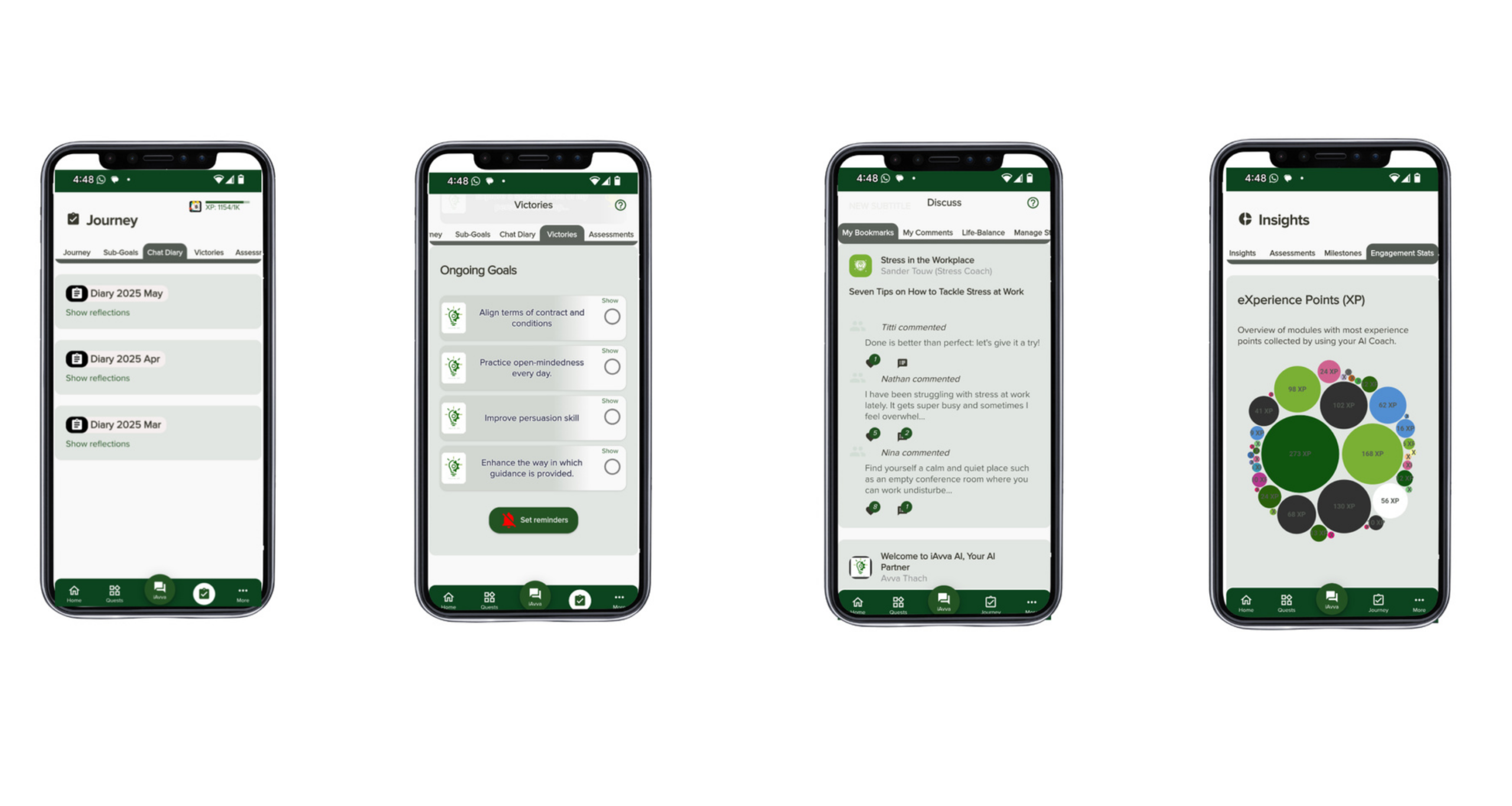
The same pattern thinking that improves emails can also support leadership growth. At iAvva AI, we built our Coach App around structured daily prompts that act like reusable patterns for reflection. Instead of long courses that people forget, leaders spend a few focused minutes each day on targeted questions tied to real work.
These prompts draw on neuroscience, positive psychology, and coaching standards from the International Coaching Federation (ICF). For example, a day’s reflection might guide a manager to:
- Review a tough conversation
- Notice their automatic reactions
- Plan a clearer response next time
Another day might prompt them to connect their personal priorities to company objectives, so effort and impact line up.
The Coach App works in nineteen languages and supports both voice and text, with design choices that support neurodiverse users. Behind the scenes, real‑time analytics show HR and Learning teams how often people engage, what themes matter most, and how those patterns connect to business goals and OKRs. In other words, daily prompts become a scalable way to build leadership habits across a whole organization, using the same idea that powers the email patterns in this guide.
Pattern 11 – Internal Policy And Procedure Change Announcements
Change efforts stumble when people do not understand what is changing or how it affects their daily work. Many internal announcements fail because they bury the main point under formal language or skip over where, exactly, in the workflow the change applies.
This pattern keeps change messages clear and grounded. It explains:
- What is new
- Where it fits in the process
- When it starts
- Why it matters
- Where to find more detail
The goal is for employees to read the message once and know what they need to do differently.
A prompt can look like this:
“Write an email to [STAFF GROUP] announcing a change to [POLICY OR PROCEDURE] that starts on [DATE]. Explain in one or two sentences what is changing, in plain words. Describe exactly where in the current workflow this new step appears so people can picture it. Acknowledge any extra effort it may require and state the main benefit or reason for the change. Link to [RESOURCE] such as a short guide, intranet page, or training. Keep the tone straightforward and avoid buzzwords.”
Leaders can use this pattern for updates about documentation rules, safety steps, new software, or process tweaks. Clear, simple messages like this reduce confusion, limit errors, and support smoother adoption.
Pattern 12 – Clarifying Company Policies With Empathy And Firmness
Saying no is one of the hardest parts of customer service and HR work. Policy limits can make people feel frustrated or unfairly treated, especially when they are already upset. Yet bending every rule creates long‑term problems and inconsistency.
This pattern balances empathy with clarity. It:
- Starts by acknowledging the person’s situation and feelings
- Explains the relevant policy in simple terms, without legal language
- Offers an alternative if one exists
- Frames the policy as a way to be fair across all customers or employees
A base prompt may read:
“Write a clear and kind email explaining our [POLICY] to a customer or employee who requested [EXCEPTION OR REQUEST]. Begin by recognizing their situation and any hardship they shared. State the policy in straightforward language, including any time frames or conditions that apply. Explain that we apply this rule consistently to be fair to everyone. If possible, offer an alternative such as store credit, a partial adjustment, or another option. Keep the tone conversational, not legal or corporate.”
Handled well, messages like this protect boundaries while showing respect. Over time, they help teams handle hard conversations with more confidence and fewer escalations.
Advanced Prompting Techniques For Deeper Productivity Gains

Once teams are comfortable with basic patterns, they often want to tackle harder tasks. Research on Prompt Engineering in Clinical settings demonstrates how structured prompting approaches can be adapted across industries to handle complex, high-stakes communication scenarios. These include complex analysis, decisions with many factors, and questions that depend on internal knowledge rather than public information. At that point, slightly more advanced prompting methods make a real difference.
Three methods show up again and again in strong enterprise use:
- Chain‑of‑Thought (CoT) prompting – asking the model to reason step by step
- Few‑Shot prompting – teaching the model a pattern by showing several examples
- Retrieval‑Augmented Generation (RAG) – connecting the model to your own documents
Used together with the patterns in this guide, these methods move teams from basic drafting help to more thoughtful, context‑aware support. They also match the shift we see in leadership development. Once managers learn simple habits, they are ready for deeper reflection on patterns, trade‑offs, and long‑term choices.
Chain‑Of‑Thought (CoT) Prompting For Complex Analysis
Chain‑of‑Thought prompting asks the model to show its reasoning steps. Instead of “give me the answer,” the prompt says “think step by step and explain how you reach your conclusion.” This mirrors how humans tackle complex tasks by breaking them into smaller pieces.
In business work, CoT is helpful for:
- Financial modeling
- Risk analysis
- Root cause reviews
- Prioritizing long lists of options
A prompt might say:
“When you review this customer feedback, first group comments into themes. Then count how many fall in each theme. Finally, suggest the top three areas to address first and explain why, step by step.”
The model then walks through each part before offering a summary. This structure makes it easier to spot weak logic and to adjust the steps before trusting the final answer.
Few‑Shot Prompting For Consistent Formatting And Style
Few‑Shot prompting teaches the model by example. You place two to five short input‑output pairs in the prompt that show what you want, then add a new input for it to complete. This works well when you need a very specific format, style, or vocabulary.
For example, you might:
- Paste two customer reviews followed by the action items you want product teams to see
- Add a new review and ask the model to produce the next action item in the same style
Few‑Shot methods also help encode brand voice. You can include snippets of on‑brand writing and ask the model to follow that style when drafting new text. In many cases, three or four solid examples give better results than a long list of rules.
Retrieval‑Augmented Generation (RAG) For Knowledge‑Grounded Responses
Large language models do not automatically know your policies, product details, or internal processes. Retrieval‑Augmented Generation solves this gap by pulling in relevant documents from your own knowledge base before the model writes an answer. The system first searches your data for the most relevant passages and then feeds those into the prompt.
Frameworks such as LangChain and LlamaIndex help technical teams set up this kind of pipeline. Common uses include:
- Internal chat assistants that answer policy questions
- Customer support tools that read from product manuals
- Search interfaces for large document sets
Because the model uses real company content as context, it is less likely to invent facts and more likely to stay aligned with how your organization actually works. For teams that rely on accurate, current information, RAG can turn AI from a general assistant into a company‑specific expert.
To summarize these three methods:
| Technique | Best Uses | Simple Prompt Angle |
|---|---|---|
| Chain‑of‑Thought (CoT) | Analysis, decisions, prioritization | “Think step by step and show your reasoning.” |
| Few‑Shot Prompting | Style, formatting, repeated structures | “Here are 3 examples. Produce the next one like these.” |
| Retrieval‑Augmented Generation | Policy and product questions, internal search | “Answer using only the context from these documents.” |
Building And Managing Your Team’s Prompt Library For Scale

Individual prompt tricks are helpful, but real gains arrive when patterns turn into shared assets. That requires a deliberate process for collecting, improving, and distributing prompts across teams. Without that structure, people save snippets in personal notes and the best ones never spread.
A strong prompt library acts much like a style guide or standard operating procedure. It captures what works, explains when to use each pattern, and lives in a place everyone can reach quickly. The goal is simple: when someone faces a familiar task, it should feel easier to pull a tested pattern than to start from a blank page.
Over time, this library:
- Supports onboarding
- Keeps communication quality stable as teams grow
- Makes the most of new discoveries and refinements
When someone refines a prompt that saves time or raises response rates, that improvement can roll out to the whole group instead of staying on one laptop.
Step 1 – Identifying High‑Impact Prompt Opportunities
The best place to start is not with clever ideas but with actual work. Ask teams which messages they write over and over. Common answers include:
- Customer replies
- Update emails
- Meeting notes
- Follow‑ups
Also look for areas where writing quality varies a lot between people or where new hires struggle.
One helpful lens is an impact and frequency grid. Tasks that happen often and matter a lot for customers or leaders deserve patterns first. For example:
- Support teams might begin with de‑escalation messages
- Sales focuses on follow‑ups and recaps
- Operations teams choose project updates and scheduling
Starting with five to seven patterns in a single area keeps the effort focused and shows value quickly, which makes it easier to expand later.
Step 2 – Creating And Refining Effective Patterns
Good patterns usually start from real messages that worked well. You can:
- Collect a handful of strong examples
- Highlight what made them clear or persuasive
- Turn those elements into a reusable structure with placeholders
Standing in the shoes of the sender and receiver helps you decide which parts must change each time and which should stay fixed.
It is helpful to involve the people who do the work every day. They know which phrases land well, which details matter, and where things often go wrong. Once you have a first version of the pattern:
- Test it with a small group.
- Ask them to use it for a week or two.
- Gather both their edits and their outcomes.
You can then adjust wording, order, or level of detail based on that feedback. Documenting the purpose of the pattern, example use cases, and a couple of sample outputs makes it much easier for new users to adopt.
Step 3 – Centralizing With Version Control And Governance
A prompt library only works if people can find and trust it. That means storing patterns in a central place and keeping them current. Some teams use text expansion tools that sync across devices. Others rely on dedicated prompt management platforms or a well‑organized internal wiki.
Whatever tool you choose, consider:
- Assigning clear ownership for each pattern
- Setting review cycles so patterns stay fresh
- Using short, predictable tags such as
em.cust.frustratedorem.project.status
For patterns that include sensitive information, make sure access is limited to the right groups and that content follows your security and privacy rules.
Step 4 – Reducing Friction Through Workflow Integration
Even the best library will sit unused if it is hard to reach in the moment. When people are under time pressure, they default to whatever feels fastest. Your job is to make the “use a pattern” path easier than the “start from scratch” path.
Text expansion tools are powerful here. With them, typing a short code such as em.projupdate inside an email inserts the full, current template with placeholders ready. Similar shortcuts can work inside chat tools, ticketing systems, or CRMs.
To help people build new habits:
- Offer short practice sessions where they use patterns in real scenarios
- Share a one‑page cheat sheet with the most common codes
- Highlight time saved and examples of improved communication
When teams see that patterns save time and make their work look better, adoption tends to take care of itself.
The Comprehensive Prompt Engineering Toolkit – Platforms And Technologies
As teams mature in their use of AI, they often need more than text snippets. Organizations can leverage Top Prompt Engineering Tools that streamline workflow efficiency and boost AI productivity across development, testing, and deployment phases. They need ways to build, test, and monitor prompts at scale, sometimes across many products or departments. A growing set of tools supports this work, each with its own focus.
Alongside leadership and productivity tools such as the iAvva AI Coach App, organizations often use more technical platforms for prompt engineering and deployment.
On the development side, frameworks such as LangChain help engineers build applications that call models in structured ways. LangChain makes it easier to chain prompts together, connect to external data, and create flows like Retrieval‑Augmented Generation. LlamaIndex focuses on feeding models with content from files, databases, and web pages so they can answer questions based on real company information.
For prompt management and oversight, platforms like Vellum, PromptLayer, and Agenta offer shared libraries, testing environments, and analytics. Teams can compare different prompt versions side by side, track how they perform over time, and roll out updates with less risk. These tools support practices such as version control and review processes that are already familiar from software development.
Visual builders such as Azure Prompt Flow and Flowise give product and data teams a way to design AI workflows on a canvas rather than in pure code. They are useful for mapping out multi‑step processes, experimenting with different branches, and sharing designs with non‑technical stakeholders.
Alongside them, specialized tools such as PromptPerfect, PromptBase, and the OpenAI Playground help refine prompts, explore model behavior, and, in some cases, buy or share high‑performing prompt designs. For more complex environments, prompt‑focused IDEs like Prometheus provide fine‑grained control and cost estimates, which matter when usage scales. When combined with a clear strategy and a library like the one described earlier, this toolkit supports serious, production‑grade use of AI across an organization.
FAQs
How Do These Prompt Patterns Fit Into Work For HR And Learning Leaders?
HR directors and Learning leaders often spend large parts of their days in email and chat. They answer policy questions, explain changes, follow up on training, and coach managers through tricky conversations. The patterns in this guide give them starting points for many of those messages, from policy updates to feedback requests. Once these leaders see the time savings for themselves, they can sponsor similar libraries for people managers and frontline staff, which spreads good communication habits across the company.
Can Small Teams Really Benefit From Building A Prompt Library?
Yes, small teams may feel the benefits even more strongly because they often juggle many roles at once. A simple shared document or text expansion set with ten or fifteen patterns can save hours per week. It also keeps communication quality steady when one person is out or a new person joins. As the team grows, that early library becomes a foundation instead of everyone having to start from zero.
How Does IAvva AI Relate To The Email Patterns In This Guide?
The same thinking behind these patterns also shapes the iAvva AI Coach App. Instead of only helping with outward messages, the app uses structured prompts to guide inward reflection for leaders. Daily questions help managers notice context, stakeholders, and goals in their own decisions, just as email prompts do for external communication. Because the platform tracks engagement and aligns reflection topics with business goals and OKRs, HR and Learning teams can see how leadership habits shift over time.
Do We Need Technical Skills To Start With These Prompt Patterns?
You do not need advanced technical skills to start. Most patterns in this guide can be used directly in tools like iAvva AI’s Coach App for leadership‑focused prompts and in general AI assistants such as ChatGPT, Microsoft Copilot, or other conversational interfaces. The more advanced sections on RAG and prompt engineering platforms do require help from IT or data teams, especially when connecting models to internal data. A practical path is to begin with communication patterns inside everyday tools, then partner with technical teams once there is clear demand for deeper integration.
How Should We Measure The Impact Of Better Prompting?
A simple way to begin is to track how long common messages take to draft before and after using patterns. You can also review a sample of communications for clarity, tone, and brand fit. For customer‑facing teams, watch metrics like satisfaction scores, first contact resolution, or response rates to outreach.
Over time, you can add more structured measures such as ticket handle time, sales cycle length, or project delay frequency. Many iAvva AI clients also use analytics from our platform to connect leadership prompt engagement with movement on team‑level OKRs.
Conclusion
AI alone does not create productivity. Clear thinking, repeatable structures, and thoughtful habits do. The twelve patterns in this guide show how a small shift in how prompts are written can reshape large parts of daily work. By grounding messages in context, audience, and goals, teams help AI produce drafts that sound close to what a skilled colleague would write on their best day.
When organizations turn these prompts into a shared prompt library, the gains multiply. New hires ramp faster, communication stays consistent across regions, and leaders spend less time fixing avoidable missteps. Advanced methods such as Chain‑of‑Thought prompting and Retrieval‑Augmented Generation then build on that base, opening doors to deeper analysis and knowledge‑aware assistants.
At iAvva AI, we see the same story in leadership development. Well‑designed prompts, used regularly, change how people think and act. Whether you apply these patterns to emails, coaching, or both, the aim is the same: give your teams simple, reliable structures they can reuse every day, and you turn AI from a curiosity into a steady driver of better work.
















Leave a Reply