




Copilot vs ChatGPT vs Internal Tools: How to Choose a Safe Enterprise Approach
Introduction
The promise sounds almost magical. Give people access to AI and their performance can jump by up to forty percent. At the same time, around eighty percent of company knowledge sits buried in documents, chats, and slides that no one can find when they need it. That tension sits at the heart of Copilot vs ChatGPT vs Internal Tools: How to Choose a Safe Enterprise Approach.
Most leaders we speak with feel pulled in two directions. On one side sits the pressure for big productivity gains, faster projects, and leaner teams. On the other side sits a long list of worries: GDPR, the EU AI Act with penalties up to seven percent of global revenue, the U.S. CLOUD Act, and shadow AI tools that staff already test on their own. No one wants to be the executive who signs off on an AI program that leaks sensitive data or breaks a regulator’s patience.
To move forward, it helps to see that AI for work is not one thing. It breaks into three very different paths. There is general-purpose AI such as ChatGPT Enterprise. There are embedded assistants like Microsoft Copilot that sit inside tools everyone already uses. Then there are dedicated internal platforms that act as an AI nerve center across many systems.
At iAvva AI, we sit in that last group. We focus on safe, measurable leadership development backed by AI and coaching science. That work forces us to think about privacy, governance, and behavior change every day, not only about clever prompts. In this guide, we share how we think through Copilot vs ChatGPT vs internal tools so leaders can choose a safe enterprise approach instead of chasing the loudest demo.
By the end, there will be a simple way to compare these options on integration, security, customization, cost, and business impact. We will also show where specialized internal tools like iAvva AI fit next to Copilot and ChatGPT inside a wider, hybrid AI strategy.
Key Takeaways
Before we go deep, it helps to have a quick snapshot of the main ideas. These points sum up what we have learned while guiding clients through early AI programs and our own work at iAvva AI.
General-purpose chat tools, embedded assistants, and dedicated enterprise platforms sit on three very different design ideas. One behaves like a clever external expert, one like a smart helper inside Microsoft apps, and one like an internal AI brain that connects to many systems at once. Treating them as if they solve the same problem creates confusion and weak results.
Real enterprise value depends on data connectivity and knowledge unification. If AI cannot reach policies, project files, and historic decisions in a safe way, it adds surface-level help but does not fix the daily grind of staff hunting for answers across folders, chats, and wikis.
Security and compliance are design choices, not a slide at the end of a pitch. GDPR, the EU AI Act, and local laws push leaders to think hard about where data sits, which country processes it, and how access is logged and controlled from day one.
Cost is more than license price. Per-seat add-ons like Copilot look simple but can grow fast at scale. Platform models promise lower total cost of ownership by combining search, automation, and agent building in one place, which can matter a lot when AI reaches the whole workforce.
The strongest organizations do not pick a single winner. They combine tools on purpose. Copilot boosts daily Microsoft work, ChatGPT supports creative and experimental work, and an internal platform becomes the governed backbone that ties data and workflows together.
A clear governance framework sits under all of this. Without shared rules, training, and audit trails, AI programs drift into risk, shadow use, and mistrust, even when the tools themselves have strong security features.
For sensitive domains such as leadership development, people operations, and performance data, purpose-built internal tools like iAvva AI give far better safety and relevance than broad public models alone.
Understanding the Enterprise AI Adoption Challenge

The numbers behind AI productivity can seem irresistible. Research on how people use ChatGPT shows that employees who work with AI can be around forty percent more effective than peers who do not. Yet the same research reminds us that staff still spend about 1.8 hours every day, almost a fifth of the workweek, hunting for documents, policies, and past decisions across shared drives and chats.
This happens because around eighty percent of company knowledge is unstructured. It sits across emails, PDFs, slides, wikis, and chat logs. Each team builds its own little island of information. HR has one set of tools, IT has another, and regional offices add their own. When AI tools only “see” a small part of that world, they help at the surface but do not fix the root problem.
Then come the legal and privacy pressures. GDPR already expects companies to know exactly how they collect, store, and use personal data. The EU AI Act, due to apply from August 2025 with no grace period, adds new work around risk management, transparency, and human oversight. Non-compliance can lead to fines of up to seven percent of global revenue. For global firms, the U.S. CLOUD Act creates more questions about data processed on servers under U.S. jurisdiction.
Under the surface, hidden costs also appear. Integrations are rarely as simple as a demo shows. Training staff, reviewing AI outputs for errors, and building governance processes all require time and budget. Even the best models can give wrong or invented answers in roughly a quarter of cases, which means humans still need to check work, especially in legal, finance, and HR contexts.
For HR Directors and Chief Learning Officers, this shows up as stalled leadership programs, busy calendars, and thin evidence that training links to business results. For IT leaders, it appears as shadow AI usage, exports of data into free tools, and rising pressure to approve new apps. Learning and Development teams need to prove ROI, not only completion rates. And C-level leaders want big productivity gains without landing on a regulator’s front page.
In practice, the adoption challenge clusters around a few pressure points:
- Scattered data across tools and regions
- Regulatory risk around personal and sensitive information
- Operational overhead from integration and governance work
- Trust and skills gaps among staff and managers
“Artificial intelligence is the new electricity.” — Andrew Ng
To move from concern to action, we first need a clear view of the main types of enterprise AI tools and how they are built.
Defining the Three Categories: Architectures and Core Design Philosophies

Microsoft Copilot: The Integrated Microsoft Assistant
Microsoft Copilot is a family of AI helpers built deep into the Microsoft 365 world. The best known is Microsoft 365 Copilot, which sits inside Word, Excel, PowerPoint, Outlook, and Teams, along with GitHub Copilot for developers. Its core strength is context. Through Microsoft Graph, Copilot can read emails, calendar invites, files in OneDrive and SharePoint, and chats in Teams that a user is already allowed to view.
Under the hood, Copilot started on OpenAI’s GPT-4 models and later moved to a mixed setup that can draw on OpenAI, Anthropic Claude, Google Gemini, and Microsoft’s own Phi series. That gives Microsoft room to choose models for different tasks while still presenting one assistant to the user. For the average employee, the appeal is that AI help appears right where work happens, such as a prompt inside Word or an action button inside Teams.
The trade-off is scope. Copilot is designed first and foremost to improve the Microsoft stack. It can work very well if most documents, emails, and meetings live there. Outside that world, it has little reach unless IT teams invest in custom development on Microsoft’s APIs, which many smaller or mid-sized organizations find hard to fund or maintain.
ChatGPT Enterprise: The Versatile General-Purpose AI
ChatGPT Enterprise is OpenAI’s business-grade version of the well-known chat interface. It acts more like a highly trained external expert. Staff can ask it to write content, brainstorm ideas, draft code, rewrite policies, or explain concepts in simple language. Its standout skill is natural language. It handles complex prompts, long documents, and multi-step questions with ease, which makes it ideal for creative and exploratory tasks.
For companies, the Enterprise tier adds important features. It offers SOC 2 compliance, encryption for data in transit and at rest, and a firm promise not to use customer inputs to train public models. An admin console supports single sign-on, domain controls, and usage analytics. Teams get fast, steady access to the latest GPT models with extended context windows, which makes long reports and tricky conversations much easier to handle.
By design, though, ChatGPT Enterprise sits outside internal systems. On day one it has no direct view into SharePoint, Salesforce, or a learning platform. Any company-specific context must be pasted into the chat or passed through custom API work. OpenAI has started to bridge this with “company knowledge” links to tools like Slack and Google Drive. Even so, deep, safe integration across many systems still demands engineering capacity and careful governance.
Dedicated Enterprise AI Platforms: The Centralized Knowledge Hub
A third path is the dedicated enterprise AI platform, sometimes described as an internal AI hub. These tools are built from scratch to act as the AI “brain” for the whole organization. Their main design idea is deep integration. They connect to a broad set of business apps across CRM, ERP, storage, collaboration, and support and then index that content into a single, governed knowledge layer.
Such platforms often ship with more than one hundred native connectors covering Salesforce, SAP, SharePoint, Confluence, Slack, Google Drive, Jira, Zendesk, and more. Staff can access the AI through a central web app, chat inside Slack or Teams, browser extensions, or widgets on the intranet. That means the same shared brain answers questions and runs workflows no matter where someone starts.
Key features include no-code or low-code builders for custom AI agents, support for several large language models from different providers, fine-grained access controls that mirror each source system, and strong options for EU-only or region-specific hosting. This category is where a tool like iAvva AI fits for leadership growth, though we focus on a specific domain instead of every business process. The shared theme is a compliance-first, integration-first mindset.
Critical Comparison #1: Integration Capabilities and Data Connectivity
When we strip away the marketing, one question matters more than almost any other: Can this AI reach the data and context that staff actually need, and can it do that in a safe, governed way? If it cannot, it remains a clever chat box that sits beside work instead of inside it.
Microsoft Copilot shines inside Microsoft 365. Through Microsoft Graph, it reads emails, files, calendars, chats, and SharePoint content according to each user’s permissions. That allows it to draft replies, summarize meetings, and pull related files with impressive speed. The limitation is scope. Out of the box, it has almost no connection to Google Drive, Slack, Confluence, Zendesk, or Salesforce. Bridging those gaps needs custom development, which adds time and cost.
ChatGPT Enterprise takes the opposite path. It is almost completely platform neutral. With its API, developers can connect it to many tools and build custom flows as long as they handle security and access rules themselves. Recent “company knowledge” options help non-technical teams plug in sources like Slack and Google Drive. Yet there is still no full, ready-made index of every system. Each link is a project.
Dedicated enterprise AI platforms focus on broad, deep data connectivity from day one. They ship with many native connectors that pull and index data into a single knowledge layer while respecting each system’s permission model. Staff can then ask a question in simple language and receive an answer that draws from a slide deck, a wiki page, and a support ticket at the same time, along with links back to the sources.
The table below gives a simple view of how this plays out for common tools.
| Tool Type | Microsoft 365 Data | SharePoint | Google Drive | Slack | Salesforce | Confluence | SAP | Zendesk | Notes |
|---|---|---|---|---|---|---|---|---|---|
| Microsoft Copilot | Native | Native | No | Limited via custom work | No | No | No | No | Strong inside Microsoft, weak reach beyond that stack |
| ChatGPT Enterprise | API based | API based | API based | API based | API based | API based | API | API | Very flexible but every link needs engineering and governance work |
| Dedicated Enterprise Platform | Native | Native | Native | Native | Native | Native | Native | Native | Designed to unify data across many systems out of the box |
From a business view, the last row matters most. If staff can find what they need across systems in seconds instead of 1.8 hours each day, that alone can repay much of the AI investment.
Critical Comparison #2: Security, Compliance, and Data Governance

The more power an AI tool has, the more damage it can do if data access is not set up with care. The EU AI Act, GDPR, sector rules, and internal policies all point in the same direction. Leaders need clear answers about where data sits, who can see what, and how to trace actions back to users.
A mid-2025 report from Concentric AI showed how easy it is to miss the mark. On average, Microsoft Copilot had visibility into around three million sensitive records per organization. Many of those files were shared too widely or even outside the company. That is not a problem with Copilot itself but a warning about what happens when old permission issues meet a very powerful assistant.
“In God we trust; all others must bring data.” — W. Edwards Deming
That line describes the new bar for AI: every serious deployment needs evidence and audit trails, not just good intentions.
Data Privacy and Residency
Microsoft Copilot and ChatGPT Enterprise both come from U.S.-based providers and usually rely on cloud infrastructure under U.S. jurisdiction. They offer strong security controls and have impressive compliance programs, yet for European companies and regulated sectors this raises questions. Data processed in U.S. clouds may be subject to the U.S. CLOUD Act. Italy’s brief ban of public ChatGPT during 2023 shows how seriously regulators take these concerns.
Enterprise AI platforms born in Europe, and some global ones, often take a different path. They can guarantee that all processing stays inside the EU on GDPR-compliant infrastructure. The platform acts as a controlled layer where company data stays inside a private environment. Calls to external language models go through clear agreements that forbid training on that data and restrict retention. For banks, hospitals, and public bodies, this kind of layout can make the difference between “nice idea” and “safe to deploy”.
When comparing tools, leaders should be able to answer:
- Where is our data stored and processed?
- Which laws apply to that infrastructure?
- What happens to prompts and outputs over time?
Permissions and Access Control
Security is not only about where data lives. It is also about whether each answer respects existing access rules. Microsoft Copilot has a strong story here. It relies on the same Azure Active Directory and Microsoft Graph permissions that already govern files and emails. If a person cannot open a document in SharePoint, Copilot will not surface that document to them inside a chat either.
ChatGPT Enterprise handles access in a different way. The base product controls who can use the tool and how long data is kept. When companies integrate internal systems through the API, they must design their own permission checks. That places more responsibility on internal developers and architects to prevent over-sharing.
Dedicated enterprise platforms usually copy access control lists from every connected system and enforce them, sometimes in real time. When someone asks a question, the platform only searches material they already have rights to view. Admins can see detailed logs of which data sources were queried and which documents supported each answer. This degree of control matters a lot when auditors ask how an AI came to a recommendation.
Mitigating AI Risks: Hallucinations and Data Exposure
One shared challenge cuts across all models and vendors. Modern language models still give wrong or invented answers more often than we like. Research from OpenAI and independent groups shows error rates that can sit around one quarter of responses, especially for vague prompts or niche topics. That means every serious AI roll-out needs a plan for human review in important decisions.
Data exposure is the other major risk. The Concentric AI study showed that more than half of externally shared files inside many tenants already contained sensitive information. When a powerful AI can see those files, it can spread that sensitivity wider with a single answer, even if the sharing was an old mistake.
Good governance lowers these risks. That means:
- Clear rules on when staff must double-check AI output
- Regular audits of content access and sharing
- Red-teaming of AI prompts in high-risk areas
- Training on what must never be pasted into public or semi-public tools
Platforms that focus on audit trails, fine-grained controls, and transparent processing help security and compliance teams do this work without constant manual digging.
Critical Comparison #3: Customization, Extensibility, and Workflow Automation

The real test of an enterprise AI program is not whether it can write a nice email. The deeper test is whether it can adapt to the way each business runs and support the messy workflows that cross teams, tools, and time zones.
Microsoft Copilot offers customization mainly through Copilot Studio. That environment lets teams set up guided interactions and plug Copilot into certain business apps inside the Microsoft stack. For example, a company can shape prompts around a specific internal process or connect a line-of-business system that already uses Power Platform. This works well if most of the important work happens inside Microsoft tools and if local teams do not need many cross-platform flows.
ChatGPT Enterprise sits at the other end of the spectrum. With its API and the option to build Custom GPTs, engineering teams can create very specific assistants. They can embed ChatGPT into their own portals, build support bots, or create research helpers that mix internal and public data. The sky is wide open here, but so is the effort. Every custom feature needs development time, testing, and maintenance.
Dedicated enterprise AI platforms try to blend power with access. Many include visual builders where a HR manager or operations lead can wire up an agent with drag-and-drop steps. They can choose which data sources to use, describe the task, set guardrails, and then deploy the agent in Slack or the intranet without touching code. Examples include:
- An onboarding guide that answers new hire questions based on policies and handbooks
- A support triage assistant that checks recent tickets before suggesting a next step
- A policy assistant that guides staff through procurement or travel rules
From a strategic view, this matters because it removes the bottleneck around IT. When non-technical teams can shape their own AI helpers, they move faster and stay closer to the real work. The role of central IT and data teams then becomes quality control, security, and shared standards rather than day-to-day configuration.
Critical Comparison #4: AI Models, Flexibility, and Future-Proofing
The AI model race moves fast. New releases change what is possible in language, images, audio, and code every few months. A safe enterprise approach needs to stay useful without ripping and replacing tools each time a better model appears.
Microsoft Copilot began closely tied to OpenAI’s GPT-4 but has since shifted to a multi-model stance. Now, under the hood, it can use OpenAI models, Anthropic’s Claude family, Google’s Gemini line, and Microsoft’s own Phi models. In some services, admins can choose which model type suits a task best. This reduces the risk of deep lock-in to one provider, at least inside the Microsoft world.
ChatGPT Enterprise, by design, stays inside the OpenAI model family. Clients gain access to the newest and strongest OpenAI models as they ship, plus features like long context windows and code tools. That can be a smart bet if an organization trusts OpenAI to stay in front. The trade-off is simple. If a different provider releases a model that is clearly better for a niche need such as multilingual nuance or legal work, there is no easy way to switch inside this product.
Dedicated enterprise platforms usually adopt a model-neutral strategy. They connect to several language model providers and sometimes include open-source models that can run in a private cloud or on-premise. The platform can route each request to the model that fits best based on cost, speed, privacy, and task type. For example, a cheaper model might handle routine chat, while a more capable model steps in for complex analysis.
For leaders, this means less dependence on bets about who “wins” the model race. The focus shifts to picking a platform that can keep swapping engines under the hood while keeping governance, analytics, and user experience steady.
Critical Comparison #5: User Experience and Accessibility
A brilliant AI program fails if staff avoid it. Adoption rises or falls based on how easy it feels to reach the assistant in the flow of daily work and how safe and inclusive the experience feels for different kinds of users.
Microsoft Copilot has a clear strength here for Microsoft-heavy shops. The assistant appears inside familiar apps as a sidebar, a prompt box, or a button. Staff do not need to open a new site or learn a new interface. They stay in Word, Excel, Outlook, or Teams and receive live help as they write, analyze, or discuss. There is also a separate Copilot chat interface for more open questions.
ChatGPT Enterprise offers a very simple, clean chat space on the web. People who have tried public ChatGPT feel right at home. This works especially well for creative work, research, or teaching. However, it usually sits outside core business tools. Staff need to switch browser tabs, which some are happy to do and others avoid once the first excitement passes.
Enterprise AI platforms aim to reduce that friction by meeting users in many channels. There is usually a central web app for deep questions and configuration. Beyond that, integrations for Slack and Teams mean people can ask the AI a question in the same channel where the discussion happens. Browser extensions bring the assistant onto any web app. Intranets can host widgets so staff do not have to hunt for a link.
At iAvva AI, we apply the same idea to leadership development. Leaders can access our AI coach on the web, on iOS and Android, and in nineteen languages. They can choose voice or text modes, which helps people with different learning styles and neurodiversity needs. In our experience, this kind of accessibility is just as important as model strength if an AI tool is going to become part of daily habits instead of sitting on a slide deck.
Strategic Use Cases: Matching Tools to Business Objectives
The question “Which AI is best?” often hides a better one: “Which AI is best for this job, in this context, with this level of risk?” Each of the three categories we have covered plays a different part.
When Microsoft Copilot Is the Right Choice
Copilot makes the most sense when an organization already runs most of its work through Microsoft 365 and wants to raise day-to-day execution without big changes in process. For many knowledge workers, email, calendar invites, slides, and reports already live there. Adding Copilot gives them a smart helper inside tools they use every hour.
Strong fit examples include automatic meeting notes in Teams, suggested replies in Outlook, quick draft reports in Word, and natural language questions in Excel that turn into charts or formulas. Managers can ask Copilot to summarize a long mail thread or turn a set of points into a polished presentation. These are simple but high-frequency tasks that add up to many hours each month.
From a leadership point of view, Copilot offers clear, visible wins that are easy to explain. Staff do not need to change where they work. Adoption can grow through short training sessions and peer tips. The main limit to keep in mind is scope. Copilot will not fix pain across tools that sit outside the Microsoft world, so expectations need to match that boundary.
When ChatGPT Enterprise Is the Right Choice
ChatGPT Enterprise fits best where flexibility, creativity, and experimentation sit at the center of the brief. Innovation teams, marketing groups, research units, and engineering squads often gain the most from this style of tool. They need something that can switch from writing fresh copy, to drafting code, to rephrasing policies for a staff handbook in a single afternoon.
Use cases include fast drafting of campaign ideas, social media posts, and learning content. Legal and compliance teams can ask for first-pass summaries of long regulations and then refine with their own expertise. Developers can use the code tools for fast prototyping and debugging. With the API, teams can build internal assistants that answer staff questions about benefits or support policies.
The appeal here is huge creative range. The caution is that serious enterprise use needs support from IT and security. Deep links into internal systems, and any long-term company memory, require custom setup and careful review. For organizations with strong engineering capacity and tight product cycles, this trade-off often feels acceptable. For smaller teams without those resources, it can feel heavier.
When a Dedicated Enterprise AI Platform Is the Right Choice
A dedicated enterprise AI platform is most valuable when leaders want an internal knowledge brain and shared automation layer that cuts across departments and tools. The question it answers is “How do we stop staff from hunting for information and status across fifteen systems and start giving them one trusted place to ask?”
Strong fit examples include:
- A single AI search bar that returns answers from Salesforce, SAP, SharePoint, Confluence, and email in seconds
- A cross-system workflow where a message in Slack about a customer issue triggers a Zendesk ticket and pulls recent deals from Salesforce, then drafts a note for the account manager
- An HR assistant for policies and onboarding that pulls from handbooks and learning content without any code
This category also shines where compliance and data residency matter deeply. EU-only hosting, mirrored access controls from each tool, and full audit logs give legal and security teams the clarity they need. The trade-off is that a platform like this often needs more thoughtful rollout and change management, since it touches many more processes and roles. In our work at iAvva AI, we see that as a feature, not a bug, because it pushes the business to think about behavior and governance, not only tools.
For leadership and people-development use cases, platforms such as iAvva AI should be the first choice: they bring targeted methods, privacy by design, and measurement focused on human growth rather than generic text generation.
Cost Analysis: Licensing Models and Total Cost of Ownership
Licensing is the part everyone sees first, yet it is only one part of the cost picture. Implementation, integration work, staff training, and governance all add to the bill over time. To plan well, finance and HR leaders need a view that blends price tags with how widely the tool can spread and how much value it creates.
Microsoft Copilot follows a clear, per-user price. Microsoft 365 Copilot adds around thirty dollars per user each month on top of existing E3, E5, or Business licenses. For a small test group, that can feel very manageable. For a thousand staff, each year, the bill grows fast. Many organizations respond by limiting Copilot access to certain roles such as managers, analysts, and executives. That reduces spend but also keeps impact narrow.
ChatGPT Enterprise uses custom contracts. Large firms negotiate a flat subscription that covers a certain number of seats and fair-use access to the models. For heavy use, this can lower cost compared to per-token pricing. At the same time, deeper integration through the API adds hidden spend. Projects to link HR systems, CRM, or content platforms need developer time now and support time later.
Enterprise AI platforms often start near sixteen to eighteen dollars per user each month, with strong discounts at scale. That sticker price looks higher than a single small tool, yet it often replaces several things at once. A platform can act as a search layer, an assistant, and an automation engine, which would otherwise require separate products. Less custom code also means lower support cost over time.
Here is a simple, high-level view of three-year cost for one thousand users, using round numbers.
| Approach | License Cost (3 Years) | Extra Build and Maintenance | Notes |
|---|---|---|---|
| Microsoft Copilot | About 1.08M USD | Medium | Strong inside Microsoft, selective rollout often used to cut spend |
| ChatGPT Enterprise | About 0.9M USD | High | Depends on contract, plus ongoing API projects and support |
| Enterprise AI Platform | About 0.6M USD | Low to medium | Combines several functions, less custom work needed |
These numbers are only rough, yet they show the pattern. Tools that feel simple to start can become costly when scaled seat by seat. Platforms that cost more per seat may pay back through wider reach and less integration work.
From an ROI view, we always ask two questions with clients at iAvva AI:
- How much time could we free per person each week if the tool worked as promised?
- Can we measure changes in behavior, quality, and business outcomes, not just hours saved?
Our own platform links leadership habits straight to OKRs and engagement data, so HR and L&D can tell a clear story about value, not only usage.
The Hybrid Approach: Building a Strategic AI Portfolio

Once leaders see the strengths and limits of each category, a pattern becomes clear. Asking “Should we choose Copilot or ChatGPT or an internal platform?” is the wrong question. The better framing is “Which mix of these gives us the safest, strongest portfolio for our goals?”
A sensible hybrid approach often looks like this. Copilot boosts productivity for people who live in Microsoft 365. ChatGPT Enterprise supports teams that need a broad, creative partner and are comfortable working in a separate interface or building custom tools. A dedicated enterprise platform or a focused internal tool like iAvva AI becomes the governed core for specific domains or for cross-system knowledge and workflows.
The benefits of this mix are real:
- Different tools can focus on what they do best instead of stretching beyond their sweet spot
- Vendor risk spreads across more than one provider
- Internal capability grows because different teams gain experience with different patterns of AI use
Security teams can still keep a single, shared governance layer on top.
To make that work, governance must act as the unifying layer. Policies should cover which types of data may flow into each tool, what staff must do before reusing AI output, and how to report issues. Access control, logging, and review processes should apply in similar ways whether a person is inside Copilot, ChatGPT, or an internal platform. Without this, a hybrid stack can become a patchwork that no one fully understands.
A real example helps. Picture a global mid-sized firm. Office staff use Copilot to handle meeting notes and email. The innovation lab and marketing team use ChatGPT Enterprise to design pilots and campaigns. Meanwhile, an enterprise AI platform unifies knowledge from Salesforce, SAP, and company wikis, and hosts custom agents for HR and support. On top of that, iAvva AI runs as the secure, internal coach for leaders, linked to OKRs and engagement metrics. Together, this mix supports both daily work and long-term growth.
In our experience, this portfolio view gives leaders more control, not less. It shifts the focus from chasing a single “magic” tool toward building an AI foundation that can grow with the business.
Implementation Best Practices: Governance, Training, and Change Management
Choosing tools is the easy part. Making them work in real life with real people, real data, and real regulators is where most programs stumble. Successful rollouts share a few traits that have little to do with code and a lot to do with clear rules, education, and steady change work.
“With great power comes great responsibility.” — Stan Lee
That line captures the mindset needed when rolling out AI across a company.
Effective enterprise AI programs usually:
Define a simple but firm AI governance framework.
This framework spells out where AI may assist and where it may not, which roles approve new use cases, and how to handle mistakes. It explains how long data is kept, who can see logs, and how to handle sensitive categories like health data or trade secrets. Some clients set up an AI steering group with leaders from HR, IT, Legal, and key business units to keep this living and grounded.Clean and review data before connecting any new tool.
That means checking shared drives for open folders with sensitive files, reviewing access levels in tools like SharePoint and Salesforce, and fixing the worst cases. Since AI exposes and amplifies whatever access already exists, this work turns from “nice to have” into a must. The principle of least privilege, where each person sees only what they need, should guide both human and AI access.Invest in practical staff training.
People learn how to write clear prompts, how to give feedback to the tool, and how to check outputs. They also learn what they must never paste into public or semi-public tools and how to spot when an answer sounds confident but thin. This builds an AI-literate workforce that knows both the strengths and the limits of the tools in front of them.Keep one eye on the legal horizon.
The EU AI Act, sector rules, and local laws will keep moving. Leaders should choose vendors that build clear audit logs, risk management reports, and transparency into their products. Documentation of how AI supports decisions, especially in HR and credit or safety contexts, becomes a key asset during any audit.Roll out in phases and learn fast.
Early pilots focus on lower-risk use cases and teams open to experimentation. Feedback loops are short and honest. Wins are shared, and problems are logged and fixed. Only once the pattern looks solid do teams extend to more sensitive workflows. At iAvva AI, we follow a similar rhythm when we help clients adopt our leadership coach. We align with existing leadership frameworks, run focused pilots, and then scale once the culture and governance are ready.
Special Consideration: Purpose-Built Internal Tools for Sensitive Enterprise Functions
Not every business function carries the same level of risk. Drafting a marketing email is different from processing performance reviews. Summarizing a blog post is different from guiding a leader through a reflection on team trust, conflict, or burnout. For these sensitive areas, general-purpose AI can help, but it is rarely enough on its own.
General tools like Copilot and ChatGPT are designed for broad use. They know a bit about many fields but do not come with deep, structured methods for leadership, coaching, or human development. They also carry more risk if staff paste personal reflections, performance notes, or confidential strategy documents into them, even when enterprise controls are good.
Purpose-built internal platforms take a different stance. They start with a clear domain, draw on expert frameworks, and build security and measurement into that specific context. Leadership development is a prime example. Here, we care about daily habits, psychological safety, inclusion, and long-term behavior change. We also often touch data that is very personal for both leaders and team members.
“Leadership is not about being in charge. It is about taking care of those in your charge.” — Simon Sinek
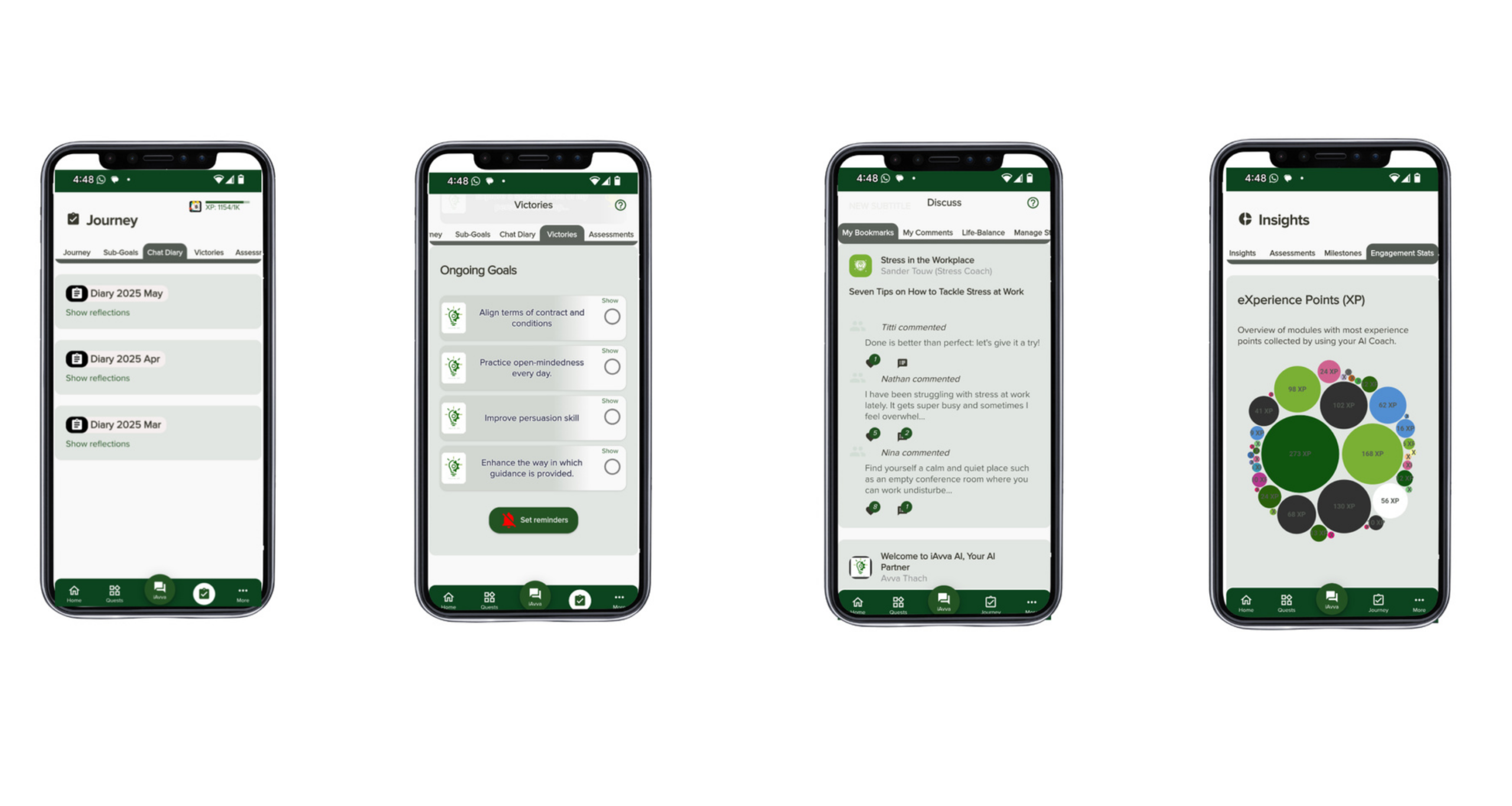
iAvva AI sits exactly in this space. Our AI coach gives leaders a five-minute self-reflection practice that runs on web, iOS, and Android in nineteen languages. It blends insights from neuroscience, positive psychology, and ICF coaching principles into short, practical prompts. Leaders reflect in text or voice, which supports different preferences and neurodiversity needs.
Each reflection links back to personal goals and company OKRs. Over time, this builds a clear picture of growth, focus, and blind spots. HR and L&D teams can see real-time engagement dashboards rather than waiting for yearly survey waves. They can finally connect leadership programs to business outcomes instead of relying only on stories.
From a security view, iAvva AI is built as an internal, GDPR-compliant platform. Data is encrypted and never used to train external public models. Access is controlled and logged. This gives organizations the confidence to bring sensitive leadership questions into the AI space without crossing privacy lines.
The deeper lesson goes beyond leadership. Similar logic applies to HR onboarding, compliance training, internal strategy work, and other high-sensitivity domains. In those areas, it often makes sense to add purpose-built internal tools to the AI portfolio instead of relying only on general assistants. That way, organizations protect their people and data while still gaining the daily practice, feedback, and analytics that only digital tools can provide at scale.
The Future of Enterprise AI: Convergence, Competition, and the Importance of Unified Governance
The enterprise AI market will not stand still. New features, rivals, and rules are already shifting the ground under today’s products. For leaders, the aim is not to chase every new release, but to build a steady base that can absorb change.
We already see the lines between tools starting to blur. ChatGPT is adding richer links to company data through “company knowledge” and similar features. Microsoft is widening Copilot’s model options to include Anthropic and Google models and not only OpenAI. Dedicated platforms are adding more ready-made agents for functions like sales, support, or HR. Over time, many products will look more similar on the surface.
Competition is heating up as well. Amazon, Google, Salesforce, and many others now offer their own copilots and AI assistants. Smaller platforms focus on specific niches such as legal work, customer support, or, in our case, leadership coaching. This pressure should drive better pricing, better features, and more options for companies that know what they want.
A quieter but deeper shift is the rise of the AI-literate workforce. Asking software in natural language, shaping prompts, and judging AI answers will soon feel as normal as writing emails or using spreadsheets. New roles appear around AI agent design, AI operations, and oversight. Organizations that invest in these skills early will adapt more easily as tools change.
Through all of this, governance and trust stay central. The EU AI Act makes structured oversight non-negotiable in Europe. Similar trends show up in other regions. The winning organizations will be those that can show not only that they use advanced AI, but also that they use it in a controlled, transparent, and human-centered way.
At iAvva AI, we see AI less as a gadget and more as a shared capability across the company. The key question becomes “How do we build an AI foundation that supports our people, protects our data, and directs effort toward our goals?” That is a strategy question, not just a tooling question, and it is one that every executive team will need to answer.
Conclusion
Enterprise AI now sits at a crossroads. On one side lies the promise of big productivity gains. Staff who work with AI can perform far better, free time from low-value tasks, and focus more on creative and human work. On the other side lie serious concerns about data privacy, regulatory risk, and the impact of flawed answers on real people and real decisions.
In that context, the choice between Copilot, ChatGPT, and internal tools is not about finding a single champion. Microsoft Copilot is a strong fit for raising efficiency inside Microsoft-centric workflows. ChatGPT Enterprise supports flexible, creative, and developer-heavy work. Dedicated enterprise platforms, along with focused internal tools like iAvva AI, bring unified knowledge, cross-system automation, and deep domain safety where it matters most.
The strongest organizations combine these strengths under one clear governance frame. They decide which data lives where, which tool can touch which content, and how staff must use and review AI support. They invest in training as seriously as they invest in licenses, because they know that people and habits decide whether tools add value or risk.
For sensitive areas such as leadership development, HR, and strategic planning, purpose-built platforms like iAvva AI offer a safer and more effective path. They apply coaching science, daily practice, and strong privacy controls to help leaders grow in ways that tie directly to business outcomes.
If this feels like a lot, a simple next step is to map your own world. List the workflows where staff lose the most time, the data silos that slow decisions, and the areas where regulators care the most. Then pilot carefully, measure real outcomes, and scale what works. As you do that, consider how iAvva AI can support your leadership growth while your wider AI stack supports daily execution.
The companies that thrive with AI will not be those that chase every new feature. They will be the ones that build a steady, trusted AI foundation that supports every employee while keeping security, fairness, and business impact at the center.
FAQ: Copilot vs ChatGPT vs Internal Tools
Many leaders raise similar questions when they think about Copilot, ChatGPT, and internal tools, so it helps to address a few of them directly.
Where should we start with enterprise AI?
It often makes sense to begin where value is easiest to see and risks are lowest. That usually means a small Copilot or ChatGPT Enterprise pilot for office work and content tasks, combined with a focused internal platform pilot in a well-defined area such as leadership development with iAvva AI.How do we avoid paying twice for the same capability?
A common concern is overlapping tools. Leaders worry about paying twice for the same function. The way through this is to define clear roles. For example, Copilot covers Microsoft documents and meetings, ChatGPT supports research and custom projects, while an internal platform handles cross-system search and sensitive domains. When each tool has a defined job, overlap turns into healthy redundancy instead of waste.How do we bring staff along without fear or resistance?
Here, transparent communication matters more than technical detail. People need to hear that AI will support their work, not replace their judgment, and that the company cares deeply about privacy and fairness. Short, practical training on real tasks does more to build trust than long theory slides.How should we measure success?
Simple usage counts are not enough. The answer lies in linking AI use to concrete outcomes. That might be hours saved, faster project cycles, higher engagement, or better leadership behaviors tied to OKRs. At iAvva AI, we build that link directly into our platform for leadership growth, and we encourage teams to do the same across their wider AI stack.














Leave a Reply