

Introduction: From Overwhelmed To Orchestrated — Why You Need An AI Coworker Now
The alarm goes off, the phone lights up, and there it is again.
Hundreds of unread emails. A calendar packed so tight there is no white space to think. Strategy decks waiting for a follow-up that never happens. Leaders asking for coaching, while HR, L&D, and IT scramble to keep the lights on. It feels like the workday starts already behind.
That pressure is the real problem behind most “AI projects.” Tools promise help, but they add more tabs, more dashboards, and more pilots that never scale. Strategy moves faster every quarter, yet people systems, leadership development, and upskilling programs still run on workshops, spreadsheets, and heroic effort. The gap grows, and so does the strain on HR directors, CIOs, and business leaders.
This is why another basic chatbot does not help. A chatbot that lives in a browser tab and forgets the last conversation cannot manage an inbox, prepare leaders for tough conversations, or keep learning programs on track. What is missing is an AI coworker that works like a real teammate. One that lives in WhatsApp or Slack, remembers context, manages email and calendars, pushes code, and drives automated coding solutions when needed.
That is where OpenClaw and Claude Code come in, with OpenClaw (aka Clawdbot) and its unique AI capabilities demonstrating what happens when AI agents cross critical capability thresholds. OpenClaw is a persistent “AI employee” running on a machine you control, plugged into your messaging apps, email, calendar, documents, and even GitHub. Claude Code is a Claude AI code editor experience focused on deep software reasoning, AI code generation, and intelligent code completion. Together, this stack turns “AI” from a chat window into a coworker that actually does work—across HR operations, leadership development, and engineering.
iAvva AI builds on this foundation. The iAvva AI Coach App adds neuroscience-based prompts, ICF-style coaching, and real-time analytics tied to OKRs. When you combine OpenClaw, Claude Code, and iAvva AI, you get an AI coworker layer that not only automates tasks, but also builds daily leadership habits and tracks impact across your organization.
By the end of this guide, you know what OpenClaw and Claude Code are in business terms, how they fit together, how to set them up safely, and how to turn them into a leadership and workforce engine. You also see how iAvva AI helps you go from scattered experiments to a governed, measurable AI coworker fabric across your company.
“The greatest danger in times of turbulence is not the turbulence; it is to act with yesterday’s logic.” — Peter Drucker
Key Takeaways
- You learn what OpenClaw, Claude Code, and Claude “coworkers” really are, in plain language, and how they differ from typical chat-based AI coding assistant tools.
- You get a clear, step-by-step view of how to run OpenClaw on your infrastructure, connect messaging, email, calendar, documents, and add Claude Code integration for development teams.
- You walk through concrete use cases in leadership coaching, L&D, HR operations, and engineering, from early pilots to function-wide adoption.
- You see how to design roles, permissions, and guardrails so AI coworkers handle work safely, while humans stay in charge of judgment and people decisions.
- You understand how iAvva AI sits on top of this stack to deliver daily leadership habits, OKR-linked analytics, and a governed path from experiments to enterprise-wide AI coworkers.
| Where You Are Now | Where You Can Be |
|---|---|
| Leaders buried in email and meetings, HR and L&D chasing logistics, scattered AI pilots with no clear link to business outcomes. | AI coworkers embedded in chat, email, and code; leaders supported daily; learning in the flow of work; measurable improvements in focus, engagement, and delivery. |
| Tools and data spread across HRIS, LMS, spreadsheets, and inboxes, with manual reporting and slow insights. | OpenClaw automating workflows, Claude Code handling technical reasoning, and iAvva AI providing dashboards that connect individual growth to OKRs. |
| Anxiety about AI replacing roles, confusion about security and ethics, and little clarity on where to start. | A clear governance model, phased rollout roadmap, and an AI coworker charter co-owned by HR, L&D, CIO, and the C-suite. |
iAvva AI is built to move you from ad hoc pilots to enterprise-wide adoption. With a coach app grounded in neuroscience, a consulting approach shaped around OKRs, and strong analytics, it turns OpenClaw plus Claude Code into a safe, governed, and measurable AI coworker layer.
What Are OpenClaw, Claude Code, And Claude “Coworkers”?
For non-technical leaders, it helps to think about three pieces that work together. One lives on your machine, one lives in the cloud, and one shows up as a teammate in your everyday tools. Each plays a different role in leadership development, operations, and AI software development.
OpenClaw is an open-source “AI employee” that you install on a Mac, Windows machine, Linux server, or VPS that you control. It connects to messaging apps like WhatsApp, Telegram, Slack, Discord, Signal, and iMessage. From there, it can read and send email, manage calendars, edit documents, browse the web, access GitHub, and interact with many other tools. It has persistent memory, so it remembers goals, projects, and preferences over time rather than starting from zero in every session.
Claude Code is Anthropic’s AI programming assistant environment, designed specifically for code. It shines at AI code generation, refactoring, debugging, writing tests, and reasoning across whole repositories. When OpenClaw needs deep technical thinking—such as fixing failing tests or adjusting deployment scripts—it can route that work through Claude Code. This is where the “brain” of your AI development tools stack lives for engineering tasks.
When people talk about a Claude “coworker” or “coworker agent,” they usually mean this pattern: a Claude-powered teammate that is always present in chat, knows the context of the team, and can act. With OpenClaw handling memory and actions, and Claude or Claude Code doing the reasoning and coding, you end up with an AI coworker that feels like a new digital colleague on the team.
For HR and L&D, this stack matters because it goes beyond conversation:
- OpenClaw can send performance-review reminders, summarize engagement surveys, draft learning communications, and deliver coaching prompts.
- Claude models power the insight and language behind those messages.
- Technical teams get support from machine learning code tools that assist with reviews, fixes, and documentation.
Instead of a chatbot that answers one-off questions, you gain an AI teammate that runs parts of HR operations, leadership development, and engineering workflows. iAvva AI then adds a structured coaching layer on top, giving this coworker a leadership-development “heart” rather than just hands and a brain.
Why You Should Care: Strategic Benefits For HR, L&D, CIOs, And The C-Suite
Every leader in HR, L&D, or IT has heard that AI will change work. The question is how to make that helpful right now. OpenClaw plus Claude Code, wrapped with iAvva AI, connects directly to the metrics that matter: time, quality of leadership, upskilling speed, and employee engagement.
First, consider the admin load. Leaders and HR teams spend hours each week on email triage, calendar juggling, data gathering for reports, and follow-ups that do not need human empathy—only accuracy. An always-on AI coworker can process inboxes, draft responses, assemble weekly briefings, and prepare people-data summaries. This reduces wasted effort and returns meeting time back to strategic work and coaching conversations.
Second, leadership quality changes when reflection and support show up every day instead of once a quarter. Neuroscience shows that small, repeated prompts build habits far more reliably than occasional big events. ICF coaching principles emphasize powerful questions, reflection, and accountability. When an AI coworker sends micro-prompts, prepares leaders for tough conversations, and tracks commitments against OKRs, those ideas become daily practice rather than “program content.”
“We are what we repeatedly do. Excellence, then, is not an act, but a habit.” — often attributed to Aristotle
Third, upskilling and AI literacy move faster when support lives in the flow of work. Developers can offload routine coding tasks to Claude Code while learning from the changes it proposes. Managers can ask for help framing messages or structuring feedback, and L&D can weave learning nudges into chat and calendar. This shortens the time from “we should learn AI” to “our teams use AI every day, safely and productively.”
These changes are measurable. You can track:
- Reduction in time spent on email and manual report-building
- Higher completion and engagement in learning programs
- Faster resolution of technical issues
- Shifts in leadership 360 scores and engagement
iAvva AI’s analytics dashboards make that connection visible, tying usage patterns and reflection habits to business OKRs. OpenClaw and Claude Code give you the technical scaffold, and iAvva AI turns that scaffold into a managed program that moves the numbers leaders care about.
Understanding The Stack: How OpenClaw And Claude Code Work Together
To understand the stack, picture a simple metaphor. OpenClaw is the orchestrator and hands; Claude and Claude Code are the brain for language and code. You decide which jobs they take on and what authority they have.
OpenClaw runs on a dedicated machine or VPS that your IT team controls. It connects to chat apps, email, calendars, files, browsers, and repositories. It keeps a long-term memory of the people and projects it serves. When someone sends a message—“Summarize last week’s HR tickets and draft an update for the CHRO,” for example—OpenClaw figures out which tools to call, what files or calendars to read, and how to assemble a response.
Claude Code, and other Claude models, come into play when the task needs deeper thinking. For simple text summaries or prompts, OpenClaw may call a general Claude model. For repository-level reasoning, log analysis, or code changes, it calls Claude Code. The models think; OpenClaw then takes those results and acts, such as opening a pull request, editing a document, or scheduling a meeting.
Imagine you text your AI coworker: “Fix the failing tests in our onboarding portal and open a PR.” OpenClaw pulls the repository from GitHub, runs the test suite, collects logs, and passes that data to Claude Code. Claude Code inspects the codebase, suggests fixes, and returns patches. OpenClaw applies those changes, reruns tests in a loop until they pass or reach a limit, and finally opens a pull request with a clear summary—all while keeping you updated in chat.
For HR and L&D, the same pattern applies without code. A leader can message: “Prepare me for my 1:1s this afternoon and suggest three reflection questions linked to my development goals.” OpenClaw checks the calendar, reads notes in shared documents, calls a Claude model for coaching-style questions, and returns a structured briefing. The rest of this article walks through how to set up this orchestrator-plus-brain stack and turn it into a safe, governed, and useful coworker.
Step 1: Clarify Your AI Coworker Vision And Use Cases
Before installing anything, you need a clear idea of what your AI coworker should actually do. Starting with tools first often leads to random pilots that never scale. Starting with outcomes keeps everyone aligned and makes OpenClaw and Claude Code feel like strategic investments, not toys.
Begin by picking two or three lighthouse use cases in each core area:
- Leadership: A weekly briefing and reflection flow. OpenClaw gathers calendar and email signals, Claude drafts a concise summary plus coaching-style questions, and iAvva AI tracks reflection answers over time.
- L&D: Automated cohort logistics and learner nudges for one leadership program.
- IT and Engineering: A simple Claude Code “fix tests” flow for a non-critical service.
For each use case, map three things:
- Business outcome you expect: hours saved, error reduction, improved completion, or faster resolution.
- Risk profile, including which data sets are involved and what could go wrong.
- Stakeholders and sponsors who will approve, use, and champion the work.
This mapping keeps you from putting sensitive HR data into higher-risk automations too early.
At iAvva AI, this is where consulting starts. A workshop with HR, L&D, CIO, and business leaders surfaces the biggest pains and the clearest OKRs. Together, you create a short AI coworker charter that defines purpose, first use cases, success metrics, and boundaries. With that charter in hand, your technical teams can move into setup knowing exactly what they are building toward.
Step 2: Choosing Your Infrastructure And Security Model
Once you know what you want your AI coworker to do, the next question is where it should live. OpenClaw runs on hardware or cloud instances you control, which gives you options that fit both SMB and enterprise needs.
Here is a simple comparison to guide the choice:
| Option | Best For | Pros | Cons / Risks |
|---|---|---|---|
| Mac mini 24/7 | SMBs, departmental pilots | Simple, physical control, low cost | Hardware maintenance, onsite only |
| Old laptop | Individual leaders, early tests | Fast start, minimal investment | Less reliable, manual upkeep |
| VPS (e.g., Hetzner) | Tech-savvy orgs, distributed teams | Always-on, scalable, remote access | Requires stronger infosec controls |
| On-prem server | Regulated enterprises | Full data residency control | Higher setup/maintenance overhead |
From a compliance point of view, OpenClaw’s “your machine” model helps with data residency and security. You can keep the host inside your network, behind your firewall, and align it with GDPR, SOC 2, and internal standards. Network segmentation and least-privilege access are key. That means giving the OpenClaw host access only to the systems and folders it truly needs, no more.
For HR and L&D scenarios, many organizations start with either a Mac mini or a VPS used only for that pilot. On top of that, IT can apply standard hardening, monitoring, and backup practices. iAvva AI often partners with CIO and security teams at this stage, providing a reference architecture for HR- and L&D-focused instances so leaders feel confident about where data lives and how access works.
Step 3: Installing OpenClaw Safely On Your Chosen Host
With a host selected, installation becomes the next step. The actual commands are straightforward for IT, but the safety choices around them matter just as much as the install script.
In practice, your admin runs a one-line installer or a package-based setup on the chosen machine. That script installs dependencies, including Node.js, and starts OpenClaw’s onboarding wizard. The wizard asks which messaging apps to connect, what name and persona to use, and how to reach required tools. Once complete, you have a running OpenClaw service that can receive and send messages.
A key principle is to keep OpenClaw off personal, day-to-day laptops for production use. Giving a powerful agent root-level or broad file access on someone’s working machine introduces risk. A dedicated Mac mini, old laptop, or server lowers that risk, since you can limit what files, drives, and apps live on that device. It also helps with reliability, because the host can stay on and online around the clock.
For leaders and HR teams, the macOS Companion App provides a more friendly way to interact during pilots, especially when command-line access feels intimidating. IT also needs a simple checklist:
- Hardened OS image
- Automatic updates and patches
- Host firewall rules
- Uptime monitoring
- Secure remote admin access
If desired, iAvva AI can supply a “ready-to-run” blueprint for this setup, so HR and L&D leaders do not have to translate every technical detail themselves.
Step 4: Connecting Messaging Apps, Email, Calendar, And Documents
A fresh OpenClaw install is like a new hire who has a laptop but no access. To turn it into a real coworker, you need to wire it into the channels where your people and data live—carefully.
Start with messaging apps:
- Choose one or two channels where your target leaders already spend time, such as WhatsApp for field managers or Slack for office teams.
- Connect those to OpenClaw so people can chat with their AI coworker in a natural way.
From there, link email and calendars through service accounts. For example, you might create [email protected] and give it access to a shared leadership program calendar and a shared inbox for routine HR communications.
Documents are the next step. Instead of sharing entire drives, create specific folders for:
- Policies and HR guidelines
- Leadership frameworks and competency models
- Program materials for L&D
- Non-sensitive analytics exports
Share those folders with the OpenClaw service account. In early phases, keep access read-only or draft-only: OpenClaw can summarize, propose replies, or draft documents, but humans approve sends and final edits.
A concrete HR/L&D example makes this clearer. You set up a “Leadership Program 2026” calendar, a shared Google Drive folder with program guides and assessments, and a dedicated Slack channel for the cohort. OpenClaw reads the calendar to send reminders, scans the folder to answer content questions, and summarizes Slack discussions for facilitators. iAvva AI can predefine these wiring patterns, so each new cohort or program uses a proven template rather than starting from scratch.
Step 5: Integrating Claude Code And Other AI Models
At this stage, your AI coworker can see and move things. Now you need to decide what sort of “thinking” it uses for different jobs. OpenClaw can talk to several models, including Claude general models, Claude Code, other vendor APIs, or local models hosted inside your network.
For non-technical HR tasks, a general Claude model often works best. It can answer policy questions, write coaching prompts, or summarize survey comments. For developer-facing tasks, Claude Code is the right choice, since it is tuned for repositories, tests, and structured AI code generation. In some cases, especially for sensitive internal analytics, IT may prefer a local model that never sends data outside your environment.
In practice, IT configures API keys or private endpoints for each model and tells OpenClaw which model serves which role. Logs and monitoring at the API layer give visibility into how much data flows where and when. Policies should make clear which data types can go to external models and which must stay inside. That is especially important for HR categories like compensation, medical data, or ongoing investigations.
A simple mapping might look like this:
| Task Type | Model Recommended |
|---|---|
| Policy Q&A, coaching prompts | Claude general model |
| Code generation, tests | Claude Code |
| Internal-only HR analytics | Local or private LLM |
iAvva AI works with CIO and CTO leaders to turn this into a full routing policy. The result is a clear, written agreement about which content types reach external models, which stay local, and how logs and audits support compliance without blocking useful work.
Step 6: Designing Safe Roles, Permissions, And Guardrails
By now, OpenClaw can see data, talk through chat, and think with the help of models like Claude and Claude Code. The next question is what it is allowed to do. Clear roles and guardrails build trust and prevent surprises.
A simple way to structure permissions is by action level:
- Read-only: Summarizing documents, analyzing survey results, surfacing patterns in logs.
- Draft-only: Writing emails, policy updates, code changes, or learning announcements, but humans send or merge.
- Act-with-approval: The AI proposes an action in chat and executes it after a clear “yes” from an authorized person.
- Low-risk autonomy: Jobs such as unsubscribing from newsletters or sending daily reminders.
Human-in-the-loop design keeps critical decisions with people. Deleting files, adjusting compensation, sending broad communications, or changing production systems should always require human checks, especially early. Logs and audit trails of what your AI coworker reads and does are also important for compliance and for building confidence. When people know actions are traceable and reversible, they feel more comfortable delegating routine tasks.
Prompt injection—where malicious content tries to trick the AI into doing something unsafe—is another area to address, as recent incidents show how OpenClaw AI Runs Wild in business environments when proper guardrails are not in place. Guardrails can include:
- Sanitizing email and web content
- Enforcing non-negotiable safety rules at the system level
- Restricting browsing to approved domains
- Using role-specific scopes for access
A “Talent Claw” might see ATS exports and generic policy docs, but cannot send offers without HR review. A “Leadership Coach Claw” may have access to IDPs and calendars but not to salary data. iAvva AI can support HR, Legal, and IT as they shape these governance patterns so they match both ethics and regulations.
Step 7: Onboarding Your AI Coworker With Persona And Knowledge
A technically set up agent still needs a role, style, and knowledge base to be useful. This is where persona onboarding comes in. You describe who this AI coworker is meant to be, who it serves, and how it should act.
Start by writing a job description for your AI coworker. For example:
- “You are a leadership development coach for mid-level managers in North America. You use short, practical language, ask reflective questions based on neuroscience and ICF coaching principles, and link insights back to the leader’s OKRs.”
- “You are an HR Operations Assistant who answers policy questions, prepares standard communications, and routes complex cases to HR Business Partners.”
Clarity here leads to consistent behavior and tone.
Then, load the knowledge it needs to do that job well:
- For a leadership coach persona: competency models, values and culture documents, coaching frameworks, anonymized examples of strong feedback or recognition messages.
- For HR operations: policy manuals, FAQ documents, process guides, standard templates.
- For engineering-focused personas that pair with Claude Code: architecture overviews, coding standards, onboarding playbooks, incident postmortems.
This is also where iAvva AI adds depth. The iAvva AI Coach App already offers daily prompts built on neuroscience, positive psychology, and ICF guidelines. You can mirror those themes in your OpenClaw persona so leaders get aligned experiences. Some prompts can appear in the iAvva app for deep reflection, while others arrive via chat from OpenClaw in the flow of work. Together, they reinforce daily leadership habits linked to OKRs, with analytics capturing growth at both levels.
Step 8: Core Use Cases — Leadership, L&D, HR Ops, And Engineering
With personas and access in place, you can bring your AI coworkers into specific workflows. The most effective programs pick a few high-impact use cases in each function and iterate.
Leadership Coaching And Development
- Leaders receive daily or weekly prompts in WhatsApp or Slack, grounded in the same science that underpins the iAvva AI Coach App.
- Before important meetings, they can ask the AI coworker to help prepare agendas, suggest feedback phrases, or craft talking points for town halls.
- Over time, OpenClaw tracks progress against leadership goals tied to OKRs, while iAvva AI’s analytics show changes in focus, self-awareness, and 360 scores.
L&D Operations
- OpenClaw creates cohort lists from HRIS exports, sends invites and reminders, shares pre-work and follow-ups, and collects feedback surveys.
- It can run a learner Q&A based on program content, so employees get answers without waiting for inbox responses.
- Facilitators receive summaries of discussion themes and survey sentiment, helping them adapt programs faster.
HR Operations And People Analytics
- An AI coworker can answer common policy questions, summarize engagement surveys, group comments by theme, and draft narrative insights for HR Business Partners.
- It can help prepare program plans and routine HR communications, using standard tone and templates.
- By measuring ticket resolution times, HR staff hours saved, and leaders’ policy comprehension, you can show clear returns on time and accuracy.
Engineering And IT
This is where Claude Code is especially valuable:
- OpenClaw routes repository tasks to Claude Code for AI code generation, debugging, and test fixing, then handles running tests and opening pull requests.
- It can analyze logs for incidents, propose likely causes, and draft runbooks or internal status updates.
- New engineers can learn faster by reading the explanations and code changes produced by the AI coworker.
In each case, iAvva AI helps tie these use cases to strategic goals, reflective practices, and dashboards that show the impact of both automation and leadership growth.
Step 9: Building Skills And Automations That Match Your Processes
Once the first use cases are working, the next level is encoding your repeatable processes as OpenClaw skills. Think of skills as small modules that connect tools and data into a consistent playbook the AI can run again and again.
In HR and L&D, one skill could be “Launch Leadership Cohort.” When triggered, it:
- Creates a cohort Slack or Teams channel
- Sets up a program calendar
- Copies template documents to the right folders
- Sends welcome emails and pre-work
- Registers participants in your LMS
Another skill might assemble a monthly people analytics briefing by pulling exports from HR systems, summarizing trends, and drafting a deck outline for HR and leadership review. An onboarding skill could send checklists to new hires, prompt managers about early touchpoints, and schedule the right meetings in the first month.
On the technical side, skills can implement error-remediation flows:
- A Sentry webhook might trigger a skill that collects error data, passes it to Claude Code, applies suggested fixes within a safe branch, runs tests, and opens a pull request.
- A code review skill can check pull requests against standards, recommend changes, and explain why they matter.
The lifecycle for these skills should mirror good process design:
- HR or L&D leaders describe the process in plain language.
- IT and partners like iAvva AI turn that process into an OpenClaw skill and pilot it with a small group.
- Feedback from real use leads to adjustments.
- Once stable, the skill becomes part of your internal catalog of digital SOPs.
Over time, your AI coworkers run more and more of these playbooks, while HR, L&D, and IT focus on improving the playbooks rather than manually executing them.
Step 10: Governance, Ethics, And Change Management
No AI coworker program succeeds without trust. Governance and change management are how you earn that trust with employees, leaders, and regulators.
Start by forming an AI steering group that includes HR, L&D, IT, Legal, Security, and business leaders. This group defines:
- Which use cases are allowed and which are out of bounds
- How data and logs are handled
- Categories of data, from non-sensitive content like generic learning materials to highly confidential items like compensation records
Clear rules about which categories an AI coworker can access prevent surprises later.
Ethical questions need attention as well. Employees deserve to know what the AI can see, how it uses data, and where they can opt out. Any use of AI in people decisions, such as promotion or performance ratings, should keep managers fully accountable rather than shifting responsibility to the system. Bias detection and regular audits of recommendations help avoid silent reinforcement of existing patterns. Communications should stress that AI coworkers support judgment, not replace it.
Change management focuses on skills and mindset:
- Provide AI literacy training: how to write good prompts, how to review AI output, and when not to rely on the AI.
- Frame AI as a way to move from low-value tasks to higher-value human work to reduce fear.
- Recognize and reward smart, safe use of AI in performance discussions to encourage adoption.
iAvva AI weaves governance and ethics into its Coach App and strategy work, from confidentiality practices in reflection prompts to dashboards that protect privacy while still giving HR and L&D the insights they need.
Step 11: Phased Rollout Roadmap — From Pilot To Enterprise Fabric
Trying to turn on AI coworkers everywhere at once is a recipe for confusion. A phased roadmap makes it easier for everyone to learn, adapt, and scale with confidence.
Phase One: Exploration
- A single OpenClaw instance, often on a Mac mini or VPS, handles read-only tasks for a small group such as executive assistants, HR ops staff, or a few managers.
- The focus is on summaries, suggestions, and AI implementation guide style support, not on taking actions.
- This phase lasts a few weeks and aims to build understanding, not large savings.
Phase Two: Targeted Pilots
- You introduce per-cohort or per-function agents—an AI coworker for a leadership cohort, an HR policy assistant, or a Claude Code-enabled dev helper for one team.
- Actions move into draft-only or act-with-approval modes.
- Success metrics include time saved, satisfaction, and incident-free operation, with clear “go/no-go” criteria.
Phase Three: Function-Level Scale
- HR, L&D, or engineering roll out standardized skills and personas across teams.
- OpenClaw instances gain more defined roles, and governance structures mature.
- Over 3–6 months, you should see measurable changes in email time, meeting load, training completion, or MTTR.
Phase Four: Enterprise Fabric
- A network of specialized AI coworkers exists across functions, all under central governance and monitoring.
- This often spans 12–18 months for a mid-sized enterprise, depending on readiness and scope.
Throughout these phases, iAvva AI can serve as a long-term partner. That includes co-designing the roadmap, setting KPIs, deploying the Coach App for leadership behavior change, and refining skills and content as the AI ecosystem grows. With that support, you avoid common pitfalls and keep your AI coworker program tied tightly to the business outcomes that matter most.
How iAvva AI Turns OpenClaw + Claude Code Into A Leadership Engine
OpenClaw and Claude Code give you a powerful technical base. iAvva AI turns that base into a structured leadership and culture engine. The difference lies in daily habits, data, and design grounded in human development science.
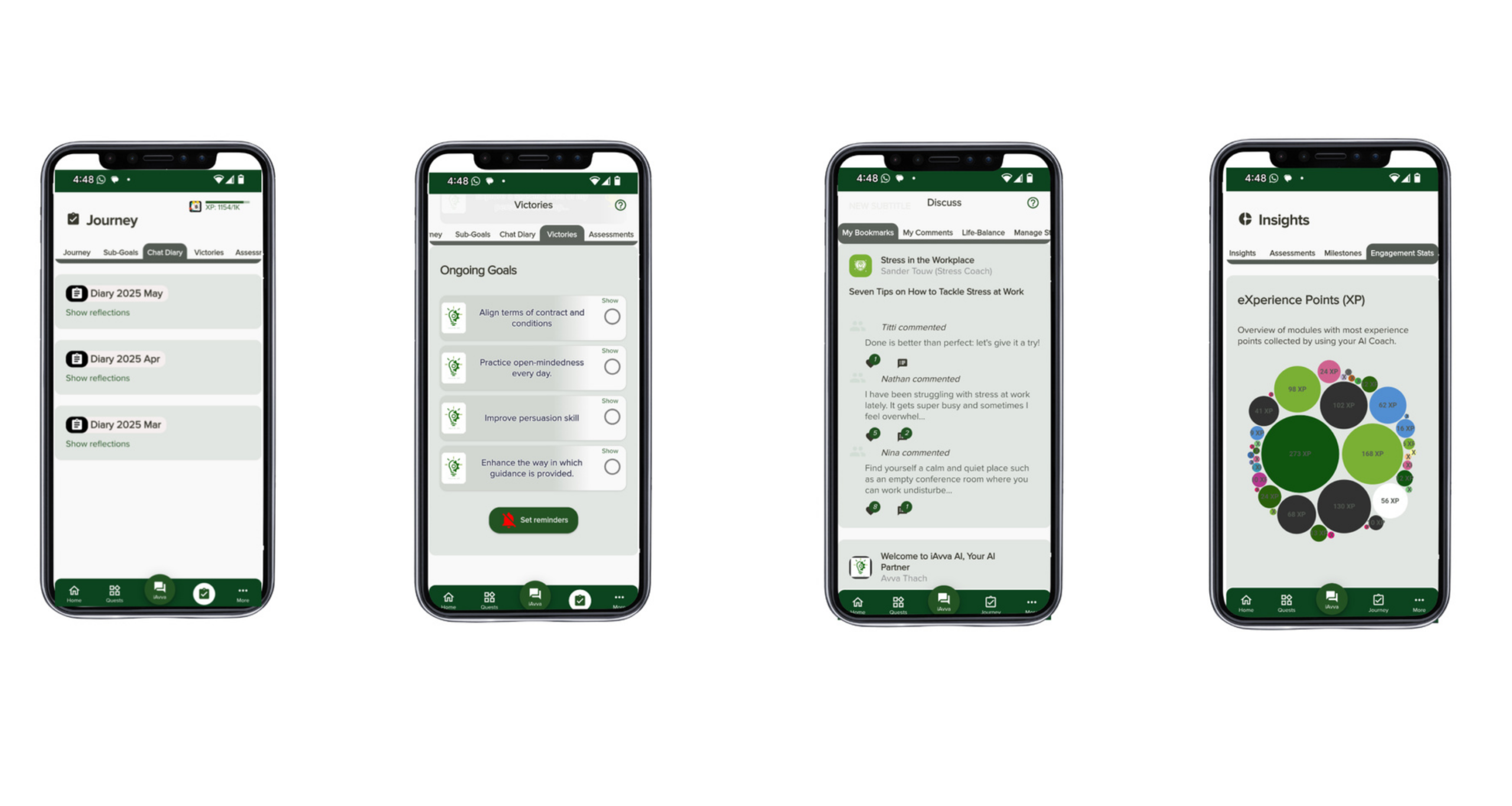
The iAvva AI Coach App offers daily prompts built on neuroscience, positive psychology, and ICF coaching principles. Leaders interact through voice or text in 19 languages, reflecting on decisions, relationships, and goals. The app connects those reflections to business OKRs, so growth is not abstract; it links directly to outcomes like revenue, customer experience, or employee engagement. Real-time analytics dashboards let HR and L&D track engagement, habit formation, and trends without reading individual reflections.
When combined with OpenClaw, you get a “brain + body + coach” setup:
- OpenClaw handles system access and workflows.
- Claude and Claude Code handle reasoning and AI code generation for technical work.
- iAvva AI Coach provides structured developmental content and guidance.
For example, during a leadership program:
- OpenClaw schedules sessions, sends reminders, and compiles weekly summaries.
- Leaders receive deeper reflection prompts in the iAvva app, tied to the same themes and OKRs.
- Over time, analytics show improvements in focus, self-awareness, and productivity.
Services from iAvva AI extend beyond the app:
- Strategy consulting: Define your AI coworker charter, governance frameworks, and rollout plan.
- Technical enablement: Support IT as they integrate OpenClaw with existing systems and define model routing rules.
- Measurement support: Help HR and L&D interpret dashboards, adjust prompts, and refine skills in response to real-world data.
Partnering with iAvva AI reduces risk, shortens time-to-value, and keeps your AI coworker ecosystem strongly aligned with leadership, culture, and performance goals.
Measuring Impact: KPIs, Dashboards, And Continuous Improvement
Without a clear measurement plan, AI coworkers risk becoming another experiment with fuzzy outcomes. The right KPIs turn your OpenClaw, Claude Code, and iAvva AI stack into an evidence-based program.
You can group metrics into a few main categories:
- Productivity And Efficiency: Hours saved on email, number of tasks automated, reduction in manual report-building, changes in meeting load.
- Leadership And Culture: Improvements in 360 feedback, engagement scores, and signals related to psychological safety and inclusion.
- Learning And Development: Participation, completion, application on the job, and skill movement for priority competencies.
- Technical And Operations: MTTR, bug rates, deployment frequency, and support ticket volumes.
To see these in one place, you need a simple dashboard framework. That framework pulls data from:
- OpenClaw activity logs
- iAvva AI Coach engagement analytics
- HRIS and LMS systems
- Surveys and pulse checks
Visuals can stay straightforward—trend lines before and after AI coworker adoption, comparisons between pilot and control groups, and breakdowns by role or function. Regular reviews, such as quarterly check-ins, help you decide which skills to expand, which to adjust, and which to retire.
iAvva AI’s analytics are designed for this loop. They show how often leaders reflect, which prompts get traction, and how those patterns relate to business OKRs. Combined with OpenClaw’s activity logs, they give HR and L&D a much clearer picture of how AI coworkers affect work and leadership behavior. This turns stories and anecdotes into solid ground for decisions about scaling, refining, or redirecting your AI coworker strategy.
Conclusion
Work is not getting simpler. Inboxes keep filling, systems keep multiplying, and expectations on leaders keep rising. At the same time, AI is moving fast enough that doing nothing is its own risk. The question is not whether to use AI, but how to use it in a way that reduces noise and builds better leadership at the same time.
OpenClaw and Claude Code together give you the technical backbone for this shift. OpenClaw brings an AI coworker that lives in chat, manages email, handles documents, and runs workflows. Claude and Claude Code provide deep reasoning and code-focused power for development teams. iAvva AI adds the coaching and measurement layer that turns these tools into a leadership engine: daily prompts, OKR-aligned growth, and analytics that connect behavior to business outcomes.
This change should not sit only with IT or an innovation lab. HR, L&D, CIOs, and the C-suite all have a stake in how AI coworkers shape culture, roles, and skills. Starting with a focused pilot tied to a priority goal—such as a leadership cohort, a specific HR process, or a contained engineering use case—lets your teams learn safely and show early impact. From there, a phased roadmap and clear governance help you grow into an enterprise-wide AI coworker fabric.
Organizations that design this layer on purpose, with strong ethics and human development at the center, will define how their people work and grow for years to come. With OpenClaw, Claude Code, and iAvva AI working together, you have the tools to move from overwhelmed to orchestrated—one well-shaped AI coworker at a time.
FAQs
Question: Is OpenClaw Safe Enough For Sensitive HR And Leadership Data?
OpenClaw’s model of running on your own machines gives you much more control than multi-tenant SaaS. You decide where the host lives, which networks it can access, and which documents and systems it can see. Safety depends on design choices such as using dedicated machines, applying least-privilege permissions, and starting with lower-risk content like policies and training material. Highly sensitive data, like performance reviews or compensation, can sit in a higher protection tier or stay in human-only systems unless guarded workflows are in place. iAvva AI helps you build a risk-based data tiering model and governance plan so OpenClaw supports HR and leadership work without exposing information you are not ready to share with an AI coworker.
Question: How Is This Different From Just Using A Claude Or GPT Chatbot In My Browser?
A browser-based chatbot gives you one-off conversations. It does not remember your context across days, it cannot manage your email or calendar, and it cannot open pull requests or automate HR workflows. OpenClaw, by contrast, is wired into messaging apps, email, calendars, documents, and tools like GitHub and browsers. It has persistent memory and can act, not only talk. Claude Code goes beyond simple code snippets by reasoning across whole repositories and running autonomous loops to fix tests or update systems. In HR and leadership contexts, this means continuous coaching prompts, automated program operations, and people analytics support instead of isolated questions and answers.
Question: What Skills Or Roles Do I Need Internally To Implement OpenClaw And Claude Code?
You do not need a large data science team to get started, but you do need a cross-functional group:
- IT or CIO team: Handles infrastructure, security, model routing, and integration with existing systems.
- HR and L&D: Provide use-case designs, content, and change management, so the AI coworker reflects your culture and development frameworks.
- Engineering or DevOps: Build and maintain OpenClaw skills and connect systems where needed.
iAvva AI fills gaps by bringing templates, strategy expertise, and technical enablement, so your teams can focus on their core strengths while still moving forward with AI development tools and AI coworker adoption.
Question: How Long Does It Take To Go From Pilot To Meaningful Business Impact?
Timeframes vary by scope and readiness, but common patterns are emerging. Many organizations can stand up a first pilot in a matter of weeks, especially if they focus on read-only or draft-only tasks with clear boundaries. Visible changes in efficiency and engagement within a function often appear in 3–6 months, as people adopt the new coworker and processes settle. Building a broader AI coworker fabric across several functions usually takes 12–18 months for a mid-sized enterprise. Clear KPIs and disciplined iteration make this faster. iAvva AI’s pre-built leadership content and analytics dashboards can shorten time-to-value, because you are not designing everything from scratch.
Question: Can Small And Mid-Sized Businesses Benefit, Or Is This Only For Large Enterprises?
SMBs can benefit even more, because one Mac mini or VPS can serve as a powerful, multi-role AI coworker. The same OpenClaw instance can help with inbox triage, basic HR tasks, light people analytics, and even website or tool updates using Claude Code. For an owner or small leadership team, this can replace or complement virtual assistants and free time for strategic decisions and customer relationships. iAvva AI’s modular approach and scalable pricing fit SMB budgets, so smaller firms can pilot leadership and culture changes without committing to large, inflexible platforms.
Question: How Does iAvva AI Integrate With Our Existing HR Systems And Tools?
iAvva AI is designed to sit alongside your current HRIS, LMS, and collaboration tools rather than replace them. Through OpenClaw skills and standard APIs, the system can read LMS content, align prompts and analytics to HRIS-based roles and structures, and deliver coaching and nudges through Slack-style channels or email. You keep your core platforms for records and transactions, while adding an AI coworker and coaching layer that makes them more usable and more connected to daily behavior. iAvva AI can review your current stack and propose an integration approach that minimizes disruption while adding new capabilities for leadership development and workforce upskilling.










Leave a Reply