






From AI Basics To Productivity: A 30-Day Adoption Plan For Teams
Introduction
Two managers sit in the same office. They lead similar teams, use the same tools, and face the same targets. One has learned to work side by side with AI. The other still does things the old way. Research already shows that the first group is about fourteen percent more productive. That gap grows every week.
When we ignore this divide, we do not just lose a bit of output. We start to create two classes of employees. On one side are early adopters who let AI clean their inbox, draft documents, and scan data. On the other side are people who feel behind, tired, and even a little ashamed to ask for help. Over time, that shame hardens into a belief that they just are not good with new tools.
Many companies rush to roll out AI without a clear plan. They turn on a new assistant inside email or chat and send one announcement. A few curious people jump in and get faster. Most dabble for a day or two and then go back to old habits. A third group avoids the tool completely because they worry about mistakes or job loss. The result is friction, stalled projects, and missed revenue. High performers burn out while others feel left behind.
This guide offers another path. The idea behind From AI Basics To Productivity: A 30-Day Adoption Plan For Teams is simple: when we teach AI in small daily steps, tied to real work, everyone can move forward together. Instead of one group racing ahead, the whole team learns a shared set of skills. We start with AI basics and end with visible, measurable productivity gains.
Over the next sections we walk through a full thirty-day plan. We cover a short foundation phase, then a week-by-week playbook:
- Week 1 focuses on saving time on email, meetings, and documents.
- Week 2 shifts to creative work and content generation.
- Week 3 uses AI for learning and analysis.
- Week 4 brings it all together for better teamwork and collaboration.
- After that, we move into advanced skills and long-term habits.
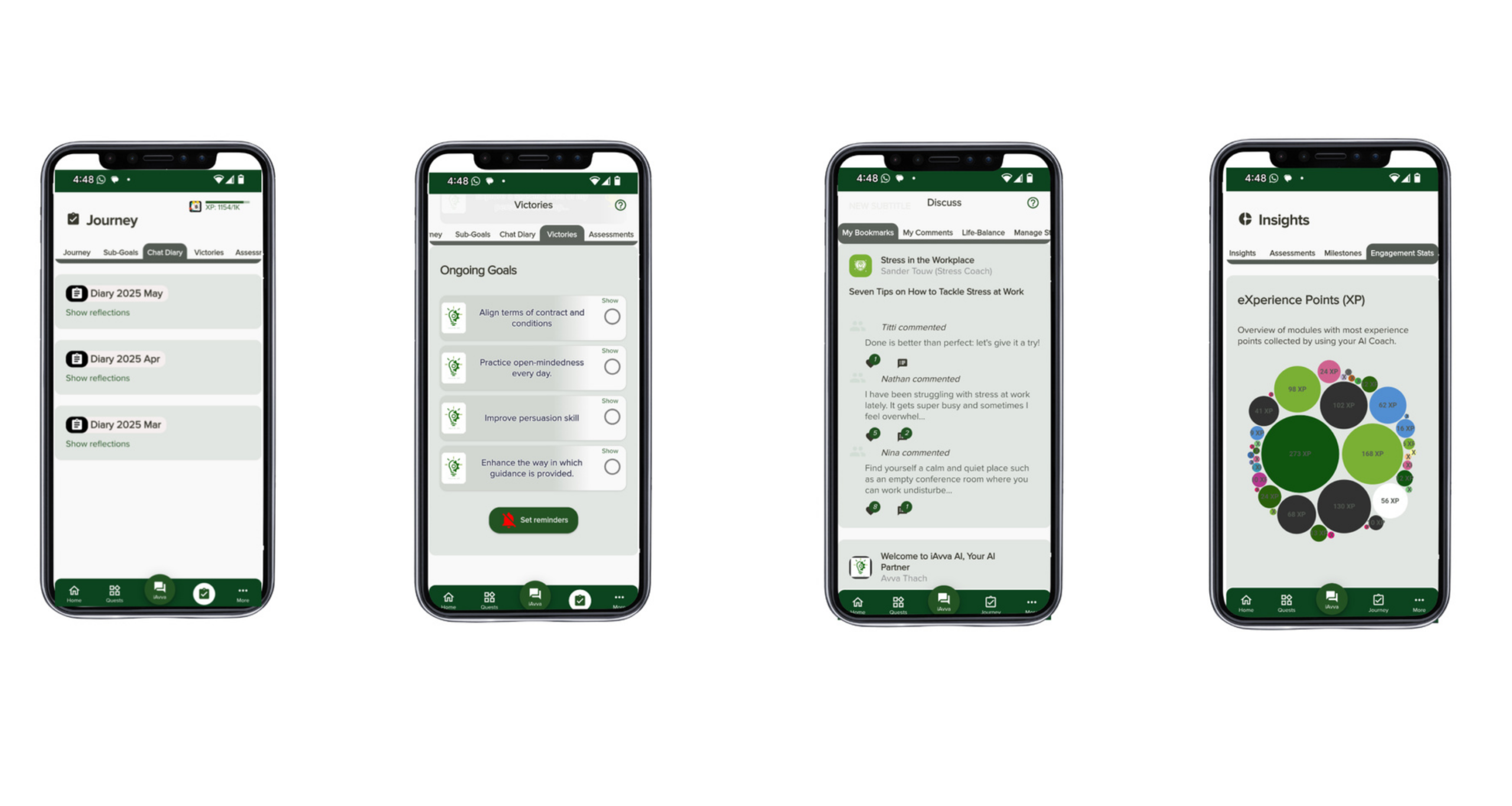
At iAvva AI, we see every day how leaders and teams change when they have a clear, supported plan. Our AI coaching platform blends daily prompts, neuroscience-based methods, and real-time analytics. It helps people build the small daily habits that add up to better focus and better results. This article follows that same spirit. If you read it through and apply the steps, you will have a practical roadmap to bring AI basics and real productivity gains to your whole team, not just a lucky few.
Key Takeaways
A random, informal roll out of AI tools tends to create a split between fast adopters and everyone else. A structured thirty-day plan brings people along at the same time and keeps teams working as one group instead of two.
The first month matters far more than most leaders expect. Early wins, or early bad experiences, shape how people feel about AI for a long time. Clear guardrails, simple tasks, and quick success protect against permanent skill gaps.
The plan works in four phases that build on each other. We start with time-saving basics, move into creative work, then into learning and analysis, and finally into collaboration across whole teams.
Leadership behavior changes the impact of this plan. When executives model AI use, speak about it often, and protect time for practice, adoption rates and confidence rise across all levels.
We do not just track output. We also track adoption equity, usage spread, and collaboration health. That mix shows whether AI is helping the whole workforce, not just a small set of advanced users.
Simple, common tasks such as email management and meeting summaries are the best entry point. They cut visible pain points, lower fear, and build trust in the tools.
Peer support moves people faster than top-down training alone. Buddy systems, champions, and show-and-tell sessions turn early experts into everyday coaches.
Psychological safety sits under every step. People need room to test prompts, admit confusion, and learn out loud without fear of penalty or shame.
The AI Adoption Crisis Why Your Team Needs A Structured Plan Now

Right now, in many organizations, AI is spreading in private. A few people experiment during late nights or quiet mornings. They ask AI to clean up emails, write code snippets, or analyze spreadsheets. Their work gets faster and sharper. Their dashboards look better. Leaders notice and send them more projects.
Meanwhile, most employees are stuck in the middle. They have heard that AI can help, but they are not sure how to start. They may have tried a generic prompt once and received a messy answer. Without clear guidance, they decide the tool is confusing or risky and move on. Some staff avoid AI on purpose, worried it will expose their mistakes or one day replace their role.
This three-tier pattern is already clear. Early adopters show that fourteen percent productivity gain. The anxious middle keeps pace only by working longer hours. The resisting group slows projects because they still use manual steps. Over time the gap between these groups grows. Every new AI trick the first group learns gives them more time to learn the next one.
There is also a hidden mental cost. When people struggle with a new tool for too long without support, they begin to believe they just cannot learn it. They stop trying. Psychologists call this learned helplessness. Once that belief sets in, the next roll out, whether AI or something else, becomes even harder to land.
“The future is already here — it’s just not evenly distributed.”
— William Gibson
A structured roadmap changes this pattern. Instead of leaving people to figure things out alone, we set clear milestones, guided practice, and simple ways to ask for help. Research already shows that companies with high AI adoption are several times more likely to report strong financial gains and faster innovation cycles, with studies demonstrating how AI-augmented training improves workforce outcomes when implemented systematically. With a plan, those gains are shared more fairly across teams.
At the same time, outside pressure is rising. Recruiters now search for AI skills in almost every senior role and many frontline roles. Customers expect faster, more personal service that often depends on AI behind the scenes. Competitors that make steady progress with AI do not just save a few minutes. They redesign how they sell, serve, and grow.
The Three Hidden Costs Of Delaying Your AI Adoption Plan
When leaders delay a clear AI adoption plan, the harm rarely shows up in one dramatic event. It appears as three steady drains on the business that show up in metrics every quarter.
Talent Retention
The first cost sits in talent retention. AI-fluent employees are already in short supply. Recruiters know this and seek them out with higher pay, flexible work options, and the chance to work with newer tools. When our own staff feel that their skills are not growing, they are more likely to take those offers.
Replacing them can cost one to two times their annual salary once hiring, onboarding, and lost productivity are counted. At the same time, people who feel left behind by AI may also leave, looking for companies that promise better development support.
Customer Experience
The second cost shows up in customer experience. People are now used to chat bots that answer instantly, product recommendations that fit their needs, and support teams that remember past issues. If only a fraction of your front line can use AI to give that level of service, clients notice the gaps.
One call feels smooth and informed, the next feels slow and manual. Net Promoter Scores dip, repeat business falls, and word of mouth shifts toward competitors who feel more modern and responsive.
Slower Innovation
The third cost is slower innovation. Teams that do not feel comfortable with AI cannot join real conversations about new ways of working with data, content, or process design. Strategy meetings fill up with the same voices because only a few people feel able to test new ideas with AI and bring back insights.
Projects that could move in weeks stretch into months because people do research by hand, test fewer options, and avoid new tools. Time to market lengthens, and good ideas die in long queues.
These three costs are not just soft impressions. Leaders see them in retention rates, customer scores, and revenue from new products or services. The risk is that we explain them away as random or cyclical, instead of seeing the shared root. A delayed AI adoption plan quietly pushes our best people and best clients toward other companies that made the decision to act with intention.
Understanding AI Basics What Your Team Actually Needs To Know

Many employees hear the phrase AI basics and picture complex math, neural networks, or code. They imagine they must become data scientists to stay relevant. That belief raises fear and resistance long before they ever open an AI tool.
In practice, most people do not need to understand how models are built. They do not need to train algorithms or read research papers. What they need is the skill to use simple AI assistants inside tools they already touch every day. That means writing clear prompts, checking answers with a smart eye, and having the patience to go back and forth a few times.
We can think of two levels:
- One level is building AI, which only a small set of engineers handle.
- The other level is using AI, which almost everyone in the company will need.
Your thirty-day plan focuses on that second level. We treat AI less like a magic black box and more like a very fast junior partner who needs clear instructions.
Three core abilities power this kind of use:
- Prompting, which is the art of asking for what you want in a clear and complete way.
- Verification, which is the habit of checking the output against your own knowledge and other sources.
- Iteration, which is the practice of refining the conversation until the result fits your need.
We also lower fear by starting inside familiar tools. When people see that AI can suggest email replies, recap meetings, or tidy documents, they relax. The change feels like an upgrade to what they already do, not a full replacement. Once they trust the basics, they are ready to try creative work, learning, and analysis.
At iAvva AI, we treat AI as a growth companion rather than a cold engine. Our coaching app sends short daily prompts that invite leaders to reflect on their choices, align with company goals, and try new habits. That same principle applies to AI basics across the workforce. When learning comes in five-minute pieces, tied to real tasks, people do not feel overwhelmed. They build practical fluency day by day.
“AI is the new electricity.”
— Andrew Ng
The Core AI Skills That Drive 80 Percent Of Productivity Gains
Most of the productivity lift from AI comes from a small set of skills. When teams focus their first month on these core abilities, they see gains that spread across tools and tasks.
Effective Prompting means asking clear questions with the right detail. A strong prompt gives context, states the task, and describes the format you want.
For example, instead of asking a chat bot to “help with this document,” you might say that you are preparing a one-page summary for senior leaders, that you care most about three specific risks, and that you want bullet points in plain language. People who learn this habit quickly notice that their first AI draft comes much closer to what they need.
Critical Evaluation keeps humans in charge. AI can write with confidence even when it is wrong. Teams must learn to scan outputs for obvious gaps, ask where information came from, and compare against known data.
In practice, this might mean checking numbers against a trusted report or asking the tool to show its steps when it analyzes data. This skill protects quality and builds trust in how AI is used.
Iterative Refinement treats AI as a partner in a back-and-forth exchange. The first answer is rarely the final one. High performers ask follow-up questions such as “shorten this by half,” “make this friendlier for a non-technical reader,” or “offer three other options in a more formal tone.”
This loop turns a rough draft into something polished without starting from scratch.
Context Setting gives AI enough background to act as a smart assistant instead of a random writer. When we tell the tool who the audience is, what has already happened in the project, and what success looks like, we receive better help.
For example, telling AI that you are writing to a long-term client in healthcare, that you want to keep trust high, and that you must meet a firm deadline will shape the reply in useful ways.
Once people learn these four skills, they can apply them to many platforms. It does not matter if they are in an email program, a document editor, a spreadsheet, or a chat-based AI. The patterns stay the same. That means your thirty-day plan does more than teach a single tool. It builds a base that will still be useful as vendors ship new features and new systems over the next few years.
The Five Pillars Of A Successful AI Adoption Roadmap

A good AI adoption roadmap is not a set of random training sessions. It is a simple change plan that guides behavior, learning, and support. When we look at teams that moved from scattered experiments to steady, shared progress, we see the same five elements in place. We call these the five pillars.
Each pillar covers a place where AI roll outs often fail. Clear milestones keep the plan from drifting. Hands-on training makes learning stick. Healthy accountability prevents quiet drop-off. Strong metrics show if adoption is fair across groups. Support structures make sure no one falls through the cracks. At iAvva AI, we design our programs to rest on these same elements, and the difference in weekly engagement and business impact is clear.
“Culture eats strategy for breakfast.”
— Peter Drucker
Leaders who focus only on tools and ignore culture usually see AI use spike briefly and then fade. These pillars help avoid that pattern.
Pillar 1 Clear Milestones And Phased Implementation
People handle change better when they can see the path ahead. A phased plan breaks AI adoption into smaller stages with clear finish lines. Many teams use a 30/60/90-day frame:
- The first month focuses on basics such as summarization and email.
- The second month goes deeper into creative work and analysis.
- The third month ties AI into core processes and more advanced features.
Shorter cycles inside those phases keep momentum. Weekly goals, such as “everyone uses AI to draft at least five emails” or “every manager uses AI to build one meeting agenda,” give people a near-term target.
Success at each phase should be defined in observable terms, like daily active use rates, feature variety, and self-reported confidence. Before moving on, leaders pause to check that most people, not just a few, have reached that stage. These phase gates protect against racing ahead while part of the team still feels lost.
Pillar 2 Hands-On Workflow-Integrated Training
Classroom-style training can introduce ideas, but it rarely changes daily habits on its own. People learn best when they practice inside their actual work. For AI, that means training inside email, calendar, documents, sheets, and meeting tools they already use.
We start with universal tasks such as cleaning up long emails, summarizing project notes, or recapping meetings. Instead of using fake examples, we coach people to bring in real messages, real reports, and real data. This makes the value of AI feel real right away. Short, role-specific prompt lists help busy staff try one small use case each day.
Microlearning is the core here. Five minutes of guided practice, every workday, beats a single long workshop. This is exactly how the iAvva AI coach works for leadership habits. A single daily prompt nudges a manager to reflect and then act differently that day. We apply the same idea to AI skill building across the whole workforce.
Pillar 3 Accountability Systems Without Punishment
Without any tracking, AI usage slowly fades as other priorities crowd in. With harsh tracking, people game the numbers or grow resentful. The middle path is gentle but clear accountability.
Teams can use dashboards that show simple measures such as how many days people used AI tools and how many different features they tried. Instead of ranking only top performers, we highlight those who improved the most week to week. Managers hold brief check-ins that ask what helped, what blocked progress, and what support is needed.
Weekly usage targets become a normal expectation, similar to answering email or updating a CRM system, but they are not tied to harsh penalties.
Another helpful feature is an early warning system. If someone stops using AI tools for several days in a row, a flag goes to their manager or an AI champion. That is a prompt to offer help, not to scold. When we treat these signals as chances to coach, not punish, people feel safe enough to keep trying.
Pillar 4 Comprehensive Performance Metrics
Simple usage counts are only part of the story. We also need to know who is using AI, how they are using it, and what changes in results.
Key metrics include:
- Adoption Equity Gap – compares usage between the most active ten percent of users and the least active ten percent. A shrinking gap means adoption is spreading more evenly.
- Daily Active Use – a base inclusion metric across the workforce.
- Feature Breadth – whether staff only use one simple function or explore a range of options such as summaries, drafting, and data support.
- Collaboration Health – tracked through project cycle times, on-time delivery, and employee feedback about meetings.
- Time To Proficiency By Role – shows which groups need more support.
Short pulse surveys add an emotional layer, asking questions about confidence, clarity of guidelines, and trust. When we read these numbers together, we can judge not only whether AI is boosting productivity but also whether it is doing so in a fair and sustainable way.
Pillar 5 Multi-Layered Support Structures
Even with good goals and training, some people will struggle more than others. That is normal. What matters is whether we build a net that catches them. Multi-layer support does this.
- An AI champion program identifies early adopters in each team and gives them extra coaching so they can coach others.
- A buddy system pairs more confident users with those who feel less sure, turning informal tips into steady, daily help.
- Short one-to-one coaching slots give people with bigger fears or specific needs a safe space to ask questions.
- A central knowledge hub gathers guides, prompt examples, short clips, and answers to common questions in one place.
Psychological safety is more than a phrase here. Leaders must say out loud that mistakes in AI use are part of learning, not a reason for shame. This is also where accessibility matters. At iAvva AI we support nineteen languages, text and voice modes, and design choices that support different thinking styles. The same care helps AI adoption feel fair for everyone, including staff who prefer audio over reading or who speak multiple languages at work.
Pre-Launch The Critical Foundation Phase Days 1-3

Before day four of your plan, there is a short but important setup window. These first three days feel quiet on the surface, yet they decide whether the next month runs smoothly or keeps hitting avoidable snags. When we rush this stage, we see the same problems repeat across companies. When we treat it with care, the rest of the plan feels much lighter.
To make the phase structure easy to see, you can map it like this:
| Phase | Days | Main Focus | Example Outcomes |
|---|---|---|---|
| Pre-Launch | 1–3 | Goals, guardrails, communication | Clear aims, policies, and starter resources |
| Week 1 | 4–10 | Time savings on core tasks | Faster email, meetings, and document handling |
| Week 2 | 11–17 | Creativity and content generation | Drafts, decks, visuals produced with AI assistance |
| Week 3 | 18–24 | Learning and insight generation | Better analysis, faster upskilling |
| Week 4 | 25–30 | Collaboration and team workflows | Sharper meetings, stronger follow-through |
Step 1 Define Goals And Select Your Pilot Team
Every strong AI plan starts with a clear reason. We begin by naming a few business outcomes that matter right now. For some leaders that means faster sales proposals. For others it means shorter response times in customer support or less time spent on internal reporting. The more specific the aim, the easier it is to design prompts and track change.
We can use the simple SMART frame here. Goals should be specific, measurable, achievable, relevant, and time bound. For example, “reduce average response time in support by twenty percent within ninety days using AI helpers” is more helpful than “use more AI in support.”
Once goals are set, we choose a pilot group.
A pilot team lets us test the plan at smaller scale before rolling it across the whole company. Good pilot teams often sit in functions with high communication load such as sales, customer success, or operations. Ideal pilots include a mix of eager volunteers and respected steady performers who others trust.
Tasks like email management and meeting summaries are perfect early focus areas because everyone understands the pain they fix. We also set simple expectations for the pilot, such as daily practice time and honest feedback, so people know what success looks like.
Step 2 Address Security Privacy And Governance
Nothing slows AI adoption faster than fear about data misuse. We can reduce that fear by setting clear guardrails before anyone starts using new tools at scale. This is where security, privacy, and governance teams play central roles.
Work with legal and IT leaders to define:
- What data AI tools may access.
- How long information is stored.
- Who can see it and under what conditions.
- How bias is checked and logged.
- How AI-assisted actions are recorded.
Describe in plain language how internal and client data stays under company control. Also take time to name what AI will not be used for, such as secret surveillance of employees or fully automated hiring decisions.
At iAvva AI, for example, we keep our coaching platform GDPR compliant, encrypt data, and design our system so that personal reflections stay private while HR and L&D teams see only aggregated trends. That kind of clarity builds trust long before a single prompt is typed.
Step 3 Build Your Communication Strategy
Even the best plan fails if people hear about it only once in a long email. A strong communication strategy explains:
- Why AI matters now.
- Why this approach was chosen.
- What role each person plays.
One simple frame for launch messages is “why now, why this, why you”. Leaders explain the pressure and opportunity around AI right now. They share why the organization prefers a guided thirty-day plan instead of random experiments. Then they speak directly to employees about what support they will receive and what is expected from them.
We also center the message on augmentation rather than replacement. We say plainly that AI is there to take on boring, repetitive parts of work so that humans can focus on judgment, relationships, and creative thinking.
Executive sponsors should speak about their own learning process with AI in town halls and team meetings. Supporting messages can flow through email, intranet posts, and manager toolkits. A short FAQ that answers common worries about jobs, data, and fairness helps managers answer questions with confidence.
Step 4 Prepare Training Materials And Resources
On day four, people should be able to act right away. That means we prepare basic resources during the foundation phase. Gather:
- Quick-start guides that show where AI features live inside tools like email, documents, and meeting platforms.
- Short video clips that walk through a single use case in under five minutes.
- Role-specific prompt lists (for sales, support, finance, HR, operations).
We also build role-specific packets. For example, sales staff get prompt ideas for outreach emails and call notes. Finance staff see prompts for summarizing long reports. All these materials live in an easy-to-find internal hub with a clear label.
Prepare simple tracking views so leaders can see usage without heavy manual work. Finally, check that resources are easy to read on phones as well as laptops, so field staff and busy managers can learn during small gaps in their day.
Week 1 Mastering The Basics And Reclaiming Time Days 4-10

Week 1 is where people feel the first real shift in how they work. The aim is not to impress anyone with complex use cases. The aim is to give every person back a few hours by the end of the week. We focus on email, meetings, and long documents because those tasks drain time across almost every role.
The Psychology Of Starting Small
Change sticks better when it feels safe and rewarding from the start. Small wins at the very beginning tell the brain that this new habit is worth the effort. When someone sees AI cut a twenty-minute task down to five minutes, they are far more willing to try the next prompt.
We target pain points that people complain about already:
- Email overload.
- Missed or confusing meetings.
- Long reports that never get finished.
When AI helps with those, we do not have to sell the value. Staff feel it as soon as they close their laptop a little earlier that day.
There is also a compound effect. Saving ten or fifteen minutes once does not sound like much. Saving that time every day on email and meetings adds up to hours per week. Starting with simple tasks keeps the barrier to entry low. People do not feel they must be “tech people” to join in.
The main risk at this stage is the temptation for a few advanced users to jump straight into complex automations while others still struggle with basics. Clear guidance and shared practice keep everyone aligned.
At iAvva AI we see the same pattern in leadership growth. Five-minute daily reflections change behavior more reliably than rare, long workshops. Week 1 of your AI plan follows that same rhythm so people build confidence without feeling stretched.
Daily Prompt Guide For Week 1
During Week 1 we ask everyone to try at least one guided prompt each workday. Below are simple patterns you can adapt to your own tools.
Day 4 – Meeting Summaries
Many people lose time rewatching recordings or scrolling through transcripts. Ask your meeting assistant to recap the topic of a meeting and list key decisions and action items in a short summary.The goal is a clear note with owners and deadlines that you can paste into your task system or send to the team. As a practice exercise, have each team member use AI to summarize one meeting and then share how much time that saved.
Day 5 – Long Document Summaries
Reports, proposals, or policy updates can sit unread because they feel heavy. Open a recent document and ask your AI helper to summarize it in three key points or to list the main recommendations.The expected result is a brief overview that lets you decide whether a deeper read is needed. For practice, ask everyone to apply this to a real document they have been postponing and note how much faster they reach understanding.
Day 6 – Drafting And Replying To Emails
Many staff spend hours each week on routine messages and often stare at a blank screen before starting. When a new message arrives, ask AI to draft a polite reply that asks for an update on a project or that declines an invitation while keeping the relationship warm.The draft should be close enough that you only need minor edits. Encourage team members to use AI for at least three emails and compare how long each would have taken by hand.
Day 7 – Briefings Across Channels
Information about a project or person often hides across emails, chats, and files. Use your chat assistant to pull together a briefing that answers what has happened with a client or colleague over the past week, organized by channel.The aim is a one-page view that prepares you for a call or meeting. As a habit, many teams begin using this as a morning check for high-priority accounts.
Days 8–10 – Practice, Sharing, And Play
Set fifteen-minute windows where people choose real work tasks and try the four patterns above. Hold a short show-and-tell where each person shares a favorite prompt and a small tip.To show the lighter side of AI, introduce a fun request such as asking the tool to summarize the work week in the style of a gentle comedy roast. This keeps learning relaxed and reminds people that experimenting is welcome.
Week 1 Success Metrics
By the end of Week 1, most of your team should feel that AI saves them noticeable time. Aim for at least eighty percent of staff using AI on one task per day. Every person should have used it at least once for meeting notes, document summaries, and email drafting.
You can also ask a quick pulse question about confidence with AI on a simple scale from one to five. Average scores should rise from the starting point. A rough but useful measure is total hours saved per person, which many teams estimate at two to three hours in this first week.
Watch for anyone who has not tried all four prompt types or who reports confusion. Offer them extra help through a buddy or a short one-to-one session so they feel supported rather than singled out.
Week 2 Boosting Creativity And Content Generation Days 11-17
In Week 1, AI helped people react faster to information that already existed. In Week 2, we use AI to help create new things. This is where many employees feel both curious and nervous. They may worry that using AI for creative tasks will make their work feel fake or less personal.
Our message in this phase is clear. AI is here to help with the messy first drafts and broad idea lists. Humans still guide the direction, choose what fits, and adjust tone to match the brand. When people see how much easier it is to move from a blank page to a strong draft, they often wonder how they did without it.
Reframing AI As A Creative Collaborator
We ask teams to shift how they think about AI during this week. In Week 1, AI felt like a smart helper for chores. In Week 2, it becomes a partner that offers options. That does not mean the tool takes over creative control. Instead, it produces many starting points that humans can combine and polish.
AI is especially helpful in breaking through creative blocks. When someone struggles to find a fresh angle for a campaign, a new way to explain a service, or a different style for a report, a quick set of AI suggestions can spark new thinking. The first ideas may not be perfect, but they give the mind something to react to.
We also talk openly about authenticity. Your people bring stories, judgment, and context that no model has. When they use AI to draft, then rewrite in their own voice, the final work still reflects them. Examples from writers, designers, and product leaders who use AI as a thinking partner, not a ghost writer, help reduce fear.
This is also a good moment to connect the plan back to business speed. Teams that can move from idea to draft to revised version in days rather than weeks respond faster to market shifts. At iAvva AI, we see similar gains when leaders use our coach to test new communication styles and feedback approaches before trying them with their teams. The tool gives a safe place to practice, then real people bring the final version to life.
Daily Prompt Guide For Week 2
During Week 2 we ask each person to use AI at least once a day for creative or content tasks. Here are patterns you can use.
Day 11 – Brainstorming Ideas
Pick a real project such as a client pitch, internal change program, or hiring campaign. Ask your AI tool to suggest a set of possible titles, angles, or tag lines. Then ask for another round that focuses on a narrower theme, such as cost savings or employee wellbeing.The aim is to collect a wide list of ideas quickly and then mark the few that feel promising.
Day 12 – Drafting From Existing Material
Many teams have dense project briefs or technical specs that need to be reshaped for other audiences. Take one such document and ask AI to turn it into a simple FAQ for non-experts or into talking points for a town hall.The output will be a structured draft that still needs your edits but saves you from building the format by hand.
Day 13 – Building Presentations
Choose a document or outline that explains a project. Ask your slide tool with AI support to build a draft deck with a set number of slides, each with a short heading and main points. You can also ask it to suggest speaker notes.The goal is a usable first version that you refine with real data and brand design.
Day 14 – Creating Custom Visuals
Visuals help people grasp complex ideas but not everyone has design training. Use an image generator linked to your office tools and describe a concept you want to show, such as a database drawn in colored pencil or a simple sketch that represents team trust.Request a few versions, then pick the one that fits. This gives you original images for internal use without long design cycles.
Days 15–17 – Applied Creativity Sprint
Ask teams to pick a small real project and use AI at every step, from idea list to outline, draft, slides, and visuals. Include a prompt for a one-minute spoken pitch that presents the project to a senior audience.At the end of the sprint, hold a short session where people share the work they created and talk about how AI shaped the process.
Week 2 Success Indicators
By the end of Week 2, AI should feel normal in creative work, not like a special event. Aim for most team members using AI at least once per day for idea generation, drafting, or design. Look for signs of healthy iteration, such as people asking follow-up prompts and editing AI drafts rather than copying them word for word.
You should begin to see real artifacts created with AI help, including pitch decks, one-pagers, and internal updates. Ask teams to describe at least one case where AI helped them move faster from idea to finished product. Note which prompts catch on and which roles show the strongest gains. These patterns will guide your support in later weeks.
Week 3 Expanding Expertise And Gaining Insights Days 18-24
By Week 3, your team knows that AI can save time and spark ideas. Now we turn it into a tool for learning and decision support. Instead of only helping with words and slides, AI becomes a way to understand topics and data faster.
This week is often where people start to feel genuinely more capable in their roles. They use AI to study new fields, dig into spreadsheets, and get coaching on skills such as public speaking or feedback. The focus moves from “getting tasks done” to “growing as a professional.”
AI As Your Personal Knowledge Multiplier
Modern work creates more information than any one person can absorb. New tools, rules, and market trends appear every month. Most of us simply do not have time to read all the articles or attend every webinar we should. AI can act as a personal knowledge helper to close some of that gap.
When we treat AI as an on-call tutor, we can ask it to explain new topics in clear steps, offer examples from our industry, and quiz us on key points. When we treat it as an analyst, we can feed in data and ask it to describe patterns, outliers, and possible causes. When we treat it as a coach, we can ask for feedback on our writing, presentations, or leadership habits.
This does not remove the need for human judgment. We still have to check facts, ask where numbers came from, and weigh whether advice fits our context. Yet it lowers the time cost of getting to a working level of understanding. Teams that can learn faster adapt faster.
At iAvva AI we build this idea into our coaching engine. Leaders receive daily prompts that invite them to reflect on hard moments, practice new responses, and tie their growth to company goals and OKRs. Over time, this steady input changes how they show up in meetings and decisions. Week 3 applies the same learning science to every role in the organization.
Daily Prompt Guide For Week 3
In Week 3 we encourage each person to use AI at least once per day for learning, analysis, or coaching.
Day 18 – Learn A New Topic Quickly
Ask your AI chat tool to explain a complex subject that matters to your work as if you were new to it. Request real-world examples from your sector and a short list of key terms you should know. Then ask for a quick quiz to check your understanding.This cycle helps people move from zero to basic competence in far less time than reading random articles.
Day 19 – Improve Your Work With AI Feedback
Take a draft document, email, or proposal and ask AI to review it for a specific audience, such as senior leaders or frontline staff. Request pointed suggestions on clarity, structure, and impact. Apply a few of those suggestions, then ask for a second review.This back and forth creates a natural editing loop that sharpens communication.
Day 20 – Explore Data For Patterns
Import a spreadsheet with sales numbers, service tickets, or other metrics. Ask AI what trends it sees, which values stand out, and what possible causes might explain them. Then ask it to propose a simple chart that would make those patterns easy to share with others.Even people who do not consider themselves “numbers people” can now engage with data in a deeper way.
Day 21 – Ask For Personalized Coaching
Ask AI to act as a coach for a skill you want to build, such as giving feedback, managing conflict, or speaking to large groups. Share a recent situation and ask for alternative ways you might have handled it. Ask for a few practical tips to test in your next similar meeting.This gives everyone access to a kind of micro coaching that used to be reserved for a few senior leaders.
Days 22–24 – Applied Learning And Peer Coaching
Ask each person to research a topic with AI that is slightly outside their comfort zone but relevant to an upcoming project. Then have them teach the essence of what they learned to a colleague.You can also invite people to ask AI for coaching in a playful style, such as a sports coach using analogies from their favorite game. This keeps learning light while still grounding it in real work.
Week 3 Success Indicators
By the close of Week 3, you should see people use AI without being prompted whenever they face a new topic or puzzling dataset. They will describe using AI for early research, for refining drafts, and for coaching on soft skills.
Look for signs of healthy skepticism, such as staff double checking AI claims and asking good follow-up questions. Note examples where AI insights changed a decision or revealed a pattern that was not obvious before. Peer-to-peer coaching should feel normal, with people swapping prompts and lessons learned. Self-reported confidence in using AI for analysis and growth should rise, especially among staff who were unsure at the start of the month.
Week 4 Strengthening Collaboration And Streamlining Teamwork Days 25-30
In Week 4 we move from individual use to team-level practice. The earlier weeks built personal fluency. Now we apply those skills to meetings, projects, and shared work. This is where AI stops being a side tool and starts to live inside how the team runs each day.
Many teams struggle with vague meetings, unclear action items, and projects that lose focus. AI can help with structure and follow-through so that people spend more time on real decisions and less on logistics.
From Individual Excellence To Team Synchronization
When every person on a team can use AI, the gains stack. One person uses it for briefings. Another uses it for clear updates. A third uses it for visual explanations. Together, they move faster and make fewer avoidable errors.
AI can cut common friction points in collaboration. It can help set tight agendas, pull together notes, and write follow-up messages that assign owners and due dates. It can help teams prepare for retrospectives so they talk about what really matters rather than stay on the surface. With shared AI skills, team members can understand each other’s drafts quickly and give better feedback.
There is also a culture shift in this week. AI stops feeling like a private edge and starts to feel like shared infrastructure. People trade prompts in chat channels. They standardize certain uses, such as a weekly AI-generated project brief, so that everyone knows what to expect.
Far from making work less human, this often gives people more time and energy to listen to each other. At iAvva AI, we see this when teams use our platform not just for individual reflection but also to align personal goals with team OKRs. The tool holds the structure so humans can focus on connection.
Daily Prompt Guide For Week 4
In Week 4 we ask teams to apply AI daily to some part of their shared work.
Day 25 – Build Strong Meeting Agendas
Before a regular project sync, ask AI to draft an agenda that includes a quick look back at last week, review of open items, discussion of new risks, and planning of next steps. Share that agenda with the group ahead of time and invite people to adjust it.The goal is a clear plan that guides the meeting and keeps it from drifting.
Day 26 – Support Live Brainstorming
During a workshop or planning session, when the group slows down, use AI to suggest probing questions that might spark fresh ideas. Ask for short questions that invite different views. Use a few of them to restart the conversation.This keeps energy up and helps quieter voices join in.
Day 27 – Send Clear Follow-Ups
After a meeting, feed the transcript or notes into your AI assistant and ask it to write a follow-up email that lists key decisions, owners, and deadlines. Review it for accuracy, then send.The aim is to close the loop while details are still fresh so that people know exactly what they agreed to do.
Day 28 – Run Structured Retrospectives
At the end of a sprint or project phase, ask AI to suggest questions that will help the team talk about what went well, what did not, and what they want to change next time. Use those prompts to shape your retro session.This supports honest reflection without sliding into blame.
Days 29–30 – Integration And Celebration
Challenge each team to run a small piece of work that uses AI at every step, from planning to communication to review. Ask members to share their favorite AI-assisted workflow and what it changed.For a light close, invite AI to imagine your project team as a group of heroes, each with a name and powers based on their real strengths. Share these playful profiles as a way to recognize contributions and reinforce the new way of working.
Week 4 Success Indicators And Transition To Ongoing Mastery
By the end of Week 4, AI should be part of how your team runs meetings, tracks actions, and learns from projects. You should see more focused agendas, shorter and clearer meetings, and stronger follow-through on commitments.
Ask team members whether collaboration feels smoother and whether roles and next steps feel clearer after meetings. Look for examples of standard practices that now include AI, such as regular project briefs or retro formats. When teams begin to create and share their own prompt libraries and workflow recipes without central direction, they are ready to move into more advanced, self-directed use.
Advanced Capabilities Moving Beyond The Basics Week 5 Plus
After thirty days, your team has a solid base in AI basics and shared workflows. This is not the end of the story. It is the point where people can start to explore more advanced features with less risk and more benefit.
In the weeks that follow, we shift from guided steps to a mix of deeper skills and custom setups. Some staff will be ready for specialized agents. Others will want to build simple tools that match their own repeated tasks. Leaders will want better insight into how AI use connects to business outcomes.
Introducing AI Agents For Specialized Tasks
Many modern AI platforms now include focused helpers often called agents. Instead of one general assistant, you may see separate modes tuned for writing, idea generation, data work, or image creation. Teaching people when and how to use these agents is the next stage of growth.
Common examples include:
Prompt Coach Agent – looks at the text you plan to send to an AI tool and suggests ways to make it clearer or more specific. You might paste your draft request and ask the coach to point out missing context, vague words, or unclear goals. Over time, this teaches staff to write better prompts on their own.
Writing Coach Agent – helps with tasks such as turning a complex process into simple step-by-step guidance or adjusting the tone of a message for a sensitive audience. Someone might paste an email about an organizational change and ask the agent to make it more supportive while staying honest. This raises the quality of internal and external communication without adding more review layers.
Idea Coach Agent – specializes in structured brainstorming. When a team needs warm-up activities for a workshop or wants to frame a tough problem in new ways, they can ask this agent for exercises, prompts, or lenses. It can suggest, for instance, ways to look at a client issue from the view of different roles, or games that help groups think more freely.
Visual Creator Agent – supports people who need images for recognition, diagrams, or stories. Staff can describe what they want, such as a simple gold trophy with confetti, an icon set that matches brand colors, or a sketch that explains a process. The agent returns several options and can adjust them based on feedback.
As you roll out these agents, encourage staff to notice which one aligns with their hardest tasks. Ask them to try each agent on one real use case and share the results. At iAvva AI we follow a similar pattern inside our platform, where specialized flows guide leaders through reflection, action planning, and progress review, each tuned for a specific need.
Creating Custom Approaches And Autonomous Exploration
Once teams are comfortable using built-in features and agents, some will be ready to create custom setups. This does not always mean writing code. Many tools now let users configure an assistant for a narrow task by giving it a description, a few examples, and access to certain documents.
For instance:
- A support team might build a help bot that knows the company knowledge base and uses a set style when answering.
- A finance group might set up an assistant that reviews expense reports for common issues and suggests corrections.
- A marketing team might create an assistant that drafts social copy based on a brand voice guide.
Because your staff already understand prompting, verification, and iteration, they can shape these helpers in smart ways.
Scenario libraries can speed this stage. Vendors and communities often publish collections of use cases by role and industry. Encourage curious staff to browse examples that match their work, adapt a few, and then share what they learn with others. Internal communities of practice, such as an AI channel on your chat platform, give people a place to trade these patterns.
Best practice at this stage includes regular time for play and reflection. You might set aside one hour per month where teams explore new features, test them on low-risk tasks, and then decide which are worth adding to standard workflows. Teaching others is itself a powerful way to deepen one’s own skill, so invite advanced users to host short demos or office hours.
Capstone projects can mark this move into more self-directed AI use. Ask individuals or small teams to pick a real business problem and design an AI-supported process to address it. They can use chat assistants, agents, and custom helpers as needed. At the end, they present both the result and the path they took, including prompts that worked well and lessons learned.
Recognition matters here too. Digital badges, internal shout-outs, or even simple certificates give people a sense of progress. They also signal that AI skill is part of career growth. At iAvva AI, our analytics dashboards help HR and learning leaders see engagement, habit building, and links to OKR progress in real time. Similar views on AI usage and impact can guide which custom approaches are worth scaling and where more support is needed.
Conclusion
A year from now, every team in your market will have access to similar AI tools. What will separate companies is not who had access first, but who helped their people use them well and together. The risk of a quiet two-class workforce is real. So is the chance to build a confident, AI-fluent organization where everyone moves forward at the same pace.
The plan we have walked through brings structure to what can otherwise feel like chaos. We start with three short days of grounding work, then move through four themed weeks. Each week focuses on clear, daily actions that build from time savings to creativity, then to learning, and finally to teamwork. Along the way we watch adoption equity, share prompts, and support those who struggle.
You do not need to do this alone. At iAvva AI, we combine AI strategy guidance with an AI coaching platform that already supports leaders in nineteen languages with both voice and text. Our daily prompts and analytics give HR and learning teams a clear view of engagement and growth, linked to the OKRs that matter. When this kind of coaching sits beside a plan like From AI Basics To Productivity: A 30-Day Adoption Plan For Teams, the chances of real, lasting change rise sharply.
If you take one step after reading this, let it be this: choose a pilot team, pick one or two business goals, and schedule your first thirty days. With steady leadership, clear guardrails, and human-centered coaching, AI can become less of a threat and more of a trusted partner for your people.
FAQs
Can a small team really run a full thirty-day AI plan?
Yes. In many cases, starting with a small team is even better. A group of ten to twenty people can test prompts, spot issues, and share stories more quickly. Their feedback helps you adjust the plan before you expand it. Once you see clear gains in time saved and quality of work, you can copy the same structure to other departments.
How much time should employees spend on AI practice each day?
Most teams succeed with ten to fifteen minutes of focused practice on workdays during the first month. That small block is enough to try one or two prompts tied to real tasks. Because AI saves time on email, meetings, and writing, many people earn back more minutes than they invest before the week is over. The key is consistency rather than long, rare sessions.
What about staff who fear that AI will take their job?
This concern is understandable and should be named directly. We recommend clear messages from leaders that AI is meant to remove dull, repetitive tasks and support better decisions, not replace thoughtful people. Involve staff in choosing use cases that make their day easier. Offer extra coaching to those who feel most anxious. When people experience AI as a tool that helps them succeed, fear tends to drop.
How does iAvva AI fit with the tools we already use?
iAvva AI does not replace your email, document, or meeting platforms. Instead, it sits beside them as a coaching layer for leaders and teams. Our app prompts users to reflect on how they work, how they use AI, and how their habits link to company OKRs. Real-time dashboards help HR and learning leaders see engagement patterns and target support. This makes your existing tool stack more effective because people use it with clearer intent and stronger habits.
How do we measure whether this plan is working?
Start with a small set of metrics that match your goals. Track daily active use of AI tools, the spread of features used, and the gap between your most and least active users. Add simple measures such as hours saved, project cycle times, and meeting length. Mix in short pulse surveys that ask about confidence and clarity of guidelines. Over time, review these numbers alongside business outcomes such as revenue, error rates, or customer scores. When you see steady improvement in both adoption equity and results, you know the plan is paying off.
















Leave a Reply