



AI Productivity Workshop For Employees
Introduction – The AI Productivity Revolution Is Already Here—Is Your Workforce Ready?
Almost half of the people in a typical company now have an AI tab open while they work. Research shows that around 45 percent of US employees already use AI on the job, yet only about 37 percent say their organization has a formal AI strategy. So AI productivity for employees is unfolding every day, but often in the shadows and without guidance.
This creates a strange tension. Workers report that generative AI saves them about 5.4 percent of their weekly work hours—roughly two hours in a standard week. Yet many HR leaders and executives still do not see clear, company‑wide productivity gains. The time savings are real, but they are scattered and invisible in spreadsheets, dashboards, and board decks.
Behind this sits a quiet trend many leaders now call shadow AI. Employees experiment with tools such as ChatGPT or Gemini, often on personal accounts, with no training, guardrails, or alignment to company goals. The result is a mix of hidden risks and missed upside. Some people gain an edge. Others feel left behind. And the organization has no clear path to turn all this energy into consistent business results.
“The future is already here — it’s just not very evenly distributed.”
— William Gibson
In this guide, we explore how a structured AI productivity workshop for employees can turn scattered experiments into a repeatable advantage. We walk through the current state of AI at work, the numbers behind productivity gains, the design of an effective workshop, the role of managers, and how to keep the impact going through tools like the iAvva AI Coach. By the end, you will have a practical playbook to move from random AI use to a strategic, people‑first approach that fits your culture and goals.
Key Takeaways
Many employees already use AI tools informally, while a large share of companies still lack a clear AI strategy and policy. This gap creates both risk and waste, because time savings stay at the individual level and do not turn into shared methods or measurable team outcomes. A structured program brings this underground activity into the open and connects it with real business goals.
Research shows that generative AI users save about 5.4 percent of their work hours, and workers are roughly one third more productive during the time they actively use AI. When this is organized through training, governance, and clear expectations, those gains can be tracked, scaled, and linked directly to revenue, cost, and quality metrics.
AI tools do not only help high performers. In several large studies, the biggest productivity boosts went to less experienced employees, who saw performance jumps up to 35 percent. This skill equalization effect makes AI a powerful tool for faster onboarding, closing gaps between team members, and supporting fair growth opportunities.
An effective AI productivity workshop covers foundations, use case discovery, prompt skills, quality control, ethics, security, and workflow integration. It is hands‑on, built around real work examples from your teams, and adapted for different roles such as marketing, finance, operations, and customer service.
Managers are the missing link in many AI programs. When leaders use AI themselves, coach their teams, and set clear expectations, adoption and impact rise sharply. Without manager support, even the best workshop turns into a one‑time event with little follow‑through.
Tool and partner selection matters. Companies need secure, integrated, enterprise‑grade AI platforms, plus people‑development tools like iAvva AI that connect daily behavior with leadership growth, OKRs, and measurable business outcomes. This combination turns AI use from a set of tricks into a long‑term capability.
Workshops are only the starting point. Continuous practice, peer communities, and daily AI coaching extend learning into everyday habits. With support from platforms like iAvva AI Coach, organizations can keep skills fresh, track engagement, and help AI productivity for employees grow month after month.
Understanding The Current State Of AI Adoption In Your Workforce

Before designing any AI productivity workshop for employees, you need a clear picture of how people already use these tools. The numbers tell an important story. Within a single quarter, reported AI use at work jumped from 40 percent to 45 percent of employees in the US. Adoption is spreading quickly, even when organizations do not actively drive it.
Usage is not only broad; it is also deep for a growing group:
- Around 10 percent of workers use AI every workday.
- Another large group uses AI at least a few times per week, bringing weekly usage to about 23 percent.
- When you include occasional users who tap AI a few times per year, almost half of the workforce has some hands‑on experience.
Among people who use generative AI:
- Almost one third spend an hour or more per day with these tools.
- Nearly half use them between 15 minutes and one hour a day.
- Over half of daily users report that AI supports them for an hour or more during their shifts.
For these workers, AI is part of the daily toolkit, not a rare experiment.
At the same time, many employees are unclear about their company’s stance. About 23 percent say they do not know whether their organization has any formal AI program. Individual contributors and part‑time staff are especially likely to feel out of the loop. This is a warning sign, because it means people are making their own choices about tools and data without guidance from HR, IT, or leadership.
All of this creates a productivity visibility gap. Workers save time on reports, emails, analysis, and creative work, but those minutes and hours do not show up in official metrics. Some people spend that freed time on higher‑value tasks. Others simply catch their breath in stressful roles. Both are understandable, but without shared expectations and clear measures, leaders cannot see or steer the impact. A well‑designed AI productivity workshop makes this picture visible and starts to shape it.
“AI is the new electricity.”
— Andrew Ng
The Shadow AI Problem—Risks And Opportunities Of Unmanaged Adoption
Shadow AI is the quiet use of AI tools in a company without clear approval, training, or policy. It grows quickly because most tools are easy to access, low cost, and simple to use through a chat‑style interface. Employees feel the value right away, especially when AI helps beat deadlines, fix writing, or spark ideas.
However, informal use brings real risks:
- People might paste contracts, private customer information, or internal documents into public tools, creating data exposure or compliance issues.
- Output quality can vary from excellent to misleading, which affects accuracy, brand tone, and trust when teams use AI drafts without checks.
- Different teams may adopt conflicting tools and practices, making it harder to support or govern.
At the same time, shadow AI is a sign of strong demand and creativity inside the workforce. Employees have already tested hundreds of micro use cases on real tasks and can point to what actually saves time. Studies show that while only around 5.4 percent of firms had formally adopted generative AI in early 2024, between 28 and 45 percent of workers were already using it. That gap is not a failure by employees; it is a signal that organizations are lagging behind their own people.
You have two basic responses:
- Try to ban tools and push AI back underground.
- Meet employees where they are and turn their experiments into a safe, structured, and strategic program.
AI productivity workshops act as that bridge. They invite people to bring their best use cases, add training in ethics and security, and align everything with company goals. When you do this, shadow AI shifts from a risk into a starting point for real change.
The Proven Business Case—Quantifying AI Impact On Employee Productivity
For AI productivity for employees to gain serious support from finance and executives, it needs a clear business case. The numbers are now strong and consistent across many studies.
On average, workers who use generative AI report saving about 5.4 percent of their total work hours. In a standard forty‑hour week, that is roughly 2.2 hours of time recovered.
The spread of time savings looks like this:
- Around one fifth of AI users save four or more hours per week.
- Another fifth save three hours.
- Roughly a quarter report saving two hours.
- The rest see smaller but real gains of up to one hour.
The more often someone uses AI, the more time they save. Among daily users, about one third report saving at least four hours per week.
A simple way to summarize this is:
| Type Of User | Typical Time Saved / Week | Notes |
|---|---|---|
| Occasional User | Up to 1 hour | Light use for emails, quick summaries |
| Regular User | 2–3 hours | Uses AI for drafting, analysis, research |
| Heavy Daily User | 4+ hours | Integrates AI across many daily workflows |
When researchers scale these numbers to the whole workforce, including non‑users, they estimate that generative AI currently saves about 1.4 percent of total work hours, implying a potential 1.1 percent increase in overall productivity even at early adoption levels. In economic terms, a 1 percent productivity boost at national scale is a big deal.
Another way to see the impact is by looking at effectiveness during AI‑assisted work. Analysis of time and output suggests that workers are about 33 percent more productive per hour when they actively use AI. One AI‑assisted hour can be equal to roughly 1.3 normal hours. For time‑pressed teams, that is like adding extra staff without adding headcount—provided the tools are used well.
The core message: the gains from AI are no longer theoretical. They show up in minutes saved on writing, analysis, support tickets, research, and planning. The missing link is structure. Without training, governance, and clear goals, those gains stay scattered and unmeasured. When you organize AI productivity for employees through workshops and follow‑up programs, you can capture and grow this value for the whole organization.
“What gets measured gets managed.”
— Peter Drucker
Real World Evidence—The Fortune 500 Customer Service Case Study
One large study brings these numbers to life. A Fortune 500 software company rolled out a generative AI assistant to about 5,200 customer support agents over several months. The phased rollout allowed researchers to compare groups with and without AI support.
The AI tool worked in real time during chat sessions:
- It suggested responses.
- It pulled in relevant knowledge‑base articles.
- It helped agents phrase answers more clearly.
Agents still controlled every message, but they no longer had to search through long documents while a customer waited.
The results:
- Agents using the AI assistant resolved about 14 percent more issues per hour than those without it.
- They handled more chats.
- They closed conversations faster.
- They were slightly more likely to solve the customer’s problem on the first contact.
These are hard business metrics that feed directly into support capacity, service‑level agreements, and customer loyalty. Importantly, performance did not dip during rollout. Productivity improved within a few months and kept rising, suggesting that the tool felt natural and useful.
When you bring a similar style of support into knowledge work through an AI productivity workshop for employees, you can aim for comparable effects in roles such as sales, marketing, product, HR, and finance.
The Skill Equalization Effect—AI Impact On Learning Curves
The same study showed that AI affects people with different experience levels in different ways. While the average productivity gain was 14 percent, newer and less skilled agents saw much bigger jumps—up to about 35 percent. In other words, AI helped them more than seasoned experts.
Why? The AI assistant learned from millions of past support chats, especially interactions handled well by top performers. It picked up patterns in how experts diagnosed issues, explained fixes, and calmed frustrated customers. During live calls, it brought this know‑how to the screen of every agent, including those who had only been on the job for a few weeks.
This meant that:
- A new hire with two months of experience plus AI could perform on par with someone who had six months of experience without AI.
- The learning curve shortened dramatically for early‑career staff.
- Quality became more consistent across the team.
For HR and L&D leaders, this is a shift from earlier waves of technology, which often widened gaps between high and low performers. Generative AI has the rare ability to spread best practices quickly and level the field inside teams. When you bring that into AI productivity for employees through workshops and coaching, you gain a powerful engine for faster onboarding and more consistent quality.
Industry And Role Specific Variations—Where AI Delivers The Greatest Impact
Not all parts of a company experience AI in the same way. Adoption and impact vary strongly by industry and job type. Understanding these patterns helps you decide where to focus early AI productivity workshops for the fastest return.
On the industry side, knowledge‑heavy fields lead the way:
- Technology and information systems: ~76 percent of employees use AI at work at least a few times a year.
- Finance: ~58 percent.
- Professional services: ~57 percent.
These sectors rely heavily on text, numbers, analysis, and complex problem‑solving, which match current AI strengths.
In contrast, sectors with more hands‑on or face‑to‑face tasks show lower adoption:
- Manufacturing: ~38 percent.
- Healthcare: ~37 percent.
- Retail: ~33 percent.
Workers in these fields still use AI for documentation, reporting, and scheduling, but much of their job happens away from screens.
Looking at occupations tells a similar story:
- People in computer and mathematics roles spend nearly 12 percent of their work hours using AI and report time savings of about 2.5 percent of total hours.
- Personal service workers use AI for only about 1.3 percent of their work hours and save roughly 0.4 percent of their time.
Researchers found a strong link between usage and benefit. When AI supports more of the workday, time savings rise.
For a typical SMB or mid‑sized enterprise, this means the fastest wins will appear in functions such as:
- Software development and analytics
- Marketing and communications
- Finance and FP&A
- HR operations and recruiting
- Customer support and success
Designing an AI productivity workshop for these roles lets you show concrete gains quickly and build momentum for wider adoption.
Prioritizing Your AI Productivity Workshop Audience
No organization can train everyone at once. You need a clear plan to choose the first groups for an AI productivity workshop for employees. The goal is to find roles where AI can deliver visible wins and where early adopters can influence others.
Helpful criteria include:
High‑leverage knowledge work
Employees whose days are filled with writing, analysis, planning, or problem‑solving—marketing managers, finance analysts, operations leaders, HR teams.Influence and visibility
Managers, team leads, and informal leaders are ideal early cohorts because they can model AI use and share success stories.Readiness
Teams with solid digital skills, supportive leadership, and reasonable device setups will move faster and help prove the concept.
A phased rollout often works best:
- Pilot with a small group of early adopters.
- Expand to their teams.
- Extend to related departments.
Along the way, identify and train AI champions who help peers, answer questions, and share examples.
Core Components Of An Effective AI Productivity Workshop For Employees

A powerful AI productivity workshop for employees does more than show clever tricks. It gives people:
- A shared language about AI.
- Clear mental models of what AI can and cannot do.
- Hands‑on practice with their own tasks.
- Guardrails around ethics, quality, and security.
Workshops are typically half‑day or full‑day sessions, in person or virtual. Shorter series can also work if each session includes real‑work practice.
Core learning objectives:
- Understand what generative AI is and where it fits.
- Spot high‑value use cases.
- Write effective prompts.
- Check quality and accuracy.
- Work safely with company data.
- Build a concrete plan for the next week and month.
Role‑specific paths matter. A marketer and a finance analyst both use text‑based tools, yet their workflows differ. A strong workshop blends:
- Shared foundations for everyone.
- Breakouts by function (e.g., marketing, finance, operations).
- Examples and exercises pulled directly from daily work.
Pre Workshop Preparation—Setting Your Team Up For Success
Work done before the first session often decides how effective the program will be.
Key steps:
Baseline survey
Ask employees how they use AI, how confident they feel, and what they worry about. Use this data to adapt content and examples.Visible leadership support
Encourage executives to explain why AI matters and share simple stories of their own AI use. Communicate the company’s AI policy in plain language.Technical readiness
IT should:- Set up accounts on approved AI platforms.
- Enable single sign‑on where possible.
- Test access to avoid login issues during the workshop.
Clear communication to participants
Explain the purpose of the workshop, what they will gain personally, and how it connects to business goals. Address fears about job loss and describe commitments to reskilling and growth.Identify internal champions
Select people who are curious about AI and respected by peers. They help during sessions and stay active afterward as guides.
Module 1—AI Fundamentals And Use Case Identification
Module 1 gives everyone a shared base. In simple language, participants learn key terms such as generative AI, large language models, prompt engineering, and context windows. They understand that AI tools are pattern recognizers trained on huge amounts of text—not magic oracles.
Typical topics:
What AI currently does well
Summarizing documents, drafting emails, consolidating research, generating campaign ideas, translating text, simplifying complex topics.Where AI struggles
Making final decisions without human review, dealing with very current data without special connections, handling subtle company nuance without enough context.
Then comes a guided brainstorming session:
- Participants list their most time‑consuming, repetitive, or mentally draining tasks.
- In small groups, they discuss which tasks could be supported by AI.
- They use a simple grid that weighs impact, frequency, and ease of use.
By the end of Module 1, each person has a shortlist of high‑value, high‑frequency tasks where AI can help right away.
Module 2—Prompt Engineering Mastery
Once people see where AI can help, they need to learn how to talk to it effectively. Many first‑time users type very short prompts and feel disappointed by generic replies. Prompt engineering is the skill of giving AI the right context, instructions, and format.
We introduce a practical four‑part framework:
- Persona – Tell the AI who to act as (e.g., project manager, senior editor, recruiter).
- Task – State clearly what you want (e.g., draft a summary, list risks, rewrite text).
- Context – Provide the background information that matters.
- Format – Request the output style (e.g., table, outline, bullet list).
Participants compare weak prompts that produce vague answers with stronger ones that yield specific, useful results. They practice:
- Iterative prompting (back‑and‑forth refinement).
- Asking for examples.
- Setting constraints (tone, length, structure).
Each person brings one real task from Module 1 and practices writing prompts for that case. By the end, participants feel more in control and less at the mercy of the tool.
Module 3—Quality Control, Ethics, And Security
No AI productivity workshop for employees is complete without strong attention to quality and responsibility.
Core themes:
Trust but verify
Participants learn to:- Check facts with reliable sources.
- Scan for bias or unfair assumptions.
- Align tone and style with company standards.
Understanding “hallucinations”
AI can produce confident but wrong answers. People practice spotting:- Made‑up citations.
- Overly general statements.
- Misstated details.
Security and privacy
The group reviews:- Data classification rules.
- What can and cannot be shared with AI tools.
- Differences between consumer tools and enterprise platforms (e.g., audit logs, data protections).
Ethical use
Topics include:- When to disclose AI assistance.
- Fair use of AI in performance evaluations.
- Impacts on job roles and career paths.
Participants leave with a simple checklist for responsible AI use they can keep at their desks.
Module 4—Tool Selection And Integration Into Workflows
The final module turns skills into daily habits.
Participants:
- Review the approved AI tools in the organization, such as enterprise chat assistants, writing helpers, coding assistants, and analytics tools.
- Learn which tools fit which tasks (drafting, summarizing, analysis, coding, research).
- See how these tools connect with existing systems (email, documents, project management, CRM).
Each person then designs a simple personal AI integration plan:
- Choose one or two tools to focus on.
- Select three to five tasks from their earlier list.
- Define simple measures (time saved, fewer revisions, faster response).
We also introduce the idea of a prompt library, where teams store their best prompts in a shared location so others can reuse and improve them.
Finally, we present AI as a teammate rather than a gadget:
- Start the day with an AI check‑in to plan work.
- Use AI during focus blocks to handle routine parts of tasks.
- End the week by asking AI to help review progress and plan improvements.
The Critical Role Of Managerial Support In AI Adoption

Even the best‑designed AI productivity workshop for employees can fall flat if managers do not support and model new behaviors. Research shows a strong link between broad AI adoption and active managerial backing.
Managers:
- Sit where strategy meets daily work.
- Understand workflows, pain points, and performance targets.
- Control priorities and can make time for learning.
This gives them a special role in spotting high‑impact AI use cases and guiding people toward them.
However, many managers:
- Feel pressure to deliver results, leaving little time to learn new tools.
- Worry that admitting they need help with AI will make them look weak.
- Are unsure how to measure AI impact or address staff fears.
To succeed, organizations must treat managers as a distinct audience, with targeted support in both AI skills and coaching techniques.
Training Managers To Be AI Champions
A manager‑specific AI track is one of the best investments you can make. We recommend running a dedicated manager workshop just before or alongside broader employee training. This lets managers get comfortable with AI first, so they can lead with confidence.
In this session, managers:
- Get hands‑on time with the same tools their teams will use.
- Apply AI to their own tasks—team updates, analyzing reports, designing targets, writing performance feedback.
- Experience quick wins that make it easier to speak honestly about benefits and limits.
They also learn how to:
- Explain the strategic reasons for AI adoption in simple language.
- Link AI use to specific team goals.
- Share the company’s stance on job security and reskilling.
- Run short team sessions where everyone brings an AI use case, writes better prompts together, and shares lessons learned.
Regular manager meetups—live or virtual—create a peer network. Leaders discuss what is working, where they are stuck, and how they are measuring impact. This shared learning builds confidence and spreads effective practices across departments.
Creating Accountability And Measuring Managerial Effectiveness
For AI adoption to move from good intent to real change, organizations must weave it into how they support managers.
Practical steps:
Include AI‑related objectives in manager performance plans, such as:
- Percentage of team members actively using approved AI tools.
- Number of documented AI use cases.
- Self‑reported time savings at the team level.
Encourage regular AI check‑ins with teams:
- Short monthly discussions where people share new uses, raise concerns, and request support.
- Managers track themes and bring them to HR, L&D, or IT.
Recognize AI‑positive leadership:
- Highlight managers whose teams show strong, responsible AI use.
- Feature them in town halls or internal case studies.
Where systems and privacy rules allow, dashboards can give managers visibility into:
- Tool usage (logins, active use).
- Training completion.
- Adoption trends across their teams.
Combined with surveys and qualitative feedback, this data shows how AI productivity for employees is progressing at the team level.
Selecting The Right AI Tools And Partners For Your Organization
Once an organization commits to AI productivity for employees, the big question becomes which tools and partners to choose. Options include:
- Building custom models in‑house.
- Buying enterprise AI platforms.
- Partnering with specialists who combine technology with coaching and change support.
Building in‑house can offer tight control and deep integration but demands strong internal AI expertise, sizable budgets, and ongoing maintenance. This path may fit large enterprises with mature tech teams but can stretch smaller organizations.
Buying enterprise‑grade AI platforms gives faster access to secure, feature‑rich tools. Options include:
- General‑purpose assistants integrated into office suites or chat environments.
- Specialized applications for coding, analytics, or content review.
Key questions:
- How well do tools connect to your existing systems?
- How do they handle data security and privacy?
- How easy are they for non‑technical staff to adopt?
Partnering adds another dimension. A strong partner does more than deliver software. They bring frameworks for training, habit‑building, and measurement.
This is where iAvva AI comes in. iAvva focuses on the human side of AI adoption by aligning AI use with leadership habits, OKRs, and continuous coaching. Many organizations find that a mix of:
- Enterprise tools for tasks, and
- iAvva AI for people development
gives the best balance between capability and behavior change.
Enterprise AI Platform Features—What To Look For
When evaluating enterprise AI platforms, focus on:
Security and compliance
- Encryption in transit and at rest.
- Data residency options.
- Clear policies so your inputs are not used to train public models.
- Role‑based access control and audit logs.
Integration ability
- APIs and connectors for email, documents, chat tools, CRM, and project management.
- Single sign‑on to reduce friction and support access control.
Customization
- Ability to work with your internal knowledge bases and documents.
- Support for custom prompts, templates, and style guides.
- Options to reflect your brand voice and values.
Analytics and reporting
- Dashboards that show usage trends and common use cases.
- Metrics that help HR, L&D, and IT refine training and policies.
Ease of use and support
- A clear, intuitive interface—desktop and mobile where relevant.
- Helpful learning materials and responsive support.
- Pricing models that match your size and growth stage.
The Case For AI Coaching As A Complementary Solution
Task‑focused AI tools help people write faster, analyze data, or code more quickly. What they often do not address is the deeper work of building leadership habits, self‑awareness, and alignment between personal growth and company goals. This is where AI coaching stands apart.
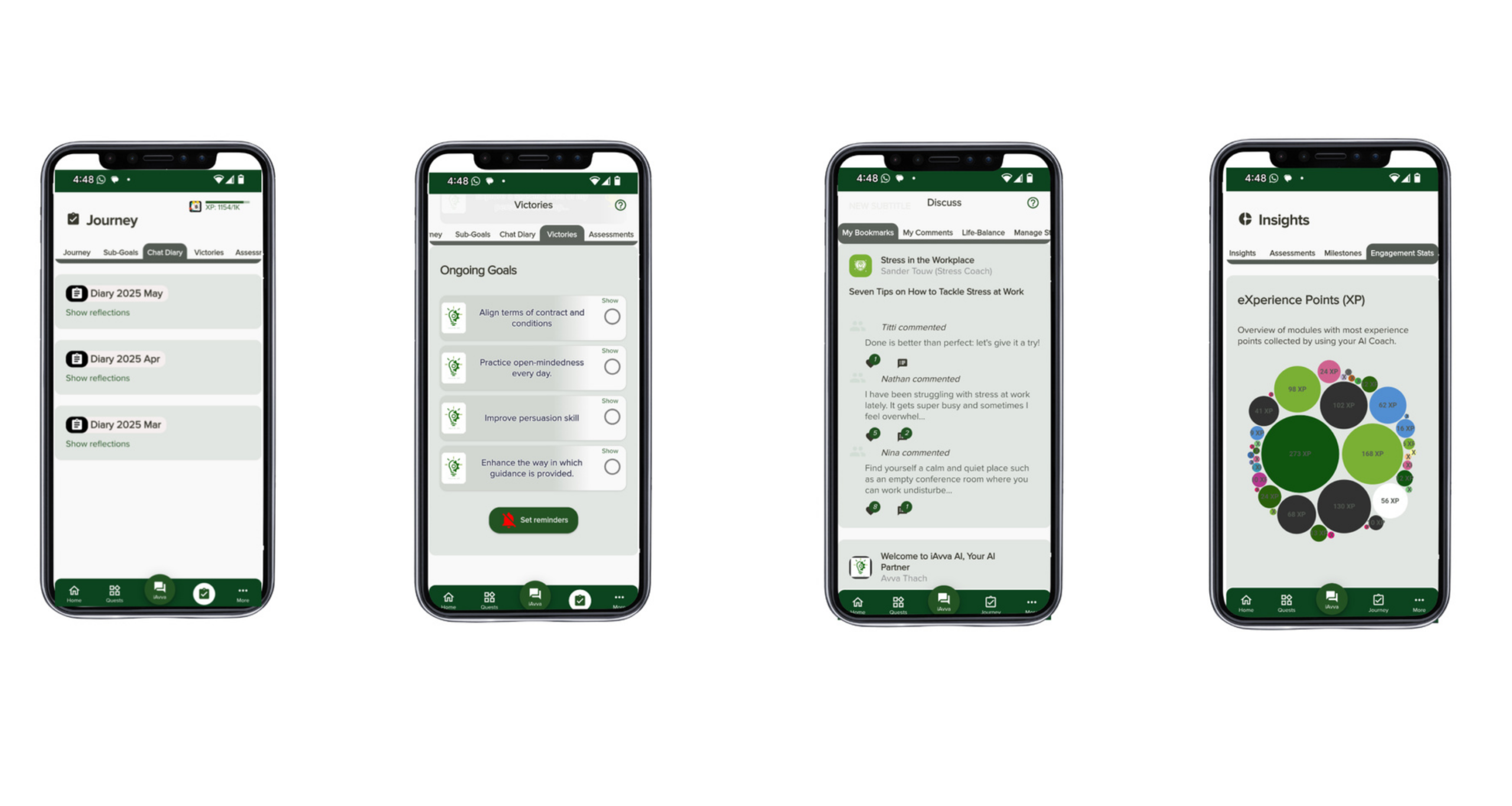
At iAvva AI, the AI Coach app sits beside standard productivity tools as an always‑on growth partner. After a workshop teaches people how to use AI, the daily question becomes whether they keep applying those skills with focus and purpose. Without reinforcement, the learning curve fades and people slip back into old habits.
The iAvva AI Coach uses short five‑minute daily reflections to keep growth active. Drawing on neuroscience, positive psychology, and professional coaching principles, it helps employees:
- Check in with themselves.
- Clarify priorities.
- Choose small leadership actions each day.
- Plan how they will use AI in their work and how that ties into their objectives.
A key feature is alignment with organizational OKRs. Employees connect personal goals with team and company targets, so gains in AI productivity feed into outcomes leaders care about—customer satisfaction, revenue, innovation.
HR and L&D teams see real‑time analytics on engagement and themes, helping them adjust programs and spot people who may need extra support.
The app is designed for inclusivity:
- Support for 19 languages.
- Audio and text modes.
- Accessibility features that work well for employees with different cognitive styles.
Because it runs on web, iOS, and Android, the coach meets employees wherever they are. In this way, iAvva AI extends the life of a workshop and gives every person a private, scalable coaching space that would be impossible to deliver with human coaches alone.
Overcoming Common Barriers To AI Adoption In The Workplace
Even when leaders are excited about AI productivity for employees, adoption can stall due to human and organizational barriers. People may:
- Worry about their jobs.
- Doubt their skills.
- Prefer familiar methods.
- Work in cultures that punish mistakes.
Technical constraints—old devices, restricted networks—add further friction.
Fear of job loss is one of the loudest concerns. Employees hear media stories about automation and assume that any AI training is a step toward replacing them. If leaders stay silent, rumors grow and people avoid AI tools or use them quietly.
Skills‑based barriers are also common. Not everyone feels at ease with new software. Some employees already feel behind and worry that AI will widen the gap. Without thoughtful support, they may disengage from workshops or resist AI use, even when it would help.
Cultural and structural factors matter too. In very risk‑averse environments, staff may fear that using AI will lead to mistakes that harm their reputation. Teams under constant time pressure might see training as a burden rather than an investment.
Addressing Job Security Fears And The Augmentation Narrative
To calm fears about job loss, leaders need a clear and honest message. Evidence points strongly toward augmentation rather than simple replacement in most knowledge work.
The customer service study mentioned earlier is a prime example:
- When agents received AI support, their performance improved.
- Their jobs became easier, not obsolete.
- Turnover dropped as people felt more effective and less stressed.
You can share this type of story internally and explain that the goal of AI productivity for employees is to remove low‑value tasks and free time for higher‑level work.
Helpful messages:
- AI will change many jobs, but in most cases it will make people better at their roles instead of removing them entirely.
- Some tasks will fade, but new responsibilities around creativity, judgment, and relationship‑building will grow.
Transparency is vital. Organizations should speak plainly about where AI might reduce certain activities and where they plan to invest in reskilling, upskilling, or redeployment. Concrete commitments—training budgets, internal mobility programs, support for certifications—signal that people matter.
Create safe spaces for questions:
- Town halls and small‑group discussions.
- Anonymous Q&A channels.
- Office hours with HR or leaders.
When people feel heard, they are more open to learning how AI can support them.
Building Digital Literacy And Confidence
For many employees, the main barrier is not fear of AI itself but a sense of low digital confidence. They may struggle with basic features in current tools, which makes the idea of AI feel heavy.
Start by assessing digital skills across the workforce:
- Use simple surveys or short practical tasks.
- Identify who might benefit from foundational training before or alongside AI sessions.
Offer pre‑workshop resources such as:
- Short videos.
- Guided tutorials.
- Small‑group coaching focused on core computer and internet skills.
During the AI productivity workshop, design activities at multiple difficulty levels:
- Beginners work on simple prompting and everyday tasks.
- More advanced users tackle complex workflows.
Peer mentoring—pairing more tech‑comfortable employees with those who need support—often works well and strengthens team bonds.
Emphasize that success with AI is less about technical depth and more about clear thinking and communication. Many great prompts are just well‑structured questions. Celebrate early wins, even small ones, to build momentum. After the workshop, drop‑in office hours or virtual help sessions give people a place to ask questions as they apply AI in real work.
Measuring Success—KPIs And Metrics For AI Productivity Initiatives

To keep AI productivity for employees from fading into a trend, leaders need a clear view of progress and results. Measurement is not just about proving ROI to the C‑suite; it is also about understanding what is working, where support is needed, and how to refine the program.
Start by setting baseline metrics before large workshops or tool rollouts. Examples:
- Time to complete common tasks.
- Number of customer tickets handled per agent.
- Content production volumes.
- Error rates or rework.
- Employee engagement scores.
Then separate:
- Leading indicators – early signs that adoption is taking root (usage, training completion, sentiment).
- Lagging indicators – business impact (faster project delivery, better quality scores, improved financial performance).
A balanced view combines data from:
- Surveys.
- Usage analytics.
- Performance metrics.
- Qualitative stories from teams.
Adoption And Engagement Metrics
Adoption metrics show whether people are actually using the tools and skills introduced in the AI productivity workshop.
Useful indicators include:
- Percentage of staff with active accounts on approved AI platforms.
- Daily, weekly, and monthly active users.
- Average session length and number of prompts per session.
- Range of features used (basic chat vs. templates, integrations, advanced options).
Manager observations add context:
- How often does AI come up in meetings?
- Do team members share AI‑generated work?
- Are people asking for AI‑related support?
Follow‑up surveys at 30, 60, and 90 days help measure sustained engagement:
- Frequency of AI use.
- Confidence levels.
- Types of tasks supported.
- Perceived time savings.
Productivity And Efficiency Metrics
Once adoption is underway, turn to efficiency and output data.
Examples:
- Self‑reported time savings: Ask employees how many hours per week they save on specific tasks due to AI, and how they use that time.
- Task completion metrics: Compare:
- Number of reports written.
- Customer cases handled.
- Campaigns launched.
- Code commits made—before and after AI adoption.
- Process timing: Time standardized processes with and without AI support.
- Quality indicators: Error rates, revision cycles, approval speed, customer satisfaction.
At a higher level, measures like revenue per employee or output per full‑time equivalent can capture aggregate impact over time, especially in departments showing strong AI adoption.
Strategic And Cultural Indicators
Some of the most meaningful signs of AI progress are cultural rather than purely numeric.
Look for:
- How often executives mention AI in strategy documents, town halls, and internal communications.
- Number of new AI use cases proposed and implemented by staff.
- How many processes have been redesigned with AI in mind.
- Uptake of advanced AI training or internal certifications.
- Frequency of AI in development plans and performance discussions.
You can also track manager effectiveness:
- Teams led by active AI champions may show higher adoption, better performance, or stronger engagement.
A simple summary table can help:
| Area | Example Indicators |
|---|---|
| Adoption | Active users, session counts, feature usage |
| Productivity | Time saved, volume of output, quality improvements |
| Culture | AI in strategy, number of use cases, training completion |
Post Workshop Strategies—Sustaining Momentum And Continuous Improvement
Many learning programs suffer from the forgetting curve: people leave a workshop excited, then slowly return to old habits. To make AI productivity for employees stick, you need a plan that continues well beyond day one.
Treat the workshop as a launch, not a finish line. From the start, explain that ongoing practice, community support, and coaching will follow.
Helpful structures:
- Internal communities where people share tips and prompts.
- Periodic challenges or themed weeks (e.g., “AI for meetings” week).
- Small nudges via email or chat with simple use cases and reminders.
Leadership continues to matter:
- Managers ask how AI helped with a project.
- Wins are celebrated in team meetings.
- Time is explicitly set aside for experimentation.
HR and L&D can connect AI progress with development plans and performance discussions, making AI part of career growth rather than an extra burden.
Creating An Internal AI Community Of Practice

One of the most effective ways to sustain AI productivity for employees is through a community of practice—a group of people who share an interest in AI at work and help each other improve.
Practical steps:
Set up a dedicated channel in your collaboration tool where employees can:
- Post questions.
- Share examples and prompts.
- Swap resources.
Host regular live or virtual meetups, such as:
- Monthly lunch‑and‑learns.
- “Show and tell” sessions with real use cases.
Appoint community leaders (often AI champions) to:
- Curate helpful articles and guides.
- Record short demos.
- Run friendly challenges like “use case of the month”.
Build an internal wiki or knowledge base with:
- Prompt libraries.
- How‑to guides.
- Lessons learned.
Measure community health through participation rates and feedback, and treat community time as part of normal work—not something people must fit into personal time.
Leveraging Continuous AI Coaching For Daily Habit Formation
Even with a strong community, many employees benefit from a more personal, structured touch. This is where continuous AI coaching from iAvva AI fits naturally alongside workshops and peer support.
Habit science shows that small, repeated actions build lasting change far better than rare, intense efforts.
The iAvva AI Coach:
- Invites employees into short daily reflection sessions (~5 minutes).
- Encourages them to think about:
- Priorities for the day.
- Leadership choices.
- How they will use AI to support their work.
- Helps people link personal growth goals (e.g., being more decisive or clear in communication) with concrete AI‑supported actions.
Because iAvva AI aligns personal goals with organizational OKRs, HR and L&D teams can see how individual reflection connects to business outcomes. Analytics show:
- Engagement levels.
- Trending themes.
- Progress against goals.
Support for multiple languages, audio and text modes, and inclusive design make the coach accessible to employees with different needs and preferences.
Rolling out iAvva AI Coach shortly after the workshop creates a smooth path from learning to daily practice. Milestones like streaks of daily reflections or achievement of specific OKR‑linked goals can be celebrated publicly, reinforcing the value of steady, thoughtful engagement with AI and leadership growth.
Real World Implementation—A Step By Step Rollout Plan
Turning these ideas into action can feel daunting, especially for organizations juggling many priorities. A clear rollout plan breaks the process into manageable phases with specific owners and time frames.
A typical sequence:
- Planning – Align stakeholders and define success.
- Preparation – Design the pilot and ready the tools.
- Execution – Run the pilot and refine.
- Scaled rollout – Expand across the organization.
- Reinforcement and measurement – Continue beyond initial rollout.
While timelines vary, a thoughtful pilot and early rollout often span six to nine months. Cross‑functional collaboration is essential:
- HR and L&D – training and culture.
- IT – technical readiness and security.
- Legal and compliance – risks and policies.
- Business units – real use cases and audience selection.
Phase 1—Planning And Stakeholder Alignment (Weeks 1–4)
The first month focuses on clarity and support.
Key actions:
- Form a task force with HR/L&D, IT, legal/compliance, key business units, and respected employee representatives.
- Define success metrics, e.g.:
- Percentage of knowledge workers trained and actively using AI.
- Target hours saved per week.
- Improvements in response times or report production.
- Run a needs assessment via surveys and interviews to:
- Map current AI use.
- Understand pain points and attitudes.
- Draft a business case that estimates time savings, quality gains, and competitive benefits.
- Secure executive sponsorship—a C‑suite champion who will speak about the program and clear roadblocks.
- Draft or refine an AI policy around tools, data handling, and acceptable use.
- Set a realistic budget covering workshops, tools, coaching, and measurement.
- Create a communication plan explaining the initiative in simple, transparent terms.
Phase 2—Preparation And Pilot Design (Weeks 5–8)
Next, design a pilot that will act as a test bed for your AI productivity workshop.
Steps:
- Select a pilot group of around 20–50 staff from one or two departments, with a mix of roles, seniority levels, and comfort with technology. Include managers.
- Finalize tool selection and setup:
- Agreements with chosen AI platforms.
- Access controls and integrations.
- Security checks to match policy.
- Design the curriculum, based on the modules described earlier and adapted to your context.
- Prepare:
- Slides and exercises.
- Role‑based examples.
- Quick reference guides and prompt templates.
- Align and rehearse with facilitators (internal trainers or partners) to ensure consistent tone and pacing.
- Put measurement systems in place:
- Baseline and follow‑up surveys.
- Analytics dashboards where available.
- Operational metrics to track.
- Communicate with the pilot group so they know:
- Why they were chosen.
- What to expect.
- How their feedback will shape the wider rollout.
- Run a technical dry run to test logins, tools, and connectivity.
Phase 3—Pilot Execution And Iteration (Weeks 9–16)
With preparation complete, you deliver the pilot workshop.
During this phase:
- Facilitators emphasize interaction and practical application.
- Observers from HR, IT, or business units:
- Note what resonates.
- Capture questions and concerns.
- Collect real examples.
Right after the workshop:
- Participants complete feedback forms on relevance and confidence levels.
- You launch post‑workshop support quickly:
- Add pilot members to the internal AI community channel.
- Offer office hours.
- Send short reinforcement messages with prompts and tips.
- Introduce the iAvva AI Coach to the pilot group so daily reflections begin while learning is fresh.
Over the next 30–60 days:
- Track AI tool usage data.
- Gather self‑reported time savings.
- Watch for early shifts in operational metrics.
A structured check‑in at around one month captures deeper insights on what is working and what feels hard. The task force then refines:
- Workshop content.
- Support structures.
- Communication.
Phase 4—Scaled Rollout (Weeks 17–40)
After a successful pilot and iteration cycle, you scale the program.
Key steps:
- Prioritize departments based on readiness, strategic value, and pilot lessons.
- Train additional facilitators, often drawing from pilot participants and AI champions.
- Share pilot stories and address common questions to build excitement.
- Roll out workshops in waves, allowing time between them for follow‑up support.
- Require all managers whose teams will participate to complete their own AI champion training.
- Open the AI community of practice to new members as they complete training.
- Monitor adoption, productivity, and cultural indicators throughout, adjusting timelines and content based on data and feedback.
Over time, AI productivity for employees moves from project to core capability, supported by leadership, community, and continuous coaching from tools like iAvva AI.
The Future Of AI Productivity—Trends And Strategic Considerations
We are still early in AI adoption at work, yet clear patterns are emerging. Many organizations move through three broad phases:
- Informal, employee‑led experiments.
- Formal tools and policies.
- AI woven into strategy and operating models.
Technically, generative AI keeps advancing:
- Models are learning to work with multiple input types (text, images, audio, video).
- Early AI agents can already take actions on behalf of users (e.g., scheduling meetings, updating systems).
As these capabilities mature, the scope of AI productivity for employees will expand.
Culturally, we see a shift from treating AI as a gadget to thinking of it as a collaborator—a set of assistants or copilots that support people through the day. Organizations that plan for this human‑AI partnership will be better positioned than those that see AI only as a short‑term cost‑cutting tool.
To keep up, companies need not just specific skills but a learning mindset around AI:
- Comfort with ongoing change.
- Openness to experiments.
- Resilience when some trials do not work out.
- Attention to ethics, fairness, and mental health as the pace of work changes.
Tools like iAvva AI, which ground AI use in reflection and leadership development, help keep this growth human‑centered.
“Culture eats strategy for breakfast.”
— Peter Drucker
From Productivity Tool To Strategic Advantage
You can think of AI maturity in three broad stages:
Individual efficiency
Employees use AI mainly for personal tasks—drafting emails, summarizing documents, brainstorming ideas. Gains are real but often invisible at the organizational level.Team optimization
Groups start to redesign shared workflows with AI in mind:- AI‑assisted meetings.
- Standard prompt libraries for key processes.
- Integrated AI inside team platforms.
At this stage, improvements in output, quality, and collaboration become clearer.
Strategic advantage
AI shapes how the company competes:- Entering new markets.
- Offering more personalized products and services at scale.
- Speeding up research and innovation cycles.
AI, data, and people development are treated as core assets, not side projects.
Early movers in this third stage enjoy a compounding edge. As they use AI more, they gather better data, refine their practices, and build stronger habits. Scenario planning can help leaders explore how AI might change their industry over the next three to five years and design programs—including workshops and coaching—that build toward the future they want.
Preparing For The Next Generation Of AI Capabilities
As AI tools learn to handle more modes of input and take more actions, the skill set needed in the workforce will also shift. Routine cognitive tasks will keep moving toward automation or heavy support, while demand for:
- Creativity
- Emotional intelligence
- Complex problem‑solving
- Ethical judgment
will rise.
Organizations can prepare by:
- Building an AI learning culture now.
- Encouraging people to stay curious, try new tools, and share what they learn.
- Integrating AI topics into leadership programs, onboarding, and performance reviews.
- Creating an AI innovation lab or task force to:
- Scan the market.
- Run small pilots with emerging tools.
- Advise leaders on adoption decisions.
Few organizations can track every change in AI alone. Working with trusted partners like iAvva AI, who combine technical understanding with deep experience in coaching and habit‑building, gives companies a steady guide through rapid change. Together, you can make sure that as AI grows more powerful, it remains a tool in service of human talent and business goals.
FAQs
What Is An AI Productivity Workshop For Employees And Who Should Attend?
An AI productivity workshop for employees is a structured training session that teaches people how to use AI tools safely and effectively in their daily work. It covers foundations, use cases, prompt skills, quality checks, and ethics, all adapted to the organization. Ideal attendees include knowledge workers, managers, and early adopters in roles like marketing, finance, HR, operations, and customer service.
How Long Should An AI Productivity Workshop Last?
Most organizations start with a half‑day or full‑day format to cover both concepts and hands‑on practice. Shorter sessions spread over several days can also work if each includes real‑work examples and time to apply new skills. The key is to pair one strong launch with continuing reinforcement, not rely on a single brief overview.
How Do We Know If Our AI Workshop Is Working?
Track success through a mix of adoption, productivity, and cultural metrics:
- Active use of approved AI tools.
- Self‑reported time savings and faster completion of standard tasks.
- Error or revision rates.
- Employee confidence and sentiment around AI.
- Growth in AI‑related ideas in projects and strategy discussions.
Over time, you should also hear more stories from teams about concrete wins.
What Role Does iAvva AI Play Alongside Other AI Tools?
Other AI tools focus mainly on tasks such as writing, analysis, or coding, while iAvva AI focuses on people. The iAvva AI Coach app provides daily, five‑minute reflections that help employees turn workshop learning into lasting habits and align their growth with company OKRs. Together, task tools and iAvva AI support both the what and the why of AI productivity for employees.
Is AI Coaching Suitable For Global And Remote Teams?
Yes. AI coaching works well for distributed workforces. The iAvva AI Coach:
- Runs on web, iOS, and Android.
- Supports 19 languages.
- Offers both audio and text modes.
Employees across time zones and with different learning preferences can engage when it fits their schedule, while HR and L&D gain a unified view of engagement and growth across regions.
Conclusion
AI is already at work inside your company, whether there is a formal plan or not. Nearly half of employees touch AI tools in some way, saving hours each week and reshaping how they think about tasks. The question is whether those gains remain scattered in the shadows or become a clear, shared advantage for the whole organization.
By designing and running a thoughtful AI productivity workshop for employees, you bring this momentum into the light. You give people practical skills, clear guidelines, and a sense of shared purpose. You help managers step into a new coaching role and connect AI use directly to business goals. With the right enterprise tools—and the human‑centered support of iAvva AI Coach—those first steps can turn into steady, measurable progress.
At iAvva AI, we believe that technology and leadership growth must move together. Generative AI can speed up work, but daily choices, habits, and alignment with values decide whether that speed leads to better outcomes. When AI training is paired with continuous coaching and real‑time analytics, organizations can turn informal experiments into a disciplined, people‑first strategy. Companies that start this work now will not just keep up—they will help define what productive, human‑centered AI use looks like in the years ahead.












Leave a Reply