




Top 3 Reasons You Need To Know AI Agents For Work Practical Use Cases + Safe Workflow Design
Introduction
When I sit with HR leaders or CIOs, I often hear the same pattern. Teams feel stretched, inboxes overflow, and yet simple decisions still wait in queues. At the same time, surveys of large companies already show more than half are piloting AI agents in at least one function, reporting double‑digit gains in productivity—a trend supported by research from the NBER WORKING PAPER SERIES examining AI agent deployment across economic sectors. The gap between those who move first and those who wait is getting wider every quarter.
AI agents for work, practical use cases, and safe workflow design are no longer fringe topics. They describe a new class of systems that go far beyond rule‑based automation or simple AI copilots. Instead of just suggesting the next step, an AI agent can understand a goal, plan the steps, call tools and APIs, adapt to context, and run an entire workflow end to end while keeping a human in control at key moments.
For any organization going through major digital change, delaying serious work with AI agents now carries real risk. Competitors who adopt agentic workflows reduce cycle times by 30–50 percent, cut manual handoffs, and free leaders to focus on strategy instead of status updates. They also offer more personalized experiences to customers and employees, which shows up in revenue, retention, and engagement scores.
In this article, I walk through the top three reasons every modern leadership team needs to understand AI agents. I show how they open up new levels of operational efficiency, deliver personalization and better decisions at scale, and why safe workflow design and ethics are now board‑level topics. Along the way, I draw on what we have learned building iAvva AI Coach, our always‑on leadership development agent used across global teams. By the end, any executive, HR director, or L&D leader will have a practical roadmap to start, along with clear examples of what “good” looks like.
Key Takeaways
Senior leaders often have limited time, so I want to make the core points clear up front. The ideas in this article come from real projects, measurable results, and work with organizations that span size and industry. Each takeaway links back to one of the three main reasons to care about AI agents now.
AI agents move beyond fixed rules and simple copilots, running complete workflows that understand goals, adapt to context, and use tools on their own. When organizations implement even a few well‑chosen agentic workflows, they often see 30–50 percent cycle time reductions, fewer errors, and lower cost per task. This shift changes how teams think about work design, not just how they use software.
The biggest wins appear where work is complex and repetitive at the same time, such as support triage, compliance checks, leadership onboarding, or campaign management. In these areas, AI agents bridge the gap between scattered task automation and full‑process automation that runs across systems. That change frees specialists to spend more time on creative work, coaching, and decision‑making.
Safe workflow design sits at the center of any credible AI strategy. Data access limits, guardrails on inputs, tool risk ratings, and output checks prevent agents from drifting into unsafe or off‑policy behavior. When leaders insist on human‑in‑the‑loop checkpoints for high‑risk actions, they gain both speed and accountability, instead of trading one for the other.
Personalization at scale shifts from a dream to a practical reality once agents can read unstructured data and remember context over time. Marketing teams, financial analysts, HR, and L&D groups all use this ability to adapt messages, recommendations, and learning paths to each person. This shows up as higher engagement, better conversion, and stronger retention.
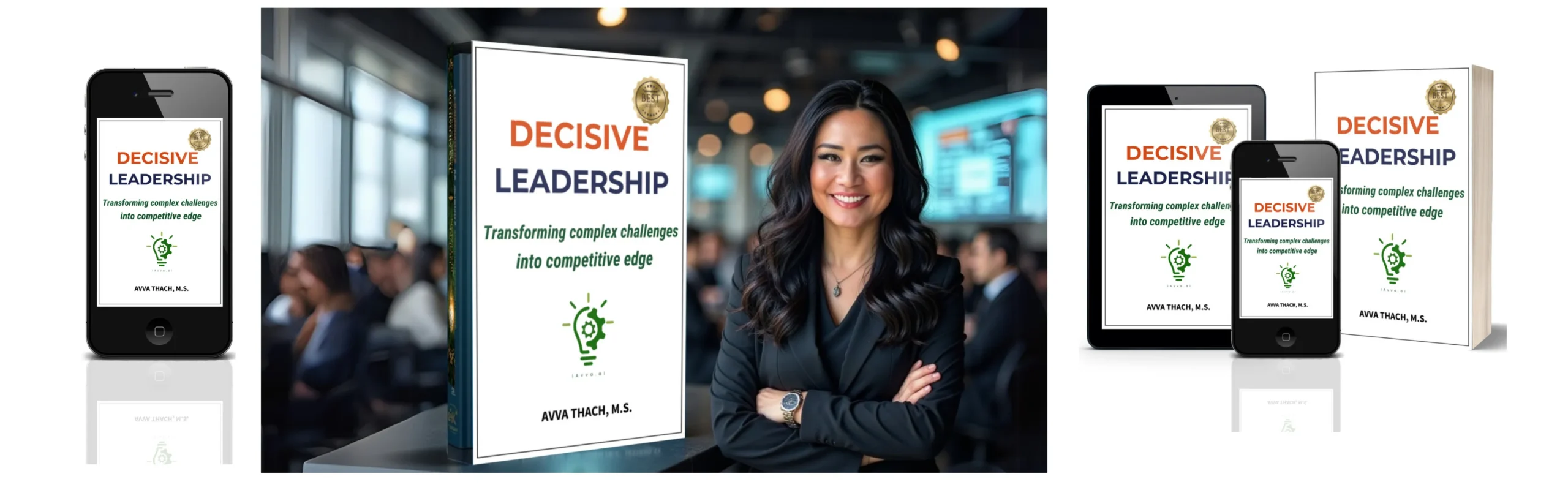
iAvva AI Coach shows what ethical, human‑centered agents can look like in practice. It delivers five‑minute, science‑based leadership prompts in 19 languages, keeps reflection data private and encrypted, and reaches weekly engagement rates above 60 percent. HR and L&D teams see impact through analytics dashboards that connect individual growth, OKRs, and business outcomes.
The most successful organizations start small, with one or two clearly defined workflows and SMART success metrics. They choose use cases with moderate complexity, high visibility, and limited downside risk. As they learn, they expand scope, sharpen guardrails, and develop new internal roles such as AI supervisors and quality decision‑makers.
Leaders who act now build an internal playbook for AI agents before the pressure becomes urgent. Those who wait often scramble later, dealing with shadow AI projects, inconsistent safety standards, and missed opportunities to combine technology with leadership growth.
“The best way to predict the future is to create it.”
– Peter Drucker
Reason #1: AI Agents Deliver Unprecedented Operational Efficiency And Autonomy

When I talk with executives about AI, they rarely want another tool that adds to the noise. They want fewer handoffs, fewer tickets, and fewer late‑night pings about things that should already be solved. This is where AI agents change the picture. Instead of just automating single steps, they can manage entire workflows, from intake to completion, with intelligent decision points along the way.
Traditional automation shines when the path is clear and exceptions are rare. As soon as reality brings messy inputs, changing rules, or judgment calls, those systems hit a wall and send the problem back to humans. Agentic workflows fill this gap. They interpret goals, work across systems, and adapt to new information in real time. For leaders under pressure to “do more with less,” that mix of autonomy and flexibility matters more than any flashy feature list.
How AI Agents Turn Complex Workflows Into Seamless Processes
To see how AI agents change work, it helps to unpack what sits under the hood. A well‑designed agent combines four key pieces: a reasoning core, tools and APIs for action, clear instructions, and memory that keeps track of context. Together, these parts turn a static process into a flexible loop that can run with limited supervision.
At the center sits a large language model that reads natural language, understands intent, and breaks a goal into smaller tasks. Around it, we attach tools such as CRM APIs, ticketing systems, knowledge bases, or even other agents. Well‑written instructions describe the role the agent plays, the guardrails it must respect, and how it should choose between tools. Memory systems store recent steps (short‑term) and important facts or preferences across sessions (long‑term), so the agent does not “forget” what happened five minutes ago or last week.
The agent loop usually looks like this:
- Interpret the goal or request. Read the incoming message or trigger and clarify what success means.
- Plan the next best step. Decide whether to ask a question, call a tool, or consult a knowledge base.
- Execute and evaluate. Run the chosen step, then compare the result against the goal and constraints.
- Decide what to do next. Continue, change course, escalate to a human, or finish and present the outcome.
This cycle repeats until the workflow reaches a safe and defined end state.
Compared with rule‑based automation or simple copilots, the difference is clear.
| Feature | Traditional Automation | AI Copilots | AI Agents |
|---|---|---|---|
| Control | Follows fixed rules and scripts | Human drives each step | Agent manages steps within agreed limits |
| Adaptability | Struggles with messy inputs and exceptions | Helps interpret context, one action at a time | Adjusts plan based on context and tool results |
| Scope Of Work | Single tasks or simple sequences | Individual productivity tasks | End‑to‑end workflows across multiple systems |
| Memory And Context | Very limited, often reset at each run | Short conversation memory | Short and long‑term memory across runs and user sessions |
| Ideal Use Case | Stable, repeatable processes with few exceptions | Power tools for individuals | Complex processes with many steps and changing conditions |
Take a customer service example. A traditional chatbot answers a basic question and then hands off to a person for anything complex. An AI copilot helps the human draft a response. An agentic workflow, however, reads the ticket, checks past interactions, looks up order data, drafts a reply, asks for missing details, applies policy rules, and either resolves the request or escalates it with a full summary. The customer sees one smooth experience instead of three disconnected steps.
Measurable Business Impact From Time Savings To Revenue Growth
Operational efficiency sounds abstract until we tie it to numbers that matter. When I see strong AI agent deployments, three kinds of metrics show up again and again:
Workflow performance: Task completion rate, accuracy, and latency. A healthy workflow completes a high share of cases without manual rescue, produces results that humans trust, and does so much faster than a person could. For example, a marketing operations team might cut campaign launch time from ten days to four by having an agent assemble briefs, pull audience lists, and schedule assets across channels.
Cost and capacity: Metrics such as cost per execution (model calls, platform fees, and cloud costs) compared with manual work. In many real projects, a single agent replaces hours of repetitive human effort per day for an analyst or coordinator. At the same time, throughput increases because agents do not wait in queues or take breaks. One well‑constructed workflow can run hundreds or thousands of times in parallel without adding headcount.
Business outcomes: Measures tied to revenue, risk, and satisfaction. In finance, agents that scan transactions and documents can reduce false positives in fraud alerts and speed up compliance checks, which cuts risk and keeps regulators satisfied. In HR, agents that manage onboarding tasks shorten time‑to‑productivity for new hires and reduce errors in access setup, which improves both security and employee experience. In revenue teams, agents that clean data and trigger follow‑ups raise conversion rates and protect pipeline quality.
“What gets measured gets managed.”
– Peter Drucker
When we add these metrics together, an ROI pattern appears. Implementation involves upfront design, integration, and testing costs. After launch, savings come from reduced manual hours, fewer errors, and faster cycles. Many teams reach positive ROI on a well‑scoped agentic workflow within a few months. The bigger prize, however, is the strategic shift when leaders reassign time from low‑value tasks to coaching, innovation, and customer relationships.
Real-World Use Case: iAvva AI Coach For Leadership Development At Scale
At iAvva AI, we asked a simple question. What if every leader in an organization had a patient, science‑based coach available every day, in their own language, for the cost of a few minutes of attention? Human coaches bring deep skill but cannot sit next to hundreds or thousands of leaders at once. An AI agent can.
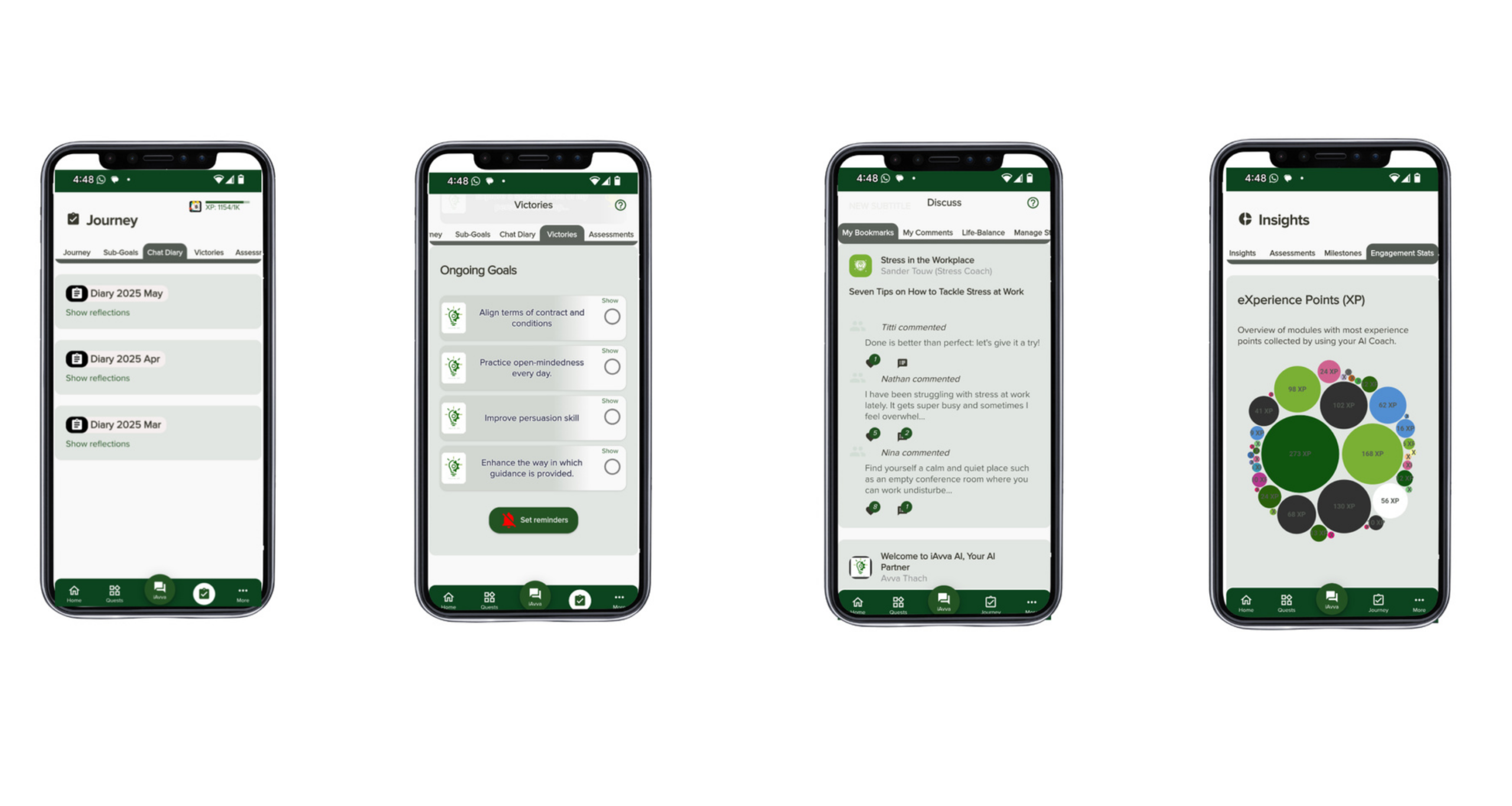
iAvva AI Coach acts as an always‑on growth companion. Each workday, it sends a short, focused prompt grounded in neuroscience, positive psychology, and ICF coaching principles. A leader responds in text or voice, on the web or on a mobile app. The agent reads the reflection, asks follow‑up questions when helpful, and tracks patterns over time. In the background, it keeps a memory of each person’s themes, strengths, and current goals.
The workflow looks simple from the leader’s point of view. Under the surface, an AI agent interprets intent, chooses which prompt variant to present, decides when to probe deeper, and keeps everything aligned with the leader’s stated OKRs. Because the agent speaks 19 languages and runs on existing devices, one platform can support distributed teams across regions and time zones. Weekly engagement rates above 60 percent show that when growth feels small and safe, leaders come back.
For HR and L&D teams, iAvva AI Coach reduces the heavy lift of managing complex leadership programs. The agent handles daily engagement, while human coaches and facilitators focus on deeper sessions, team dynamics, and strategic topics. A real‑time analytics dashboard shows how leaders across the organization interact with the prompts, which themes surface most often, and how reflection activity lines up with business goals. Everything runs on secure, GDPR‑compliant infrastructure with encryption and neurodiversity‑friendly design choices.
Compared with traditional coaching alone, this agentic approach changes the economics. Instead of choosing between serving a handful of senior leaders or spreading thin across many, organizations can combine a scalable AI agent with targeted human support. Leaders gain daily practice and self‑awareness. The business gains data, alignment, and a shared language for growth.
“What got you here won’t get you there.”
– Marshall Goldsmith
Reason #2: AI Agents Enable Personalization And Intelligent Decision-Making At Scale

Most organizations know one‑size‑fits‑all experiences fall short. Customers ignore generic campaigns that could have gone to anyone. Employees tune out training that repeats what they already know. Leaders ask for more relevant feedback and support, not another long slide deck. The challenge has always been scale. True personalization requires context, and context takes time.
AI agents shift that math. With the ability to read unstructured data, remember past interactions, and connect to live systems, agents can adapt every interaction in ways that used to require a human. That may mean a marketing agent that chooses a different message for two people who look similar in a CRM but behave differently in real life. It may mean a leadership coach that adjusts prompts based on recent stress signals and progress. Either way, the goal stays the same: the right next step, for the right person, at the right moment.
Understanding Context: How AI Agents Process And Act On Nuanced Information
Context lives in the messy parts of our systems. It hides in emails, meeting notes, chat threads, survey comments, call transcripts, and long documents that almost nobody has time to reread. Traditional tools that rely on fixed fields and keyword searches miss most of this nuance. AI agents, powered by language models and memory, can work with it directly.
An agent starts by turning free‑form text into structured meaning. A model can detect intent, sentiment, entities, and relationships in a block of text, even when people use informal language. Short‑term memory holds all the recent inputs in a conversation or workflow, so the agent remembers why a customer reached out or what a leader reflected on last week. Long‑term memory stores patterns across sessions, such as preferred tone, topics of interest, or repeated blockers.
To keep decisions grounded in facts rather than guesswork, many agents use retrieval‑augmented generation. In this pattern, the agent first queries approved knowledge bases, policy documents, or analytics stores to pull in the most relevant passages. It then combines that retrieved context with its own reasoning to choose an action or craft a response. This means a compliance agent does not invent rules from thin air, and a support agent gives answers that match current policy and product behavior.
Because the agent understands context, it can handle edge cases and ambiguity more gracefully than rigid systems. A customer might say, “I loved the product at first, but the last update made it hard for my team, and support has not answered.” A rules engine might tag this as a simple complaint. An agent can see multiple layers at once: initial positive sentiment, current frustration, references to a specific update, and an unresolved ticket. It can escalate appropriately, propose concrete next steps, and log all that nuance for later analysis.
For leadership and people development, this same ability allows agents to spot patterns in reflection data, 360 feedback, and engagement signals. Instead of assigning the same learning path to every manager, an agent can suggest different micro‑practices for someone who struggles with feedback conversations than for someone who avoids strategic thinking. Context‑aware support like this improves outcomes without adding more hours to a coach’s calendar.
Practical Applications Across Business Functions
Once we combine context understanding with workflow skills, AI agents start to reshape work in many departments—research on AI Agents and Agentic AI demonstrates their transformative impact across manufacturing and business operations. The pattern stays similar. Each function has rich data, repeated processes, and a wish for personalization that human teams struggle to keep up with.
In marketing and customer experience, agents read behavioral data and content performance to orchestrate campaigns that feel far more relevant. An agent might notice that a group of visitors has browsed pricing pages several times without booking a demo. It can segment this micro‑audience, draft an email that addresses common objections, schedule it, and watch conversion metrics. For another group that only engages with educational content, the agent might build a nurture stream with more guides and fewer direct offers. Every step remains visible to marketers, who can approve templates and guardrails while letting the agent do the heavy lifting.
Financial services teams use agents for risk and compliance decisions that require both precision and nuance. A fraud detection agent can watch real‑time transactions, compare them to historical patterns, and flag anomalies with clear explanations. Instead of sending analysts long lists of raw alerts, the agent groups related events, suggests likely reasons, and proposes next actions. A compliance agent can scan new regulations, cross‑reference internal policies, and highlight where updates are needed. Both cases rely on reading complex, often unstructured data and making context‑aware judgments.
E‑commerce and retail gain similar benefits. Agents can adjust product recommendations not only based on past purchases, but also on live behavior, inventory levels, and even regional holidays. Dynamic pricing agents can factor in demand, competition, and stock to suggest fair prices that protect margin without frustrating customers. Inventory agents can spot slow‑moving items in one region and propose targeted campaigns instead of blanket discounts.
Leadership development and L&D may be where personalization matters most. Here, iAvva AI Coach again provides a concrete example. The agent reads each leader’s reflections, notes recurring patterns such as conflict avoidance or time‑management struggles, and tunes future prompts accordingly. Someone who shows strong self‑awareness but low follow‑through might receive more prompts about planning and accountability. Someone dealing with burnout signals might receive prompts that invite boundary setting and support seeking. At portfolio level, L&D teams see which capabilities need focus in different groups and can design human‑led programs to match.
A simple way to see the difference between manual and agent‑driven personalization is to compare their reach and agility.
| Metric | Manual Personalization | Agent‑Driven Personalization |
|---|---|---|
| Reach | Limited by human time and attention | Thousands of individuals handled in parallel |
| Consistency | Varies by person and day | Stable application of agreed rules and tone |
| Adaptation Speed | Slow to react to new data or behavior changes | Adjusts almost in real time as new signals arrive |
| Cost Efficiency | Increases cost sharply with scale | Marginal cost per extra user remains low |
| Use Of Unstructured Data | Often ignored or sampled | Read and incorporated into decisions at scale |
When leaders in different functions start to see this contrast, they stop thinking of AI agents as a niche lab project. Instead, they become a practical way to bring human‑like attention to every customer and employee at a price that works.
Case Study Spotlight: How We Deliver Personalized Leadership Growth Through AI
At iAvva AI, personalization is not a buzzword; it is the heart of how the Coach works. We built the system around evidence from neuroscience and positive psychology that shows how small, regular reflections build new habits more reliably than rare, intense workshops. We also leaned on ICF coaching principles, which stress deep listening, powerful questions, and respect for the coachee’s own wisdom.
When a leader first starts with iAvva AI Coach, they set a few goals and share basic context about their role and challenges. The agent stores this as long‑term memory. Over time, as the leader answers daily prompts, the system learns which topics spark longer reflections, which responses sound strained or rushed, and which patterns suggest progress or friction. This does not mean the agent judges the leader. Instead, it notices patterns and uses them to select the next prompt with care.
Accessibility is a core part of personalization for us. Some leaders think better while speaking, others while writing. Some need a calm voice guiding them through a question, others prefer quiet text. That is why iAvva AI Coach offers both audio and text modes, on web, iOS, and Android, in 19 languages. These design choices support neurodiverse users and global teams without asking them to squeeze into one narrow format.
For organizations, personalization does not stop at the individual level. We integrate with OKR frameworks so that prompts and reflections stay connected to real business goals. Our analytics dashboard lets L&D and People teams see aggregate patterns without exposing any private reflection content. They can observe, for example, that a cluster of managers in one region focuses heavily on conflict topics, while another group is stuck on prioritization. That insight shapes where to send human coaches, facilitators, or resources.
Ethics and safety guide every design call. All data flows through encrypted channels, stored in GDPR‑compliant ways, with clear controls around who can see what. We treat the agent as an augmentation for human coaching, not a replacement. Human coaches often use insights from the Coach (shared voluntarily by leaders) to deepen their sessions, while the AI handles daily check‑ins. Early feedback points to better focus, stronger self‑awareness, and higher productivity. In short, personalization here is not cosmetic. It changes how leaders grow and how organizations support them.
Reason #3: Safe Workflow Design And Ethical AI Deployment Are Business Imperatives

Every time I speak about AI agents with boards or C‑suites, the conversation turns quickly to risk. Leaders worry about biased decisions, data leaks, odd behavior that harms the brand, or regulators asking hard questions after the fact. These concerns are not overreactions. An autonomous system that reads private data and takes actions in live systems demands serious design discipline.
The good news is that safety and ethics do not have to slow progress. When we treat safe workflow design as a strategic requirement, not a box‑ticking exercise, it becomes a real advantage. Customers trust organizations that use AI with care. Employees engage more when they know their data and roles are respected. Regulators look more kindly on teams that can explain, not just defend, their systems. In short, safety done well becomes part of how a business competes and leads.
“Security is a process, not a product.”
– Bruce Schneier
The Multi-Layered Approach To AI Agent Safety
A safe AI agent does not rely on one magic shield. It relies on several layers that work together like concentric circles, from data foundations to final outputs. If one layer misses a problem, another catches it. When we design agentic workflows at iAvva AI and with partners, we think in terms of four main layers.
Data privacy and access control
The foundation layer deals with data privacy and access control. An agent should have no more access than a human in a similar role. That means strict role‑based permissions, clear separation between environments, and strong encryption for data in transit and at rest. For personal data or sensitive reflections, we add masking and redaction where possible so that even internal logs do not reveal more than they should. Compliance frameworks such as GDPR shape how we collect consent, store data, and honor deletion requests.Input validation and content safety
The next layer focuses on validating inputs from users or other systems. Before a request ever reaches the main agent, a separate component can check whether it is relevant, safe, and within scope. Relevance filters keep agents from answering off‑topic or inappropriate questions. Safety classifiers look for attempts to trick the agent into breaking rules, such as prompt injection. Moderation services scan for hate speech, harassment, or self‑harm. Simple rule checks, like blocking certain file types or very long inputs, stop many problems early.Execution monitoring and tool governance
During execution, a third layer watches how the agent uses tools and behaves over time. Each available tool, such as “issue refund” or “change access rights,” carries a risk rating. High‑risk tools may always require a human approval step, no matter what the agent thinks. Real‑time monitors can watch logs for patterns such as repeated failures, loops, or unusual bursts of actions. When they see something odd, they can pause the workflow, alert an operator, or route the case to a safe state.Output checks and human review
Finally, an output layer checks the agent’s proposed response or action before it goes live. This step can verify that messages match brand voice, avoid banned topics, and align with legal guidance. In some cases, a second model can act as an evaluator, scoring the answer against accuracy and safety criteria. For critical outputs, such as contract changes or major financial moves, organizations often combine automated checks with human review.
If we drew these layers as a diagram, they would look like nested rings around the agent core. Data controls at the center, input filters next, execution monitors beyond that, and output validation on the edge. A well‑designed guardrail might look like a financial agent that can prepare large transfers but cannot execute them without a person’s click, even if all rules appear satisfied. This approach turns safety from a vague hope into a concrete, testable framework.
Human-In-The-Loop: The Essential Partnership Model
Even with strong guardrails, there are moments when no machine should act alone. That is why human‑in‑the‑loop design sits at the center of responsible AI. In this model, an agent handles as much work as it can safely manage, then hands control to a human when it reaches a point that needs judgment, empathy, or final accountability.
A clear human‑in‑the‑loop setup answers three questions:
- When should the agent ask for help?
- How does it present the situation so a person can act quickly?
- How does it learn from the decision once the human responds?
Common triggers include high‑stakes decisions, low confidence scores, repeated failures, ambiguous rules, and compliance‑sensitive topics.
Consider a financial fraud agent that monitors transactions all day. For small, low‑risk cases, the agent might resolve them directly within clear limits. When it sees a large transfer from a new device that breaks past patterns, it should stop short of blocking the customer completely. Instead, it prepares a detailed summary, explains why it is concerned, and routes the case to a human analyst. That analyst brings context that no model has, such as knowledge of recent campaigns or known safe behaviors in a niche market.
The feedback loop matters as much as the handoff. When humans approve, reject, or modify the agent’s suggestions, those outcomes can feed back into training data, prompts, or rule adjustments. Over time, the agent learns which situations truly need escalation and which it can handle itself. Leaders see this in better autonomy scores paired with low rates of harmful behavior.
At iAvva AI, we apply the same thinking to leadership development. The Coach agent can nudge, ask, and summarize, but it does not replace moments that need a trusted human. Coaches, mentors, and managers stay in the loop for complex emotional topics, ethical choices, and big career moves. In this way, AI becomes a steady support, while humans keep the final say where it matters most.
Building Trust Through Transparency And Ethical Design
Trust does not appear just because a system works. It grows when people understand how and why the system behaves the way it does, and when they see that their values are reflected in its design. For AI agents, that means facing ethical risks directly and building transparency into every layer.
Bias is one of the clearest risks. Models trained on historical data may repeat old patterns, such as favoring certain groups in hiring, lending, or promotion decisions. To counter this, organizations need regular audits that check outcomes across groups, clear rules about which data can be used for which decisions, and a mix of perspectives in the design room. Where sensitive decisions are involved, agents should support human reviewers with summaries and evidence, not make final calls alone.
Intellectual property raises another concern. Agents that generate text, designs, or code can sometimes drift close to copyrighted material from their training data. Companies need review processes for creative outputs, guidance on acceptable reuse, and contracts that spell out ownership of AI‑assisted work. In leadership and reflection tools like iAvva AI Coach, we focus on content generated by the user themselves, not long public corpora of creative work, which lowers this risk.
Data privacy and consent are central for any system that touches personal information. Clear notices, readable policies, and easy ways to opt out matter as much as encryption. Users should understand what is stored, why, and for how long. They should also know that private reflections will not surprise them later in a performance review or sales pitch. Our own design keeps personal reflections separate from aggregate analytics, which protects individuals while still giving HR and L&D teams the insights they need.
Transparency tools help here as well. Explainable AI practices aim to provide reasons, not just results. In practice, that can look like agents that show which policy sections they used, which data points drove a score, or which alternative options they considered. Comprehensive logging and audit trails make it possible to reconstruct events when something goes wrong, which restores trust faster than vague statements ever could.
At iAvva AI, we pair these practices with a human‑centered philosophy. Our prompts draw on neuroscience and coaching science to support ethical, reflective leadership. Our platform supports different learning styles and languages to include more people. Our security and privacy stance meets strict standards so organizations can deploy with confidence. We believe that when ethics sit at the design table from day one, AI agents strengthen, rather than weaken, trust in leadership.
Getting Started: A Strategic Roadmap For Implementing AI Agents In Your Organization

Understanding agentic AI at a high level is one thing; bringing it into a real organization is another. Many leaders I meet feel both excited and cautious. They see the promise but also the gap between scattered experiments and a stable, scalable practice. The path forward does not require a giant leap. It requires a clear starting point, honest assessment of readiness, and a simple plan to learn and grow.
In this section, I share a roadmap that we have seen work across different companies. It starts with readiness, moves through a six‑step implementation pattern, and closes with advice on choosing a first use case. Throughout, iAvva AI can act as a partner, especially when leadership development and people analytics sit at the center of the strategy.
Assessing Organizational Readiness
Before building agents, smart teams ask whether the foundations can support them. This check is not about perfection. It is about knowing where strengths and gaps lie so early projects do not wobble on basic issues.
Signs of readiness often start with:
- Documented workflows: Key processes are written down, repeatable, and reasonably consistent across teams.
- Accessible, governed data: Data lives behind clear APIs, follows shared definitions, and has basic quality controls.
- Clear objectives: Business goals and success metrics are explicit, such as reducing onboarding time or raising engagement scores.
- Supportive culture: Teams have some tolerance for experiments and cross‑functional collaboration.
Warning signs point to work that needs attention before large agent deployments. If processes live only in people’s heads, with each team doing things its own way, automation will mirror that chaos. Data that is siloed, inconsistent, or missing key fields makes agent decisions unreliable. A lack of governance for automation and AI means nobody knows who owns risk, which slows or blocks progress. Strong resistance to change, especially from middle management, can undercut even brilliant technical work. Addressing these issues may involve process mapping, data clean‑up, or change‑management planning. That effort pays off no matter which AI projects come next.
A simple self‑assessment that asks leaders to rate these areas can guide priorities. In many cases, the first phase of “AI work” is simply shining a light on how work happens now and agreeing on a more stable baseline.
Six Steps To Your First AI Agent Workflow
Once an organization feels ready enough to begin, a simple six‑step pattern helps turn intentions into a working agent. I use this same structure whether we work on internal processes, customer experience, or leadership development.
Define Clear Outcomes And Success Criteria
Start by writing down exactly what success looks like for the first workflow. Goals should be specific and measurable, such as cutting a process time in half, reducing error rates, or increasing satisfaction scores. Attach key performance indicators to each goal, so there is no debate later about whether the agent works. For example, in leadership onboarding, a clear target might be a 40 percent reduction in time to confidence for new managers, while keeping or raising engagement scores. This clarity will guide every design choice.Map The Current Human Workflow
Before asking an agent to run a process, capture how people handle it now, step by step. Document every action, decision, tool, and data input, including edge cases and shortcuts that staff use in practice. This map reveals which steps are repetitive, which require judgment, and where delays pile up. Often, the act of mapping exposes quick process fixes that help even before AI enters the scene. It also creates a shared picture across teams that may have held different assumptions.Identify High-Value Automation Opportunities
With the current map in hand, highlight the steps that are both frequent and annoying for humans. These are usually research, data entry, summarization, basic analysis, or standard communications. Weigh each candidate step against business impact, complexity, and risk. Good starting points often have clear rules, high volume, and low chance of causing serious harm if something goes wrong. Internal workflows, such as document processing or status updates, tend to fit this pattern better than public‑facing actions for a first project.Select The Right Platform And Tools
Not all AI platforms are equal, and the choice shapes both speed and safety. Look for strong data connectivity, so agents can reach needed systems without brittle workarounds. Check that the platform supports clear tool definitions, transparent logs, and inspection of agent behavior instead of hiding everything behind a black box. Security certifications, compliance features, and role‑based access controls matter for production use. It also helps to know how the platform will scale as the organization adds more workflows. For leadership and L&D use cases, iAvva AI Coach offers a focused, ready‑to‑deploy agent that already meets these standards.Build, Test, And Deploy With Guardrails
Once the platform is chosen, define the agent’s role in plain language, including what it should always do, what it should never do, and when it must ask for help. Connect the needed tools and data sources with clear descriptions so the agent can pick the right one at the right time. Implement safety mechanisms at the input, process, and output layers, as discussed earlier. Test the workflow with realistic scenarios and tricky edge cases, not only happy paths. Start rollout with a pilot group who can give detailed feedback. During this stage, set explicit human‑in‑the‑loop checkpoints for high‑risk actions.Monitor, Learn, And Iterate
After launch, monitor the agent like a new team member on probation. Track performance against the success metrics defined in step one. Collect user feedback in a structured way, both quantitative and qualitative. Review logs to see how the agent makes choices, where it hesitates, and when it escalates. Use those insights to refine prompts, adjust tools, tweak guardrails, or even reshape parts of the workflow. As confidence grows, expand the scope, widen the audience, or increase the agent’s autonomy in well‑understood areas.
Pro Tip – Document everything from goals and design choices to test results and revised prompts. This record quickly becomes a shared knowledge base that speeds up every future agent project.
Choosing The Right Use Case For Your First Implementation
Picking the first real use case can make or break momentum. The sweet spot is a workflow that is important enough for leaders to care, but not so critical that any misstep would cause major damage. It should be visible enough that people notice the improvement, yet bounded enough that the team can understand and control it.
Good early candidates share a few traits. They show clear pain for staff or customers today, have measurable outputs, and involve repeated steps that do not require deep judgment at every turn. For HR and L&D, this might mean personalized onboarding content, skills gap analysis, or leadership development tracking. iAvva AI Coach is often a fast way to introduce the organization to safe AI agents, since it plugs into existing leadership programs and starts delivering daily value within weeks.
Operations teams might begin with document classification, data validation, or routing of internal requests. Customer experience teams often start with FAQ automation or support triage that passes richer context to human agents. Leaders should avoid making their very first project a high‑risk, mission‑critical core system. The goal of the first implementation is to prove value, build internal skill, and set patterns for governance. Success there earns the support needed for bolder moves later.
Conclusion
AI agents are no longer a distant concept. They already shape how leading organizations run operations, support customers, and develop their people. When I look across projects and sectors, three reasons stand out for why leaders need to understand and adopt them with care.
First, agentic workflows change what efficiency means. They automate whole processes, not just steps, cutting cycle times, error rates, and manual overhead while running around the clock. Second, they bring true personalization and smarter decisions into reach at scale, reading unstructured data and adapting to each person’s context in a way that manual efforts cannot match. Third, they force and reward serious thinking about safety, ethics, and human‑in‑the‑loop design, which protects brands and builds trust inside and outside the organization.
The question for leadership teams has moved from “Can we automate this” to “How can we automate this intelligently, with the right guardrails and roles.” Those who act with intention now will have time to combine technology with leadership and culture work, rather than rushing later under pressure. They will also free their people from low‑value tasks, so more time flows into strategy, creativity, and human connection.
At iAvva AI, we see leadership development as one of the most powerful places to start. iAvva AI Coach shows how an agent can drive daily, science‑based growth while staying safe, private, and human‑centered. The same principles apply when you design agents for marketing, finance, operations, or HR.
The next step is simple. Assess your readiness, choose one well‑scoped workflow, and bring the right partners to the table. By doing so, you set up your organization to build AI agents that work for people, not around them, and create workplaces that are faster, wiser, and more human at the same time.
FAQs
What Is The Difference Between AI Agents, AI Copilots, And Traditional Automation?
These three approaches solve related problems but in very different ways. Traditional automation follows fixed rules and scripts, ideal for stable, predictable tasks with clear inputs and outputs. It struggles when data is messy or exceptions are common. AI copilots act more like smart assistants for individuals. They help write emails, code, or summaries, but they wait for each prompt and do not run whole workflows by themselves.
AI agents are goal‑driven systems that can plan and execute multi‑step workflows with a degree of autonomy. They read context, decide which tools to call, and adapt as conditions change, while still respecting guardrails and human oversight. A simple way to compare them is through their scope of control and flexibility.
| Approach | Who Stays In Control | Typical Scope Of Work | Best Use Case |
|---|---|---|---|
| Traditional Automation | Predefined rules | Fixed, repeatable processes | Invoice routing, nightly data syncs |
| AI Copilots | Human user | Individual tasks inside a workflow | Drafting content, coding, summarizing |
| AI Agents | Agent within set constraints | End‑to‑end workflows across systems | Support resolution, onboarding, campaign runs |
For example, a design copilot helps a designer create a mockup faster. An AI agent, given user research and guidelines, can generate several design variants, check them for consistency with a design system, and prepare them for review.
How Long Does It Take To Implement An AI Agent Workflow?
Timelines depend heavily on scope, data readiness, and integration needs, but some patterns are clear. Simple workflows that focus on research, summarization, or single‑system tasks can often move from concept to pilot within a few days to a couple of weeks. These projects usually rely on existing tools and require minimal custom integration.
Medium‑complexity workflows, such as customer support triage or document intake across several systems, tend to take two to six weeks. That period covers process mapping, platform setup, prompt and tool design, testing, and pilot rollout. Complex, multi‑system workflows that touch sensitive data or high‑risk actions can take two to three months, largely due to security reviews and change‑management efforts. Turnkey offerings like iAvva AI Coach sit on the faster end of the range, because the core agent and safety layers are already built.
What Are The Most Common Mistakes Organizations Make When Deploying AI Agents?
I see the same traps repeat across many first‑time projects. One frequent mistake is starting without clear goals or metrics, which makes success hard to prove and weakens support for further investment. Another is choosing an early use case that is too complex or high risk, such as core payment processing, which raises anxiety and slows decisions. Many teams try to build a single “mega‑agent” that does everything, instead of a set of smaller, focused agents that are easier to design, test, and govern.
Data issues cause trouble as well. When inputs are messy, missing, or scattered, agents give inconsistent results, and trust erodes quickly. Some teams skip serious testing with edge cases or fail to set up human‑in‑the‑loop steps for sensitive actions. Others neglect change‑management work, leaving staff confused or fearful about the new system. Ethical and bias concerns sometimes come as an afterthought instead of up front. The best way to avoid these mistakes is to start with a clear, modest use case, do the process and data groundwork, involve end users early, and treat improvement as an ongoing practice, not a one‑time launch.
How Do We Ensure AI Agents Are Secure And Compliant With Data Privacy Regulations?
Security and compliance start with the same principles that apply to other critical systems, then add AI‑specific layers. Organizations should use strict access controls based on roles, give agents only the permissions they truly need, and encrypt data in transit and at rest. They should also connect agents to governed data platforms that provide audit logs and consistent definitions, so it is always clear what data was used for which decision.
Privacy regulations such as GDPR, CCPA, and sector rules like HIPAA require clear policies on consent, retention, and deletion. PII detection and redaction tools can prevent sensitive details from leaking into logs or model prompts. Regular security audits and penetration tests help uncover weak points before attackers do. Many teams add human approval for sensitive actions, such as exporting data or carrying out high‑value transactions. At iAvva AI, we designed the Coach to be GDPR‑compliant, encrypted, and privacy‑first from the start, which gives HR and L&D teams a safe base for leadership work.
Are AI Agents Only For Large Enterprises, Or Can Small And Mid-Sized Organizations Benefit?
AI agents are not just for giants with big budgets. In some ways, small and mid‑sized organizations gain even more. They often face the same complexity in customer needs and internal processes as larger peers, but with fewer people to handle it. A well‑designed agent can give a 100‑person company capabilities that used to require several extra hires, such as 24‑hour support triage or structured leadership development at scale.
Large enterprises benefit from consistency, stronger governance, and the ability to apply learned patterns across many units. Smaller firms benefit from speed and agility, because they can test and roll out new workflows with less bureaucracy. Cloud platforms and ready‑made agentic applications reduce upfront costs for everyone. For example, a 50‑person company can roll out iAvva AI Coach and offer enterprise‑grade coaching support to all managers without building a large L&D team. The key is picking a use case and platform that match current scale and resources.
How Do AI Agents Impact The Workforce And Job Roles?
AI agents do change work, but not in the simple “replace everyone” way that headlines suggest. They take over many repetitive, data‑heavy tasks that do not make good use of human strengths. That frees people to focus on strategy, creativity, relationship building, and judgment. Roles begin to shift rather than vanish. A support agent spends less time copying ticket data and more time handling complex conversations. A marketer spends less time pulling lists and more time on messaging and positioning.
New roles also appear. Organizations need AI supervisors who design and monitor workflows, experience strategists who think about how humans and agents interact, quality decision‑makers who review high‑stakes outputs, and specialists who craft effective prompts and guardrails. Workforce development becomes even more important, as teams need new skills in critical thinking, data literacy, and collaboration with AI systems. Leadership plays a vital role in guiding this shift. Tools like iAvva AI Coach help leaders build the self‑awareness, ethical grounding, and communication skills needed to manage teams in an AI‑rich environment. The responsibility sits with organizations to invest in people at the same time as they invest in technology.














Leave a Reply