




Benefit Of Generative AI Training For Enterprise Teams
Introduction
More than three out of four employees in large companies already use tools like ChatGPT or Microsoft 365 Copilot in their daily work. Most learned by trial and error. Very few have gone through structured generative AI training for enterprise teams. That gap sits right at the line between small time savings and serious business results.
We see the same pattern again and again. A handful of curious people push AI on their own, while the rest of the company watches from the sidelines or uses it in risky ways. Then leadership runs the numbers. Teams that receive focused generative AI training see productivity rise by around ten to fifteen percent and report annual cost savings that can pass twenty four million dollars.
At the same time, untrained use carries real risk. Copying sensitive data into public tools, sharing half-checked content with clients, or relying on AI text that mixes facts with errors can create compliance, brand, and security problems in a single day. The challenge is not only about speed or cost. It is about whether a company can grow with AI in a safe and repeatable way.
This is where structured generative AI training for enterprise teams changes the story. Training turns random experiments into clear workflows. It gives people the language, guardrails, and habits they need to move from “playing with prompts” to redesigning how work gets done. It also gives leaders real data about where AI creates value and where it should never be used.
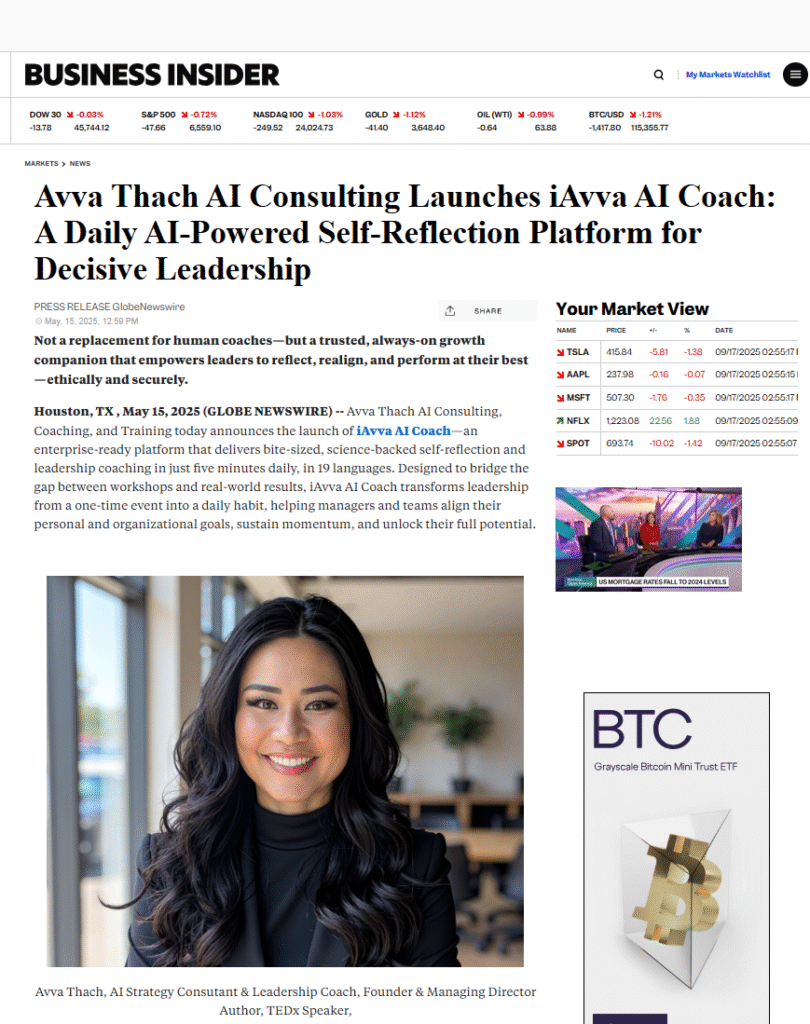
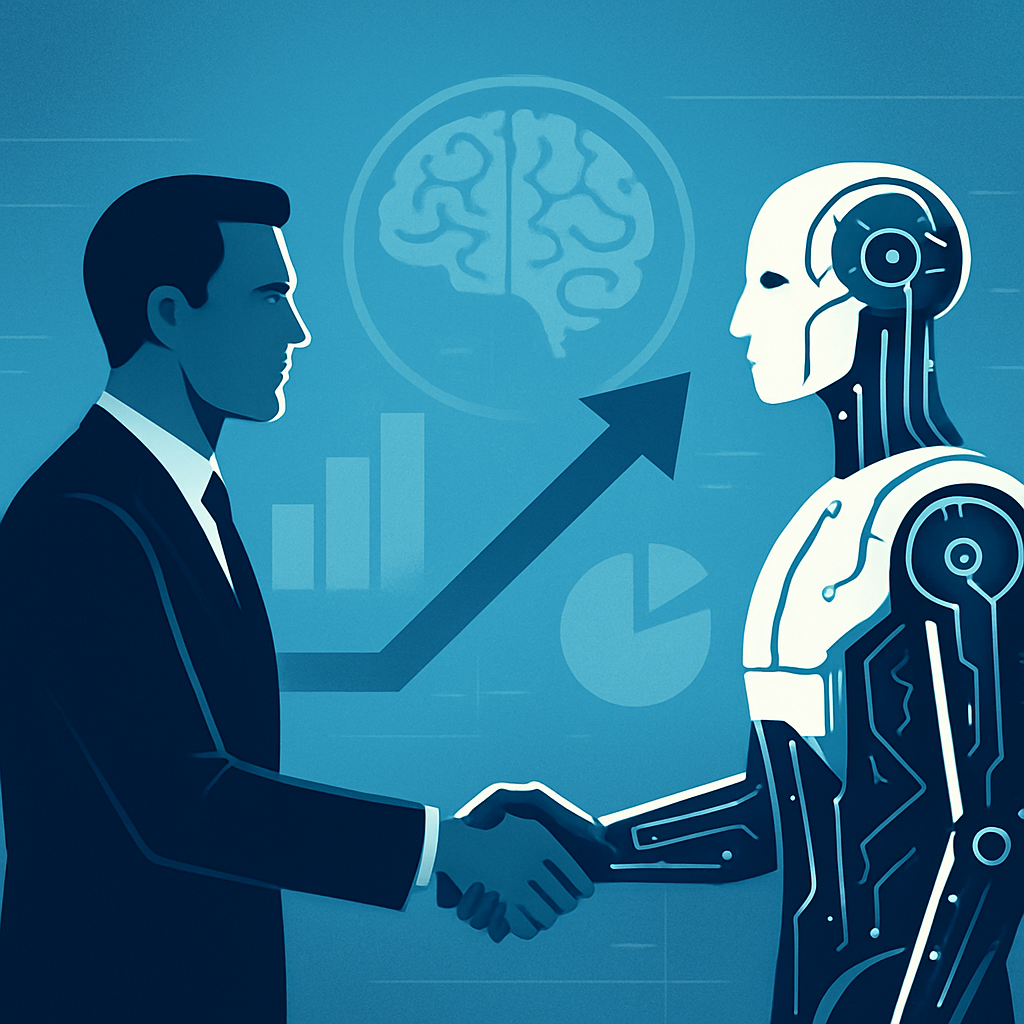
At iAvva AI, we combine AI strategy with an AI-powered coaching platform that helps leaders build daily habits. We have watched teams shift from scattered pilots to company wide practice in a matter of months. When people receive the right mix of education, coaching, and simple tools, AI stops feeling like a threat and starts acting like a trusted partner.
“You do not rise to the level of your goals. You fall to the level of your systems.”
— James Clear, Atomic Habits
By the end of this guide, we will walk through a full framework for generative AI training for enterprise teams. We will look at the three pillars that keep programs grounded, the four phases that move from planning to long term adoption, the core skill of prompt engineering, and role specific use cases in operations, sales, marketing, and HR. The question is no longer whether to train people in AI. The real question is how quickly a company can turn scattered potential into visible, measured business results.
Key Takeaways
Before we go deeper, it helps to see the main points on one page. These key ideas keep training efforts focused and grounded in business outcomes rather than buzzwords or short term experiments.
- Structured generative AI training often raises productivity by ten to fifteen percent. That gain compounds across teams and regions. In some programs, it has added cost savings above twenty four million dollars per year.
- Effective programs rest on three connected pillars: people, process, and technology. People covers AI literacy and mindset. Process covers workflows and governance. Technology covers tools, data, and security.
- Prompt engineering sits at the center of day to day use. When people learn how to write clear, detailed prompts, they move from average AI output to work that feels sharp, fast, and directly useful.
- Role based and industry aware training drives higher adoption than generic content. When people see AI applied to their own KPIs and workflows, learning sticks and behavior changes much faster.
- Responsible AI topics such as fairness, transparency, safety, and security must run through the entire program. Without them, hidden risks can cancel out the benefits and hurt trust inside and outside the company.
- Internal AI champions create momentum long after the first cohort finishes. These people model good practice, support peers, and keep new use cases moving across teams.
- Training ROI shows up in several ways at once. Cost savings, higher output, faster cycle times, stronger engagement, and more frequent innovation all act as signals that the program is working.
- The strongest programs mix expert led teaching, hands on capstone projects, personal coaching, and tight links to the company technology stack. This mix turns training into daily habit rather than a one time event.
Why Generative AI Training Has Become A Strategic Imperative For Enterprise Success

Walk through any office or internal chat space and it is clear that AI is already here. People paste prompts into ChatGPT between meetings. Analysts ask Copilot to build Excel formulas. Product managers ask AI to rewrite specs or user stories. Yet many of these teams have never received a single hour of formal guidance on how to do this safely or well.
That gap creates what we can call the productivity paradox. The tools are powerful, yet results vary wildly. One person uses AI to write a thoughtful client memo in fifteen minutes. Another spends the same fifteen minutes trying random prompts, then gives up and starts from scratch. Without training, access to AI does not equal impact. It only widens the gap between self starters and everyone else.
From a business view, the cost of delaying organized generative AI training for enterprise teams is large but often hidden. Every month without training means missed chances to redesign reports, marketing flows, data reviews, and support work. It also means watching competitors move faster as they give their teams the skills and guardrails to use AI in repeatable ways.
Risk is just as real as lost productivity. When employees use public AI tools on their own, they can send sensitive data outside the company without meaning to. AI text can include wrong numbers, biased language, or made up references that slip into client decks and press releases. Compliance teams then have to react after the fact instead of setting smart rules at the start.
Talent expectations are shifting as well. High performers want to grow with modern tools, not work around them. When companies invest in generative AI training for enterprise teams, they send a strong signal about future skills and career growth. When they do not, ambitious people often look for employers that pair AI adoption with learning and development support.
The upside of training is measurable. Programs that combine prompt skills, workflow redesign, and responsible use often see ten to fifteen percent productivity gains across knowledge roles. Some large organizations have reported annual savings above twenty four million dollars tied directly to capstone projects built during training.
There is also a fairness angle that often goes unnoticed. Without training, AI value sits mostly with technical staff or a small group of early adopters. With structured generative AI training for enterprise teams, every function can participate. HR, finance, operations, and field teams can all redesign parts of their work, not just data science or engineering.
Viewed this way, AI training is not a side project. It is part of the core strategy for how a company competes, serves customers, and supports its people. The key question for leaders is how to design a program that fits their culture, tech stack, and business goals, rather than rushing into scattered workshops that fade after a quarter.
Understanding Generative AI Fundamentals: What Enterprise Teams Need To Know
Before people can use AI with confidence, they need a simple mental model of what it is and what it is not. In plain terms, generative AI refers to models that study very large amounts of data and then create new content based on patterns in that data. That content can be text, images, code, or even draft plans and ideas.
Traditional AI mostly classifies or predicts. It might decide whether an email is spam or forecast demand based on past orders. Generative AI goes further. It can write the email reply, draft the product brief, build a first pass at the slide deck, or suggest ways to rewrite a process description for a new audience.
Many of the tools people use today are powered by Large Language Models (LLMs). These models are trained on huge collections of text and code. They learn how words, phrases, and ideas tend to follow each other. When a person types a prompt, the model predicts the next likely words again and again until it builds a full answer.
For business users, it helps to think of these tools as an advanced autocomplete that also knows how to reason at a basic level. They can write, summarize, and rewrite content. They can scan tables and suggest trends. They can outline options and compare tradeoffs. Used well, they become a kind of always on assistant sitting in the same apps people already use.
A common fear is that generative AI will replace people, yet Working with AI: Measuring the applicability of generative AI to occupations shows that the technology is more about augmentation than replacement across most knowledge work roles. In our work, we see the opposite. The best results happen when humans and AI share the work. AI handles draft writing, first pass analysis, and repetitive steps. People handle judgment, relationship building, final decisions, and all the messy context that models cannot fully see.
Another key point is that no coding is required for impact. Modern tools are designed for business users. The main “programming language” is clear natural language. That is why generative AI training for enterprise teams spends so much time on prompt writing, not on math or model design.
We also remind teams that models are improving month by month. New features appear in Microsoft 365 Copilot, ChatGPT Enterprise, and internal models all the time. When employees understand the basics, they can adopt new features quickly instead of waiting for long technical explanations.
With this foundation, people start to see AI not as a black box but as a capable colleague with clear strengths and clear limits. That mindset makes it much easier to spot good use cases and to push back when AI output does not fit reality.
“AI is the new electricity.”
— Andrew Ng, computer scientist and educator
The Three Pillar Framework For Holistic Generative AI Training Programs

A strong program does more than teach tools. It lines up people, processes, and technology so that AI changes how work actually gets done. We use a three pillar frame to keep these parts connected and to avoid “one and done” workshops that never touch real workflows.
Pillar One – People Building AI Literacy And Driving Cultural Adoption
People sit at the center of every generative AI training for enterprise teams program. AI literacy in an enterprise setting means more than knowing which button to click. It means understanding what AI can do, where it fails, what the ethical risks are, and how it connects to someone’s day to day role.
Any change like this touches emotions. Some employees feel curious and excited. Others feel worried that AI might make their roles smaller or less valued. Good training does not ignore these feelings. It shows clear personal benefits such as less busy work and more time for meaningful tasks. It builds space for questions, doubt, and honest discussion.
Context also matters a great deal. Generic videos or slides that never mention a company’s industry or goals do not move behavior. In contrast, sessions that use real examples from retail, manufacturing, financial services, health care, or tech create instant “aha” moments. At iAvva AI, we often co design scenarios with clients so that examples feel like yesterday’s work, not a random case study.
Another core skill is spotting use cases. We ask participants to map their weekly tasks, then highlight steps that feel repetitive, slow, or hard to communicate. Those steps become natural places to test AI. This habit of looking for AI support in everyday work is just as important as learning any specific tool.
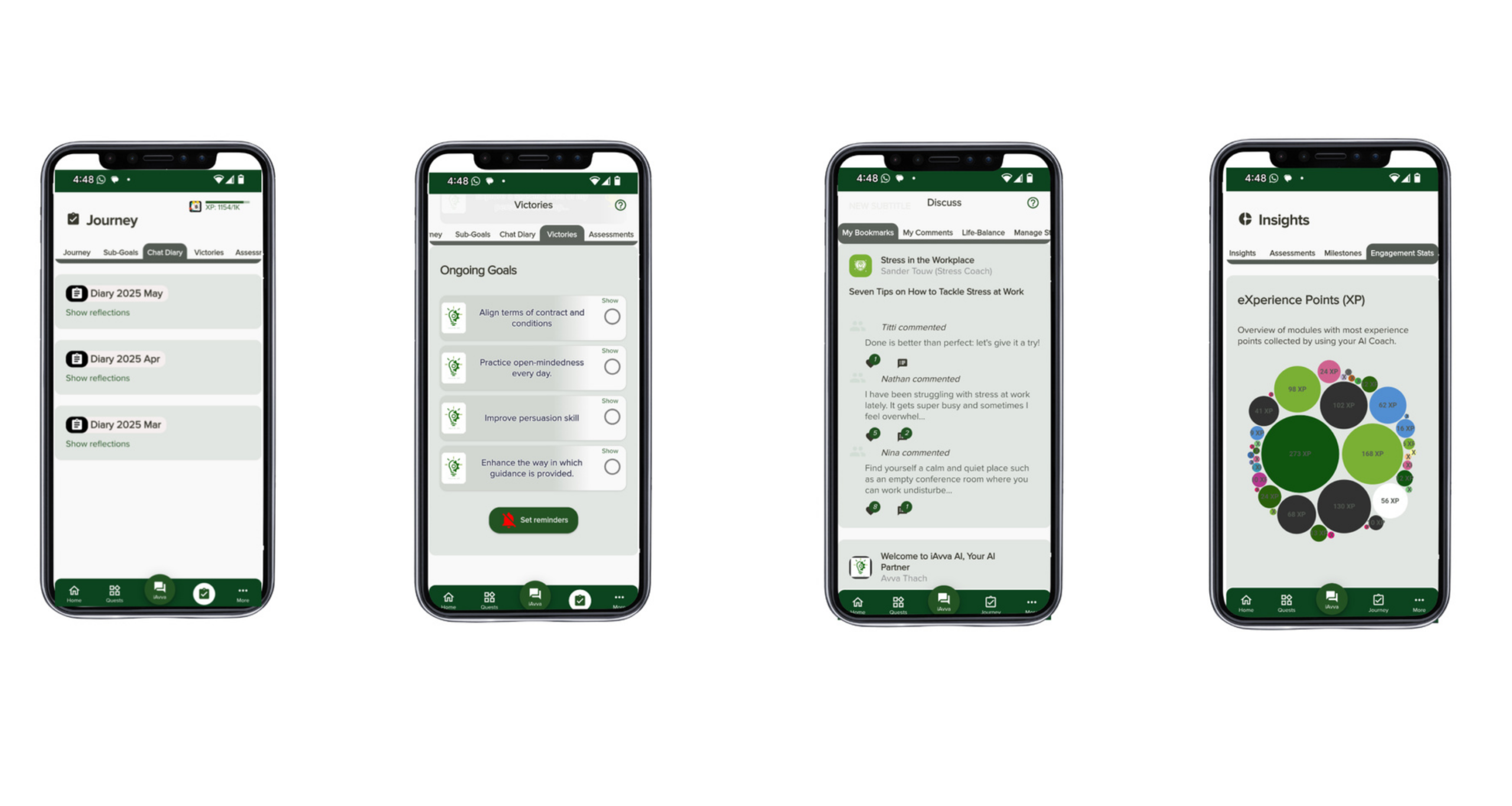
Engagement metrics give leaders an honest view of progress. High completion rates, repeat usage of AI tools, and steady interaction with practice prompts all signal that people are not only attending sessions but also changing behavior. Our iAvva AI Coach app strengthens this by nudging leaders toward small daily reflections that connect their own growth with AI adoption in their teams.
Finally, programs must respect the range of skills across the workforce. Some people are very comfortable with new tech. Others prefer a slower pace and more practice. Multiple learning formats, from live sessions to short app based prompts, let everyone participate without feeling left behind or left out.
“Culture eats strategy for breakfast.”
— Peter Drucker
Pillar Two – Process Integrating AI Into Workflows And Establishing Governance
Even the best people programs can stall if processes do not change. AI tools need to fit right into existing workflows so that using them feels like the normal way to work, not an extra task on top. That means mapping how work flows today and deciding where AI should step in.
During generative AI training for enterprise teams, we guide participants to pick one or two processes they own. Together we break those processes into steps, then ask simple questions:
- Which steps are slow or manual?
- Which steps rely mostly on text that could be drafted or summarized by AI?
- Which steps carry high risk and should stay human led?
From there, we look at how those changes will show value. Training programs gain real traction when they help teams document time saved, error rates reduced, or revenue lifted. When participants connect their capstone projects to metrics that matter to finance or the C suite, the discussion moves from “interesting experiment” to “proven change in how we operate.”
Governance is the other major part of this pillar. Clear rules around data use, prompt content, output review, and escalation channels reduce anxiety for both employees and legal teams. Training should walk through what is safe to share, what must never go into public models, and how to double check AI output before it reaches customers or regulators.
Regulatory expectations are shifting fast. Industries such as finance, health care, and government face strict guidance on data, fairness, and audit trails. Good process training weaves these requirements into daily practice instead of treating them as a separate legal topic. People learn simple habits, like documenting when AI helped create a document or logging which model supported a key analysis.
When AI sits naturally inside process maps and clear rules back up its use, teams begin to spot new ideas more easily. Cross functional collaboration improves because everyone shares the same language for describing where AI helps and where it does not belong.
Pillar Three – Technology Optimizing Tools And Infrastructure For Maximum Impact
The third pillar focuses on the tools and data that make AI useful at scale. Every company has a slightly different stack. Some rely on Microsoft 365 Copilot across the suite. Others use ChatGPT Enterprise plus a mix of point tools. Many larger firms build custom models trained on their own documents and systems.
Training works best when it speaks the same language as that stack. Instead of generic demos, we show how to apply prompt patterns inside Outlook, Teams, Excel, Salesforce, internal knowledge bases, or a company specific chat assistant. This lets employees walk out of a session and try the same steps in their own accounts that same day.
Selecting and rating tools is another important skill. Teams learn simple checklists to judge new AI products based on accuracy, data handling, admin controls, ease of integration, and cost. That way, business units can bring informed requests to IT rather than chasing every new trend.
For some organizations, building custom tools on top of their data is the next step. In these cases, generative AI training for enterprise teams should include basic concepts about vector databases, retrieval augmented generation, and access control, explained in plain language. Even non technical leaders need to understand how these parts fit together so they can ask good questions and set funding priorities.
Security and privacy run through this whole pillar. Training must cover practical habits such as controlling who can see AI outputs, using company approved tools instead of random websites, and logging sensitive prompts carefully. This aligns well with iAvva AI’s coaching work, where we help leaders reflect on how their choices shape team behavior around safety and trust.
Close partnership between L&D, IT, and security teams keeps the technology pillar grounded. As models, tools, and policies change, content can be updated and re run so that training never drifts away from the actual tools in use.
Designing A Phased Training Path From Readiness To Sustained Adoption
Trying to roll out AI training to everyone at once often leads to confusion and low engagement. A phased plan gives structure, reduces risk, and keeps each wave of work aligned with business goals. We use four stages that move from assessment to long term adoption.
Stage One – AI Readiness Assessment And Strategic Foundation
Stage one sets the base. We start by asking where the company stands today in both skills and mindset. Do people already use AI every day or only in pockets? Do leaders see AI as a core part of strategy or as a side project? What tools and data are already in place?
Next we gather and sort possible use cases. Leaders and frontline staff list tasks that feel slow, manual, or error prone. We then rank these ideas by impact and ease of change. The goal is to pick a small set of high value quick wins that can show progress within weeks, not years.
Executive alignment is vital in this stage. Senior sponsors commit to owning results, clearing roadblocks, and modeling healthy AI use in their own work. At the same time, we build excitement among employees through clear pre training messages that explain what is coming, why it matters, and how it will support both company goals and personal growth.
Finally, we record baseline metrics such as cycle times, error rates, and engagement scores. This gives the reference point needed to measure change after training, which makes later ROI discussions far more concrete.
Stage Two – Immersive Role Specific Learning Experiences
Stage two is where most people first touch the formal program. We design live or virtual sessions that encourage questions, practice, and small group work rather than long slide decks. Subject matter experts show real examples and then guide participants as they try prompts and workflows themselves.
Context sits at the center again. We run separate tracks for executives, business teams, and technical teams:
- Executive tracks focus on strategy, risk, and change leadership.
- Business tracks focus on daily use cases, prompt patterns, and process redesign.
- Technical tracks dig into integration patterns, model options, and ways to support non technical peers.
Across all tracks, we weave in best practices. Participants learn prompt structures, content creation flows, data analysis patterns, meeting support use cases, and core responsible AI topics in a connected way. To keep progress moving between sessions, iAvva AI’s coaching app sends short reflection prompts that help leaders apply the ideas to live decisions and habits.
By the end of this stage, people should feel confident writing prompts, spotting good use cases, and talking about AI with their managers and peers.
Stage Three – Real World Execution Through Capstone Projects
Stage three turns knowledge into visible change. Participants form small groups and choose real problems from their own departments. Each group designs a capstone project where AI will replace, speed up, or improve a part of a workflow that matters.
Working through these projects teaches far more than theory. Teams must decide which parts of the task AI should handle and which parts must stay human. They write and refine prompts, test outputs, and adjust processes in short cycles. They also learn how to document risks, write simple guardrails, and explain their approach to leaders.
Each capstone project must tie to clear outcomes. That might mean hours saved per week, reduction in backlog, improvement in customer response time, or higher quality of reports and presentations. In some large firms, a handful of strong projects have added up to millions of dollars in yearly value.
As projects finish, we help teams capture stories and data. These stories become internal case studies that other departments can copy. Over time, this growing library of examples makes it much easier for new cohorts to start strong and for senior leaders to see where to invest next.
Stage Four – Fostering Internal Champions And Continuous Innovation
Stage four focuses on keeping momentum alive after the first waves of training. In nearly every company, a set of people stand out. They experiment often, support peers without being asked, and push for thoughtful AI use. We label these people AI champions and give them structure and support.
Hackathons, pitch days, and internal awards make it easier to spot champions. People who bring forward working prototypes, smart use cases, or strong process changes are invited into a more formal community. That group meets on a regular schedule to share learning, swap prompts, and flag risks or roadblocks.
Champions become local guides inside their functions. They answer quick questions, run short demos, and help their managers see how AI can support team goals. With help from iAvva AI coaching prompts, they also reflect on how to keep their own behavior grounded and inclusive.
Recognition matters here. Companies that highlight champion stories in town halls, performance reviews, and promotion conversations send a clear message. AI practice is not a side hobby. It is part of leadership. Over time, this community supports a culture where new ideas keep appearing without every step being driven from the top.
Mastering Prompt Engineering: The Foundational Skill For Generative AI Success

Core Elements Of High Performance Prompts
Prompt engineering is the simple but powerful skill of telling AI exactly what is needed. Poor prompts give vague or generic answers. Strong prompts feel more like clear creative briefs. They explain the task, add context, and set the rules for the response.
Key elements of an effective prompt include:
- Goal – Every prompt needs a clear goal. A user should say whether they want a summary, an email, a proposal outline, a risk analysis, a data review, or something else. This focus stops the model from guessing and makes it easier to judge the output.
- Context – Good prompts share background such as the audience, industry, product, and any constraints. For example, “This is for a time pressed CFO at a mid market software firm” gives far better direction than “Write a summary for leadership.”
- Format – People can ask for bullets, short paragraphs, tables, step by step lists, or slide outlines. When the format is clear, the AI can match the channel where the content will live.
- Tone And Voice – Teams often ask AI to write in a helpful, direct, or confident tone depending on the situation. They might also ask it to follow brand guidelines or to mirror the style of a sample text.
- Examples – Examples are powerful when stakes are high. Including one or two short samples of the kind of answer you like gives the model a pattern to follow. This works well for sales emails, leadership notes, and customer support replies.
- Limits – Strong prompts set limits. They might ask for a certain word count, avoid sensitive topics, or limit claims to what can be checked from a shared data source.
A simple way to remember these pieces is captured in the table below:
| Prompt Element | What It Covers | Example Instruction |
|---|---|---|
| Goal | Output type | “Write a three paragraph project update for senior leadership.” |
| Context | Background and audience | “Audience: regional sales managers in North America.” |
| Format | Structure of the response | “Provide the answer as a table with columns for risk and mitigation.” |
| Tone | Style and voice | “Use a concise, friendly tone and avoid technical jargon.” |
| Examples | Samples to imitate | “Follow the style of the email pasted below this prompt.” |
| Limits | Boundaries and constraints | “Keep it under 200 words and base claims only on the data provided.” |
After the first reply, users then refine their prompts, ask follow up questions, and correct any missed details. This back and forth is a normal and important part of the process.
Advanced Prompting Techniques For Business Applications
Once people are comfortable with the basics, they can move to more advanced prompt patterns that handle complex tasks. The first is role assignment. This means asking the model to respond as if it were a specific expert such as a pricing analyst, an HR business partner, or a product manager.
Another method is chain of thought prompting. Here, the user asks the AI to explain its reasoning step by step before giving a final answer. This helps with financial models, scenario planning, and other tasks where the path to the answer matters just as much as the answer itself.
Multi step prompts are also very powerful. Instead of asking for a finished report in one go, a user can ask the model to:
- Outline the structure.
- Expand each section.
- Edit for tone.
- Create a short summary for senior leaders.
People can also use constraints to keep work on track. They might ask the AI to base all claims on a specific data table, limit itself to three options, or use only examples from a certain industry or region. These boundaries reduce noise and keep content close to reality.
Persona based prompts help when content will reach more than one audience. For example, a team might ask for two versions of the same message, one for engineers and one for customers, each with the right level of detail.
Comparative prompts let AI act as a thinking partner. Users can ask it to lay out pros and cons of two strategies, compare vendors using shared criteria, or contrast results across regions. This makes it easier to see tradeoffs quickly.
To spread these skills across the company, many of our clients build internal prompt libraries. We help them collect and refine prompts that work well for common tasks such as sales outreach, status reports, leadership updates, and risk reviews. New users can then adapt these patterns instead of starting from zero.
Common Prompting Mistakes And How To Avoid Them
New users often run into the same issues, which can lead to early frustration. The most frequent mistakes include:
Vague Prompts
Using very short or generic prompts such as “Write about our product” pushes the AI to guess and produces content that feels off base.Missing Context
When people forget to mention the audience, region, tone, or goal, the model fills in the gaps with its own assumptions. The fix is simple: add a few lines that explain who will read the output and what they care about.Expecting Perfection In One Step
Some users expect a perfect answer in a single try. AI works best as a conversation. The first answer is a draft. Users should ask for edits, question numbers, and push for clearer structure rather than starting a brand new chat each time.Skipping Quality Checks
Copying and pasting AI text directly into emails, decks, or reports without reading closely carries real risk. Teams must always review AI output for accuracy, bias, and tone before sharing.Sharing Sensitive Data In Public Tools
A major risk is sending private or regulated data to public models. Training should repeat simple rules on what can and cannot be entered into prompts. When in doubt, employees should use company approved models that are designed for secure work.
Prompt skills grow with practice. At iAvva AI, we use short daily reflection prompts in our coaching app to keep leaders in the habit of clear written thinking, which in turn makes their AI prompts sharper over time.
Using Generative AI For Content Creation And Communication Excellence
Every knowledge worker writes. Emails, reports, slides, briefs, one pagers, social posts, and policy notes all take up large parts of the week. Many professionals spend twenty to forty percent of their time staring at a blank page or editing long drafts. Generative AI, when guided well, can cut that time sharply while lifting clarity and consistency.
The goal is not to replace a person’s voice. It is to move from a blank screen to a strong draft in minutes, then let people edit, fact check, and personalize. In generative AI training for enterprise teams, we focus on these blended workflows rather than one click content.
“The first draft is just you telling yourself the story.”
— Terry Pratchett
Drafting Initial Content Across Business Scenarios
AI shines at first drafts:
- Email – It can create structured outreach messages, friendly follow ups, reminders, and executive updates once it knows the purpose and audience. A sales rep might ask for three email options to follow up with a stalled prospect and then adjust wording based on personal style.
- Reports – AI can turn raw notes or bullet points into readable summaries. Project managers, for instance, can paste bullet updates from team members into a prompt and ask the model to produce a short status note for leadership with clear sections and risks.
- Presentations – Users can ask the model to outline slides for a client pitch, internal briefing, or all hands meeting. It can suggest a story flow, draft speaker notes, and list data points that need to be filled in by the team.
- Marketing And Product Content – Marketing and communications teams can request drafts of blog posts, social posts, or landing page copy based on a few key talking points and style guides. Technical staff can ask for first versions of user guides, standard operating procedures, or change logs.
In each case, we stress that AI provides the raw material. Humans bring judgement, context, and personality. This pairing lets teams move faster without losing quality or brand voice.
Improving And Refining Existing Content
AI also acts as a strong editor. When a piece of writing feels long or messy, users can paste it into a prompt and ask for shorter, clearer language. They can ask the model to cut jargon, remove repetition, and reorder sections for better flow.
Tone shifts are another common use. A message written in a rush can sound too sharp or too soft. AI can rewrite the same content in a more formal, friendly, persuasive, or empathetic tone based on the situation and audience.
Grammar and style support come built in with most models. Writers can ask for fixes to tense, spelling, and punctuation. They can ask for sentence variety to avoid repetitive patterns, which helps in leadership communications and external marketing material.
Format changes are also easy. A long memo can turn into a one page brief, an executive summary, or talking points for a meeting. Bullet lists can become full paragraphs, and complex explanations can convert to plain language for non specialists.
Global teams gain another benefit. AI can help create first pass translations and then refine them for local tone and phrases. People in each region still need to review and adjust details, but the starting point arrives much faster than with manual work alone.
Throughout generative AI training for enterprise teams, we stress the final review step. Someone must read and approve every piece of AI touched content before it goes out the door, to keep facts, brand, and values aligned.
Research And Information Synthesis
Many content tasks start with research. Generative AI can speed this step up, as long as people stay alert to accuracy. Users can ask the model to explain new topics in simple language, summarize public articles, or list common approaches to a known problem.
When dealing with a stack of documents such as reports, contracts, or surveys, AI can create summaries that highlight key points, differences, and open questions. This helps leaders see the shape of the information before they dive into details.
Teams also use AI to explore competitor moves, customer reviews, or market chatter. The model can suggest themes, common customer pain points, and areas where a company stands out or lags. These insights then feed into messaging, product plans, and sales playbooks.
For more formal work, such as internal white papers or policy drafts, AI can support literature reviews. It can outline typical sections, list questions worth asking, and summarize known patterns from public data. Human experts still need to verify sources and update numbers, but the framing step becomes much quicker.
We always remind participants that AI can mix correct facts with confident sounding errors. Any important data point or quote must be cross checked against trusted sources. With that habit in place, teams gain faster understanding without trading away accuracy.
Rethinking Data Analysis And Decision Making With AI Powered Insights
For years, deep data work belonged mostly to specialists. Business teams often had to submit requests and wait days or weeks for dashboards or reports. Generative AI now lets many more people ask direct questions of their data using plain language, inside tools they already know.
When generative AI training for enterprise teams includes data topics, people stop seeing spreadsheets as static tables. They start treating them as interactive assets they can explore with simple questions. This makes decisions faster and more grounded in real numbers.
“Without data, you’re just another person with an opinion.”
— W. Edwards Deming
AI Assisted Data Analysis In Spreadsheets And Business Intelligence Tools
In practice, this often starts inside tools such as Excel or Power BI. A user can highlight a table and ask, in normal language, which products brought in the most revenue last quarter, or which regions saw the sharpest drop in engagement.
AI can then scan the data, point out top and bottom performers, and flag outliers that do not match normal patterns. This is particularly helpful in long lists or wide tables that would take a human a long time to review by hand.
Users can also ask the model to run calculations they do not remember how to write. Instead of searching for a formula, they can say they want growth rates by month or averages by segment. The AI can then create the needed formulas and explain them.
Cleaning data is another slow step that AI can speed up. Models can detect missing values, inconsistent formats, duplicate rows, or strange entries that may signal errors. They can suggest fixes and even perform them under human supervision.
For forecasting, AI can study past values and estimate likely future ranges. While these forecasts are not perfect, they give leaders a starting point for capacity planning, sales targets, or staffing choices.
Segmentation is also easier. A user can ask the model to group customers by behavior, order size, or engagement levels. These clusters then guide marketing plans, account focus, or support efforts, all without a full data science project.
We always teach teams to double check important numbers and to understand which parts of the analysis rest on simple math and which parts rest on model judgment.
Creating Compelling Data Visualizations
Once insights appear, they need to be shared. AI can propose charts that fit both the data shape and the story a team wants to tell. It might suggest a bar chart to compare categories, a line chart for trends, or a scatter plot for relationships.
Users can ask for a full dashboard layout with key metrics, filters, and visual groupings. The AI can propose which views belong on the same screen and how to order them for a clear story.
Narratives around charts are often as important as the visuals. AI can write short explanations that describe what changed, why it matters, and what managers should notice. This is especially helpful when sending reports to non technical readers.
Formatting support rounds out this area. The model can suggest color schemes, titles, and labels that keep charts clear and readable. Small touches like this make it far more likely that stakeholders will understand and act on the data.
Generating Strategic Insights And Recommendations
Beyond summary, AI can help teams think through what data means in practice. A manager might ask why churn rose in one segment, and the model can suggest possible reasons based on the numbers and context provided.
Users can also request clear lists of risks and opportunities tied to the trends in a dataset. For example, falling engagement in a region could prompt questions about pricing, support coverage, or product fit. Rising success in another region could highlight tactics worth copying.
AI can propose action ideas ranked by expected impact and effort. It might suggest reviewing specific accounts, changing message timing, or offering new bundles based on buying patterns. Teams then discuss and adjust these ideas rather than starting from a blank page.
Scenario prompts allow leaders to see how different choices might play out. They can ask what happens if marketing increases spend in one channel or if a discount ends next quarter. While these models are not perfect forecasts, they frame the discussion more clearly.
Human judgment always sits on top of these insights. Domain experts know which suggestions match real world constraints. Training teaches people to treat AI as a thinking partner, not an oracle. That balance leads to quicker, better informed decisions without giving away control.
Improving Collaboration And Meeting Productivity With Generative AI

Meetings take up a large share of knowledge work. Many leaders report fifteen to twenty five hours a week in calls or rooms, with mixed results. Poor agendas, weak preparation, and scattered follow up often waste time. Generative AI can make each phase of the meeting cycle more focused and less manual.
In generative AI training for enterprise teams, we show participants how to use AI before, during, and after meetings so that human attention stays on decisions and relationships rather than notes and logistics.
“The least productive people are usually the ones who are most in favor of holding meetings.”
— Thomas Sowell
Streamlining Meeting Preparation
Preparation sets the tone for any meeting. AI can help organizers create clear agendas based on goals, previous notes, and open tasks. A manager might ask the model to suggest topics, time blocks, and outcomes for a weekly team sync or quarterly review.
When background reading piles up, AI can summarize long documents, email threads, or reports into short briefs. Attendees then arrive with a shared base of knowledge instead of feeling buried or unprepared.
Organizers can also ask AI to create tailored briefing pages for key participants. A sales leader might see account highlights, while a product manager sees recent feature updates and bugs. This keeps everyone focused on the parts that matter most to their role.
The model can even suggest key questions that should be answered in the meeting. This prompts deeper thinking and helps groups move beyond status updates to real problem solving.
Calendar and attendee planning improve as well. AI can scan calendars to find good times, flag optional participants, and suggest when an email or shared document would be better than a meeting at all.
Capturing Value During Meetings
During the meeting, AI tools can record and transcribe the conversation in real time. This reduces the need for a dedicated note taker and allows everyone to stay engaged. People who miss the meeting gain a full record to review later.
Modern tools can also mark important points automatically. They listen for phrases that signal a decision, action item, or open issue. These are tagged so they are easy to find after the call.
Action items often get lost when people juggle talking and typing. AI can capture tasks, owners, and due dates as they are spoken. After the meeting, this list can be reviewed and adjusted rather than built from scratch.
Participants can also ask AI to look up facts or explain terms during a meeting without derailing the flow. Quiet chat windows allow a side check while the main conversation continues.
When people know that the record keeping is handled, they tend to listen more closely and speak more clearly. The quality of discussion rises, and misunderstandings drop.
Automated Follow Up And Documentation
The minutes after a meeting often decide whether anything actually changes. AI can generate short summaries that highlight what was discussed, what was decided, and what still needs work. These notes arrive minutes after the call ends rather than days later.
Task lists with owners and dates can be sent out automatically. Team members receive clear reminders of what they agreed to do, which supports accountability without extra manual effort from the organizer.
Full transcripts can be stored in secure systems so that people who could not attend can catch up. Search tools make it easy to find specific topics or phrases in past meetings.
Follow up emails to clients, partners, or internal stakeholders can be drafted from the summary. The organizer only needs to review, adjust wording, and send, which reduces mental load after long days of calls.
AI can also track action items across a series of meetings. At the start of each recurring session, it can produce a short note that shows which tasks are done, which are late, and what new issues have appeared. This keeps long running projects moving forward.
By cutting the manual work around meetings, teams often find they can shorten calls, invite fewer people, and cancel meetings that no longer serve a clear purpose. The time saved can then shift toward deep work that drives real value.
Implementing Role Specific Generative AI Training For Maximum Business Impact

Different teams care about different outcomes. Operations leaders track efficiency and cost. Sales and marketing leaders focus on revenue and pipeline. HR leaders watch engagement, retention, and fairness. A single generic class cannot meet all these needs. Role specific generative AI training for enterprise teams connects AI use directly to the numbers each group lives with every day.
When we design programs at iAvva AI, we start by listening. We ask operations, commercial, and people leaders to describe their main pains and goals. Then we shape examples, prompts, and capstone projects around those real targets instead of generic tasks.
Operations Driving Efficiency And Process Optimization
Operations teams keep the company running. They manage logistics, production, service delivery, and internal support. Most of their work follows repeatable patterns, which makes it a strong fit for AI support when done with care.
Training for operations often starts with reporting. Teams learn how AI can pull data from multiple sources and draft weekly or monthly status reports. Instead of copying numbers by hand, they focus on checking trends and writing short comments that add insight.
Process documentation is another big area. Many critical steps live only in people’s heads or in outdated manuals. AI can help turn rough notes or chat logs into clear standard operating procedures that new hires can follow.
Resource planning gains from AI as well. By feeding past volume, seasonality, and staffing data into models, planners can get suggestions for staffing levels, shift patterns, or inventory levels. They then adjust based on local knowledge.
Vendor and contract management also benefit. AI can read contracts, compare terms, and highlight clauses that need review. It can scan performance data and flag partners who miss targets or meet them at higher cost than peers.
Capstone projects in operations might include building an AI assisted reporting flow that saves ten or more hours per week, or a vendor review system that helps renegotiate contracts on better terms. Results often show up as fifteen to twenty five percent reductions in manual reporting time and clear cost savings from smarter decisions.
Sales And Marketing Accelerating Revenue Growth
Sales and marketing teams live in a world of constant communication and adaptation. They must research accounts, write tailored outreach, build presentations, and adjust messages as markets shift. Generative AI can act as a fast research assistant and writing partner.
Training starts with prospecting flows. Reps learn how to ask AI for account summaries based on public data and CRM notes. The model can pull out key roles, likely pain points, and recent news that should shape outreach.
Next comes personalized communication. With a few details about the prospect and offer, AI can draft emails, call scripts, and LinkedIn messages in the right tone. Reps then edit for accuracy and their personal style before sending.
Marketing teams learn to draft blog posts, landing pages, and campaign copy from a simple brief. AI can also help repurpose one asset into many formats, such as turning a webinar transcript into articles, social posts, and email sequences.
Lead scoring is a more advanced area. By training models on past wins and losses, teams can ask AI to rate current leads by conversion likelihood. This helps sales focus time on the most promising accounts.
Capstone projects in this function might involve building an AI assisted prospecting playbook, or a proposal generator that creates custom decks for each industry and buying role. Results often include twenty to thirty percent gains in sales productivity and shorter sales cycles thanks to faster content creation.
Human Resources And The Employee Experience
HR teams shape the experience of people before, during, and after their time at a company. They handle hiring, onboarding, development, engagement, and exit. Much of this work involves communication, pattern spotting, and support, all of which AI can help with when used carefully and ethically.
Training often begins with job and candidate work. HR staff learn how AI can draft clear, inclusive job descriptions from a role profile and set of skills. The model can suggest neutral language that avoids biased phrasing and highlight skills that truly matter.
Resume review is another common use. While final decisions must always stay with humans, AI can help group applicants by basic fit, highlight matches with key skills, and surface questions for interviews. This saves time and lets recruiters spend more energy on meaningful conversations.
Employee sentiment analysis comes next. By feeding anonymized survey comments, exit notes, and internal forum posts into AI tools, HR can see patterns in morale, workload concerns, or culture issues. They can then design targeted actions rather than guessing at root causes.
Development and retention also gain from AI support. With the help of platforms like iAvva AI, employees and managers can receive daily reflection prompts related to their goals, values, and current challenges. These prompts, grounded in neuroscience and coaching methods, help people build habits that support focus, resilience, and clear communication.
Generative AI can assist HR in drafting personalized growth plans, suggesting learning paths, and building onboarding guides for different roles and regions. When tied to company OKRs, as we do at iAvva AI, these plans connect personal development with business outcomes in a very direct way.
Over time, HR focused capstone projects might reduce time to hire, raise engagement scores, or lower regrettable attrition. Real time analytics from tools like the iAvva AI Coach app give HR leaders ongoing insight into engagement and growth, turning training into a living system rather than a one off event.
Conclusion
Generative AI is no longer a future topic. It already shapes how people write, analyze, meet, and decide. The gap between companies that treat it as a casual experiment and those that build real capability through generative AI training for enterprise teams is widening every quarter.
We have seen that training only works when it connects people, process, and technology. Employees need simple mental models, strong prompt habits, and clear examples from their own roles. Processes need to change so that AI sits inside daily work, backed by governance and metrics. Tools need to match the company stack and respect privacy and security expectations.
Role specific training then turns AI from a generic helper into a direct driver of results in operations, commercial teams, and HR. Capstone projects and internal champions keep energy high and ideas flowing long after the first workshops end. When programs are set up this way, ten to fifteen percent productivity gains and large cost savings stop being abstract claims and start showing up in dashboards and board decks.
At iAvva AI, we pair this kind of training with an AI coaching platform that builds daily leadership habits, aligned with OKRs and backed by clear analytics. This mix of learning, practice, and reflection helps organizations not only use AI tools, but also grow the kind of leaders who can guide their teams through change with clarity and care.
The next step is simple. Map where your teams already touch AI, decide which outcomes matter most, and design a phased program that fits your context. With the right approach, generative AI training for enterprise teams becomes less about chasing a trend and more about building a calmer, smarter, and more effective way of working.
FAQs
What Is The First Step To Start Generative AI Training For Enterprise Teams?
The first step is to understand where your company stands today. Map which tools people already use, how often they use them, and where they feel blocked or worried. From there, run a short readiness assessment that covers skills, culture, and technology. With that picture in hand, you can choose a few high value use cases and design a pilot program rather than trying to train everyone on everything at once.
How Long Does An Effective Generative AI Training Program Usually Take?
Timeframes vary by company size and goals, but many strong programs run in waves over eight to sixteen weeks. This allows for live training, practice between sessions, and at least one round of capstone projects that touch real workflows. Shorter sprints of three to four weeks can work for focused groups such as executive teams, while deeper role specific tracks may run longer.
Do Employees Need Technical Backgrounds To Benefit From Generative AI Training?
They do not. Modern AI tools are designed for business users who work in email, documents, spreadsheets, and chat. The main skill is clear communication, not coding. Training focuses on prompt writing, workflow changes, and responsible use. Technical teams receive extra content on integration and model choices, but everyone can gain value from the core modules.
How Can We Measure The Return On Investment From Generative AI Training For Enterprise Teams?
Start by setting baseline metrics before training begins. Track time spent on key tasks, error rates, cycle times, and engagement scores. During and after training, connect capstone projects and new workflows to these numbers. Many companies see measurable time savings, shorter sales cycles, fewer manual errors, and higher engagement. Tools like the iAvva AI Coach analytics dashboards help link individual habit changes with team and business results.
Where Does iAvva AI Fit Into Our Broader Learning And Development Strategy?
iAvva AI can act as both a thought partner and a daily practice tool. Our team helps design generative AI training for enterprise teams that fits your industry, culture, and tech stack. The iAvva AI Coach app then supports leaders and employees with five minute daily reflection prompts in nineteen languages, aligned with OKRs and grounded in coaching science. This combination turns one time training into ongoing growth that ties directly to the outcomes your leadership cares about most.













Leave a Reply